1 Creating and Manipulating WindO/I-NV4 Project Data
4-6 WindO/I-NV4 User’s Manual
● Saving project data with a different name
You can save the project data being edited with a different name.
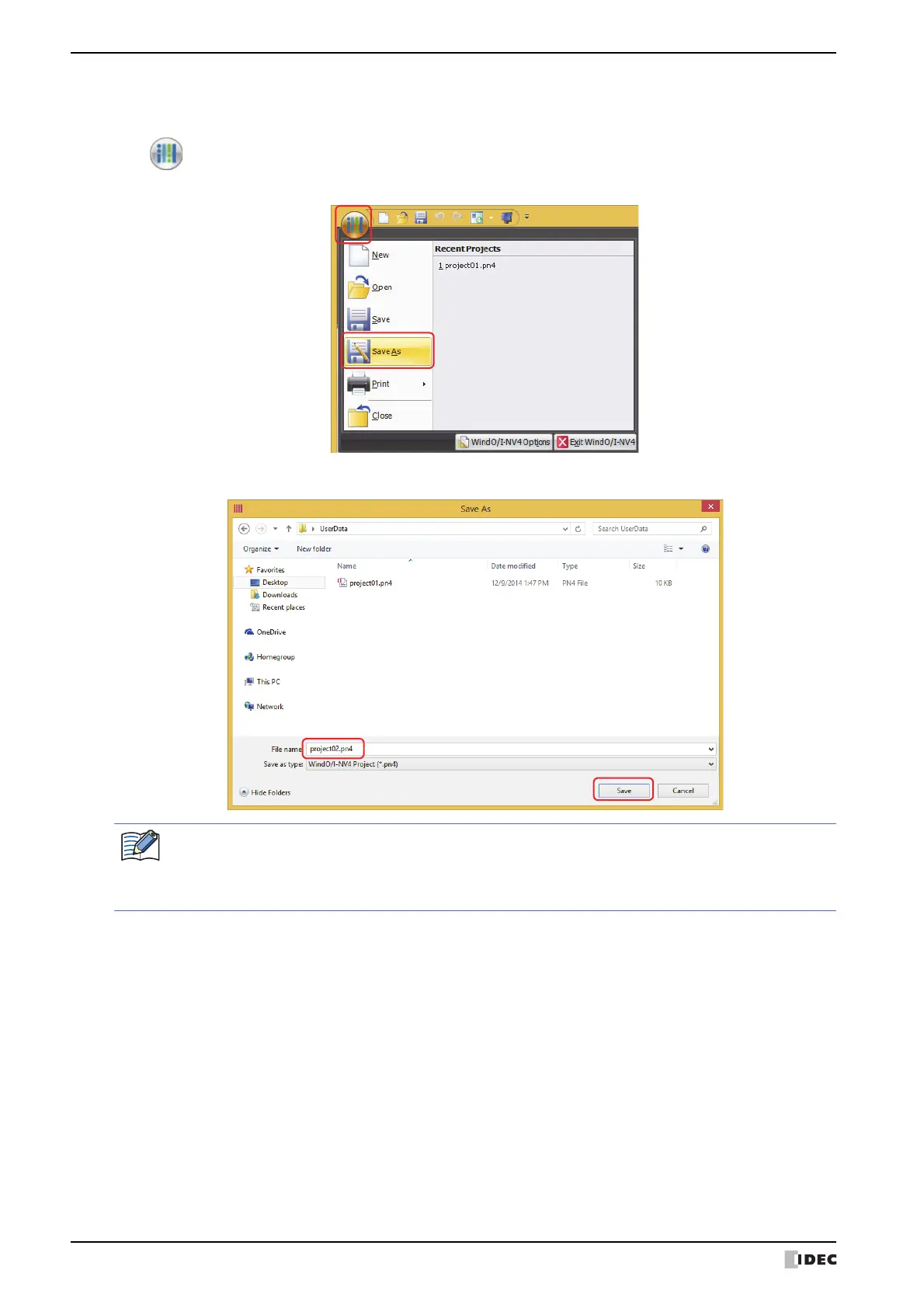
1 Click , then click Save As.
The Save As dialog box is displayed.
2 Enter the project name and click Save.
• You cannot use the following characters in the project name.
. \ / : * ? “ < > |
• You cannot create project data in read-only folders or in WindO/I-NV4’s working folders (temporary
folders that start with “~”).



 To Next Page
 Loading...