5 Key Button
8-104 WindO/I-NV4 User’s Manual
● Playing Recorded Images and Sound
This section describes how to select a movie file to play with the Movie File Screen and play it on a Video Display.
Configuration Procedure
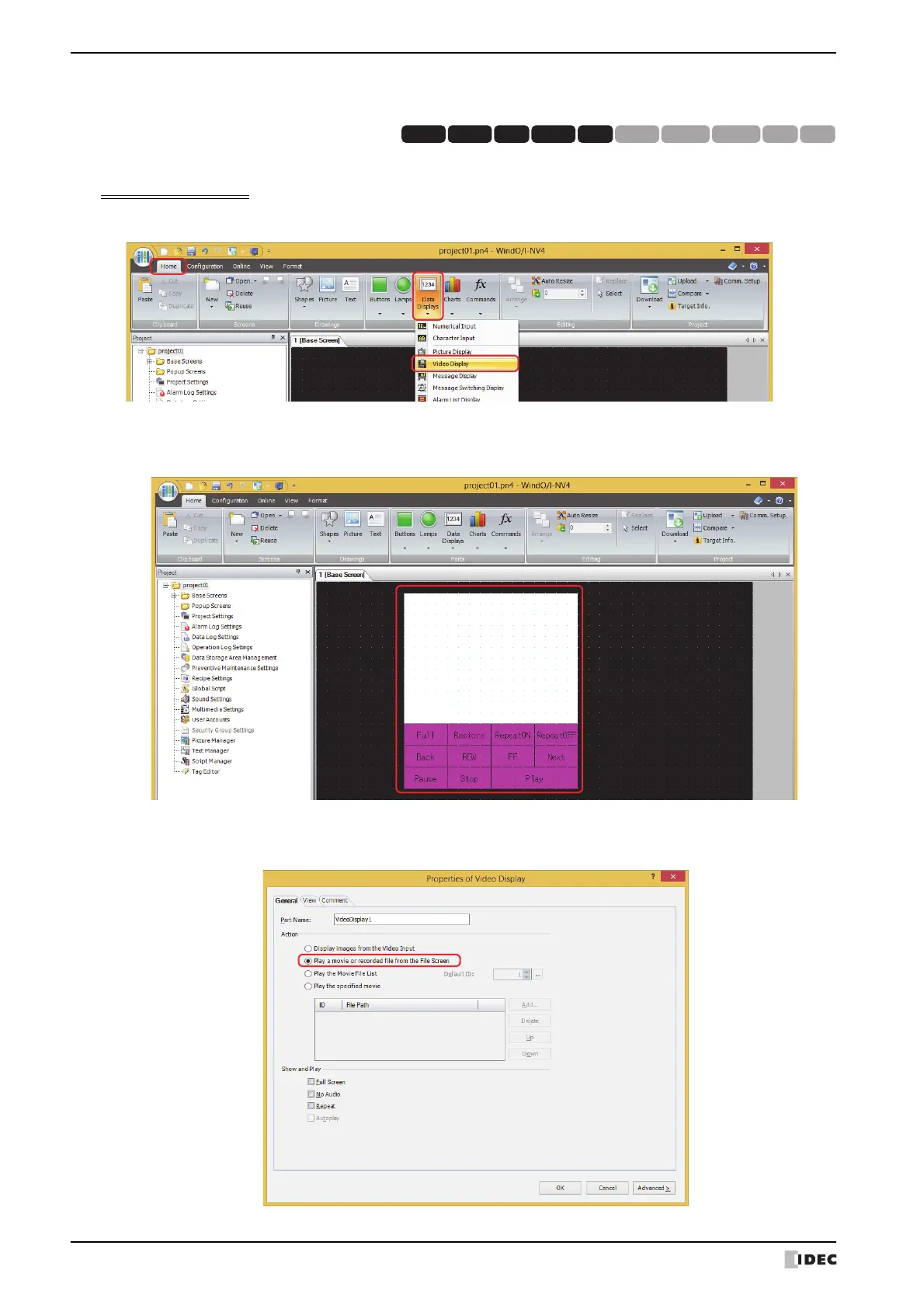
1 On the Home tab, in the Parts group, click Data Displays, and then click Video Display.
2 Click a point on the edit screen where you wish to place the Video Display.
3 Double-click the dropped Video Display and the Properties dialog box is displayed.
4 On the General tab, under Action, select Play a movie or recorded file from the File Screen.
This option selects and plays movie files using the File Screen.
HG3G
HG2G-5FHG5G-V HG4G-V HG3G-V HG2G-V HG2G-5T
HG4G HG1G HG1P



 To Next Page
 Loading...