2 Character Input
10-52 WindO/I-NV4 User’s Manual
Operating Procedure
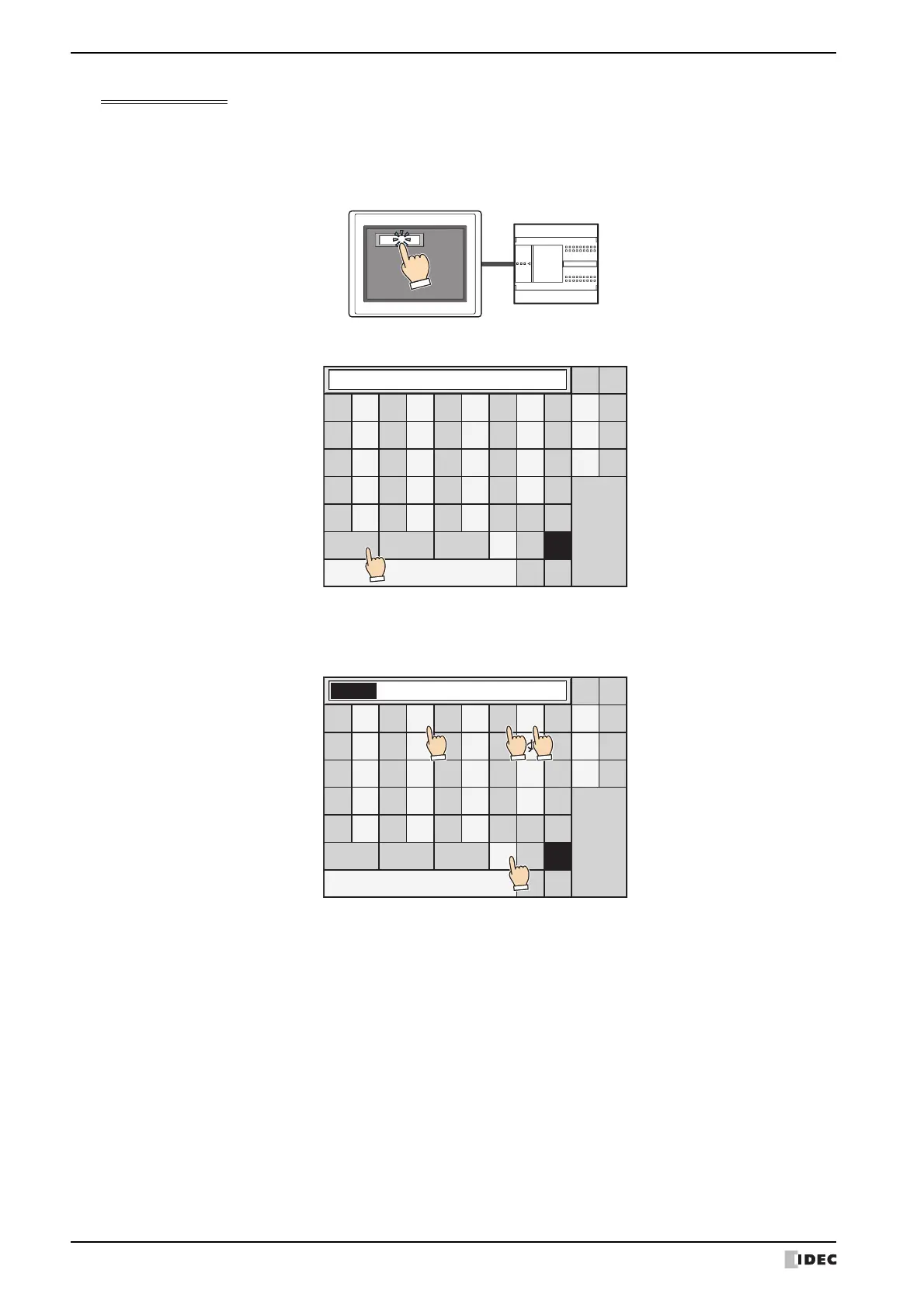
This section describes an example of entering the Kanji characters " 山田太郎 " to the Character Input.
1 Press the Character Input for entering the Kanji characters.
The popup screen for the standard keypad (screen number 3008) will be displayed.
2 Press the Kanji to switch it to Kanji input mode.
3 Enter the reading of Kanji with Hiragana.
The maximum number is 32 characters.
Example: Press " や ", " ま ", " た " and then "Small ゛゜" when you enter " やまだ ".
あ
い
う
え
お
か
き
く
け
こ
さ
し
す
せ
そ
た
ち
つ
て
と
な
に
ぬ
ね
の
は
ひ
ふ
へ
ほ
ま
み
む
め
も
や
ゆ
よ
ら
り
る
れ
ろ
ー
、
。
↑↓
わ
を
ん
BS
←→
CLR
CAN
ENT
Kanji
Alphabet Num&Sign
゛゜
Small
SP
あ
い
う
え
お
か
き
く
け
こ
さ
し
す
せ
そ
た
ち
つ
て
と
な
に
ぬ
ね
の
は
ひ
ふ
へ
ほ
ま
み
む
め
も
や
ゆ
よ
ら
り
る
れ
ろ
ー
、
。
↑↓
わ
を
ん
BS
←→
CLR
CAN
ENT
Kanji
Alphabet Num&Sign
゛゜
Small
SP
やまだ
4
123



 To Next Page
 Loading...