4 Customizing WindO/I-NV4
2-62 WindO/I-NV4 User’s Manual
■ Workspace
■ Compatibility
■ Error Check
●
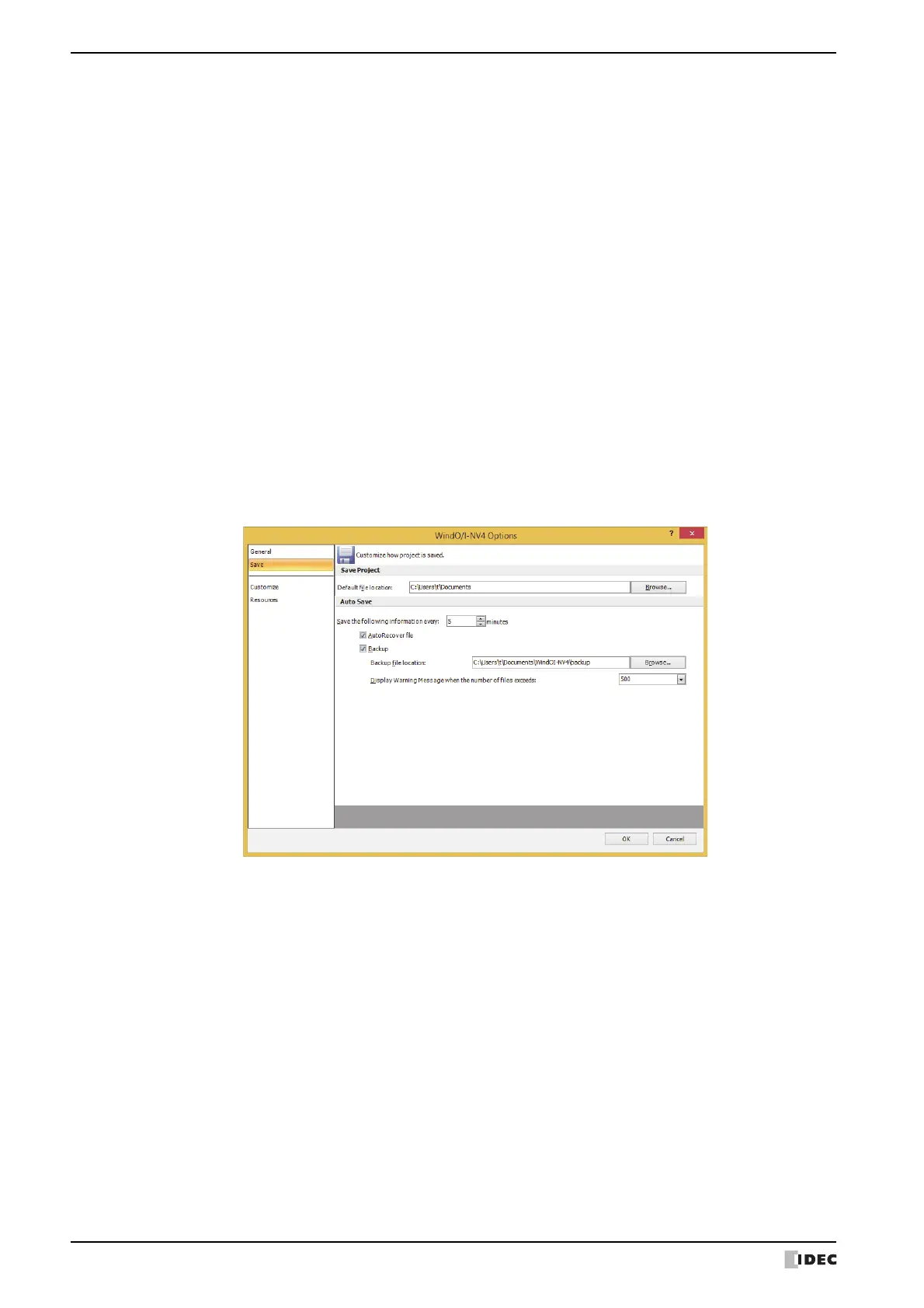
Save tab
■ Save Project
Workspace Setup: Displays the Workspace Setup dialog box. You can configure items displayed in
the workspace window. For details, refer to “4.2 Customizing the Workspace”
on page 2-66
Use Compatible functions from previous version: Select this box to enable functions from previous versions. For
details, refer to Chapter 4 “3.17 Compatible Tab” on page 4-76.
Use HG1B Compatible functions: Select this box to enable previous functions (HG1B). For details,
refer to Chapter 4 “3.17 Compatible Tab” on page 4-76.
Verify that a string is invalid E-mail format: When setting the E-mail address, place a check mark in the check
box to check the string format used for the E-mail address. The
check target is as follows:
• Sender E-mail Address in the E-mail tab on the Project
Settings dialog box
• E-mail Address on the E-mail Address dialog box
• Import was executed on the E-mail Address Book dialog box.
Default file location: Specify the default save location of the project data.
Click Browse to display the Browse For Folder dialog box.



 To Next Page
 Loading...