30
2.5. Driver installation (Windows Vista, 7, 8)
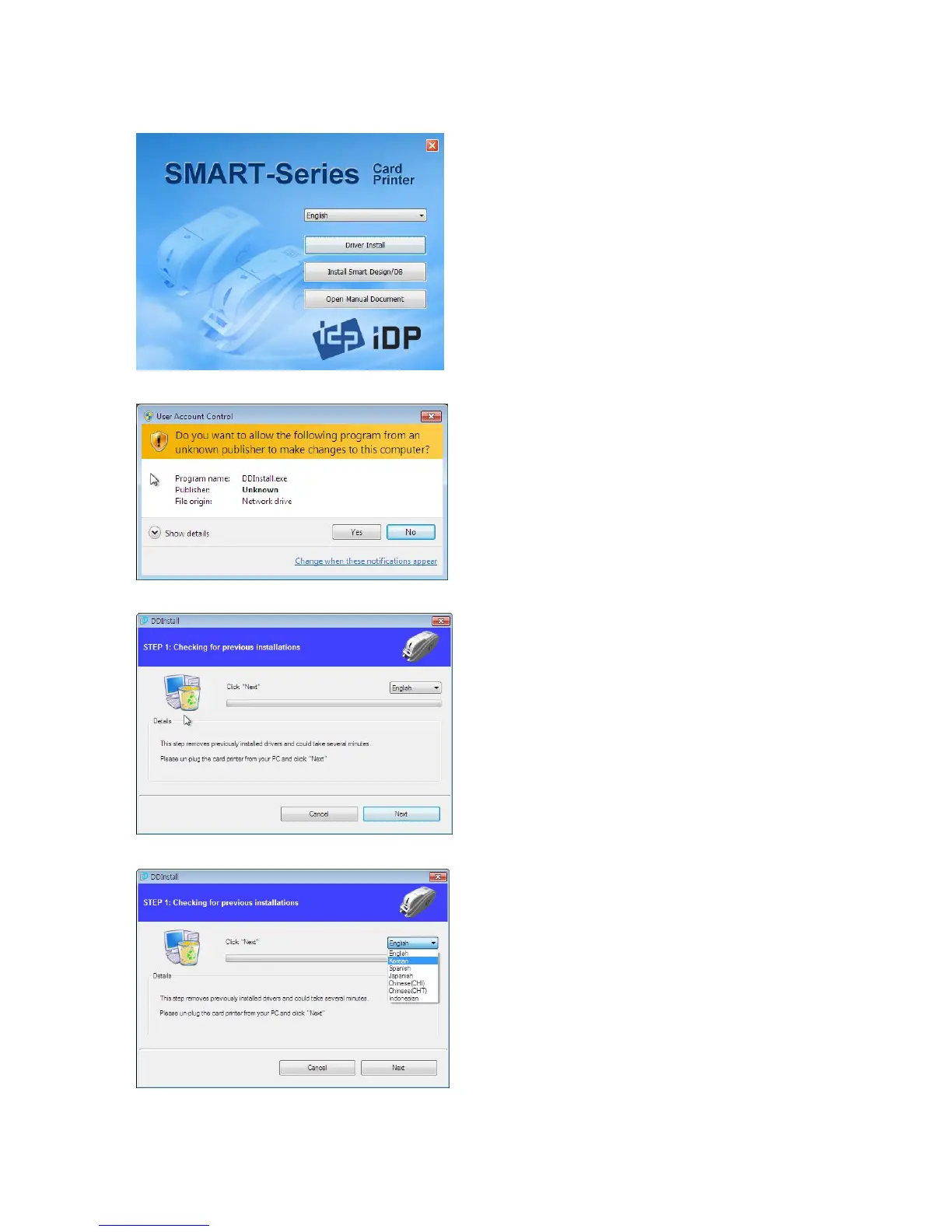
Pic.53 Install Win7 driver 1
2.5.2. Please choose language
“Driver Install”.
Pic.54 Install Win7 driver 2
window is opened, click “Yes”
Pic.55 Install Win7 driver 3
Pic.56 Install Win7 driver 4
Please turn off printer if it is
connected to PC. Please click
“Next”.
When you click “Next”
will be removed automatically.
This process will take several minutes to
remove older driver.
You can select the languages by selecting
combo box as shown on the Pic.55.



 To Next Page