71
4.3.2. Laminator Firm-ware Upgrade.
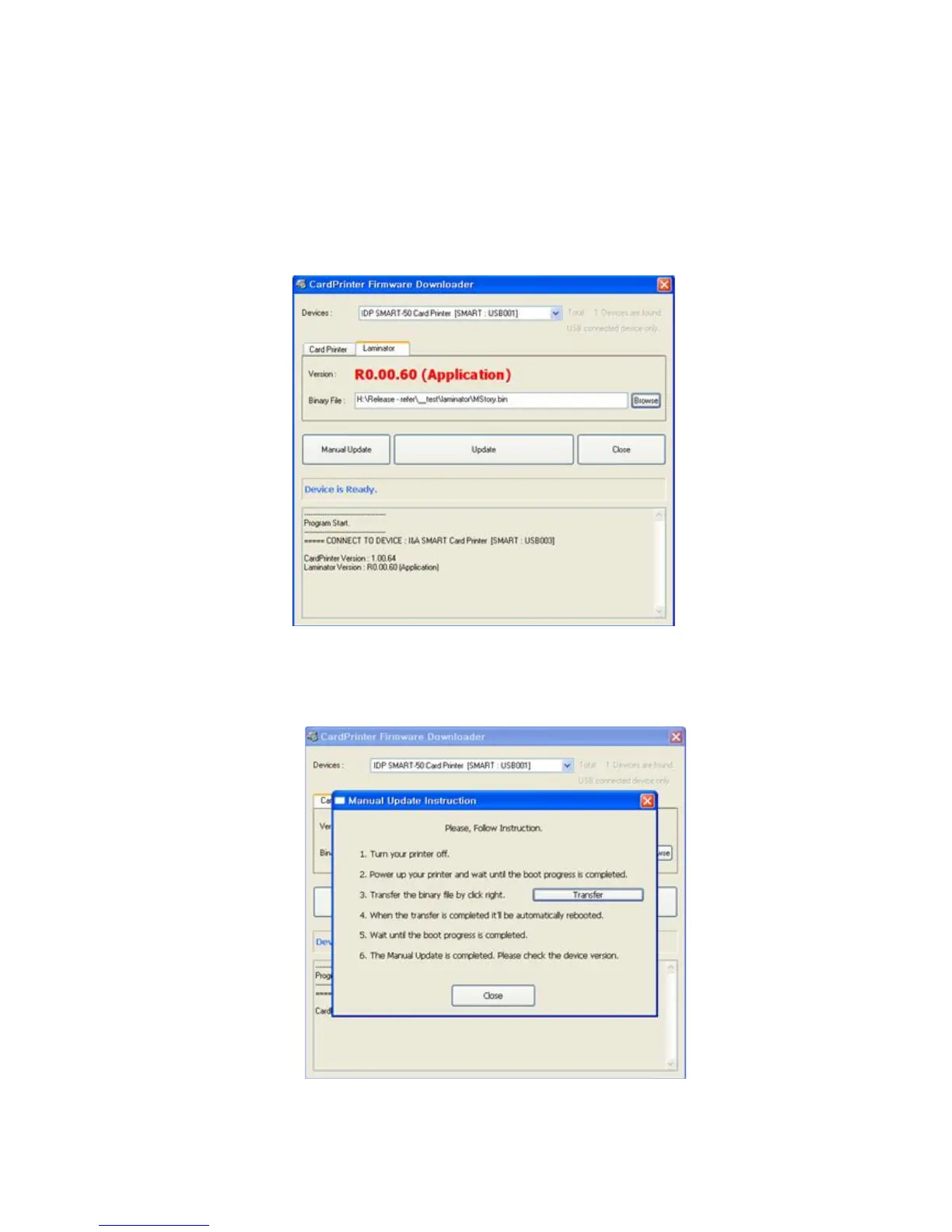
This function is only for card printer firm-ware version 1.00.60 and laminator should be installed to the
printer. If you click “Browse” and select the new firmware, “Manual Update” and ”Update” are activated.
At that time, click “Update” button to upgrade automatically, then the printer is upgraded after rebooting.
(Caution: Please do not close upgrade dialog box until it is completed successfully and do not turn off
the printer.)
Pic.123 Ready for laminator firm-ware upgrade
In case there are some problems in the automatic upgrade, you click “Manual Update” and can see the
pop-up widow as below picture. It shows procedure of manual upgrade. You can upgrade manually
according to this procedure.
Pic.124 Firm-ware manual upgrade



 To Next Page