39
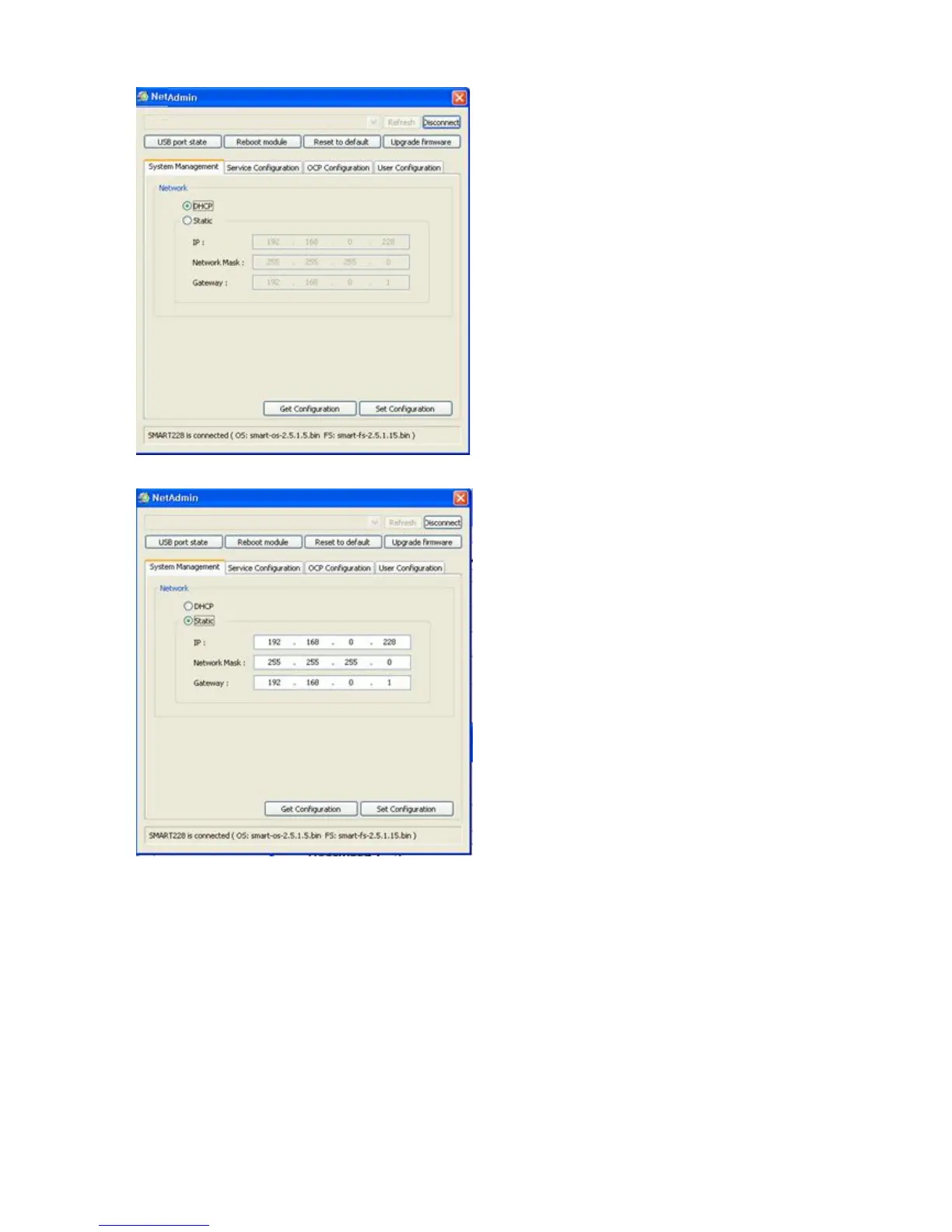
Pic.82 Dynamic IP configuration
If you setup network automatically,
please choose DHCP.
Please select DHCP and click “
Configuration”.
“DHCP” is default for SMART-50 printer.
DHCP server should be in loca
Static IP is recommended. DHCP server
assigns IP address automatically but this IP
address is temporary, so the IP address may be
changed. In this case, the network error
occur in connecting to SMART-50
printer.
Pic.83 Static IP configuration
configuration.
Please enter values for “IP”, “Network Mask”
and “Gateway”. Click “Set Configuration”.
Please check IP address properly which does
not conflict with other devices.
If you are not aware of s
network administrator for Static IP.
We recommend using
more stable for using SMART-50



 To Next Page