EasyManua.ls Logo

idp SMART-50D - Pic.66 Install Win7 Driver 16; Pic.67 Install Win7 Driver 17; Pic.68 Install Win7 Driver 18; Pic.69 Install Win7 Driver 19

idp SMART-50D
88 pages
Print Icon
To Next Page IconTo Next Page
To Previous Page IconTo Previous Page
Loading...
34
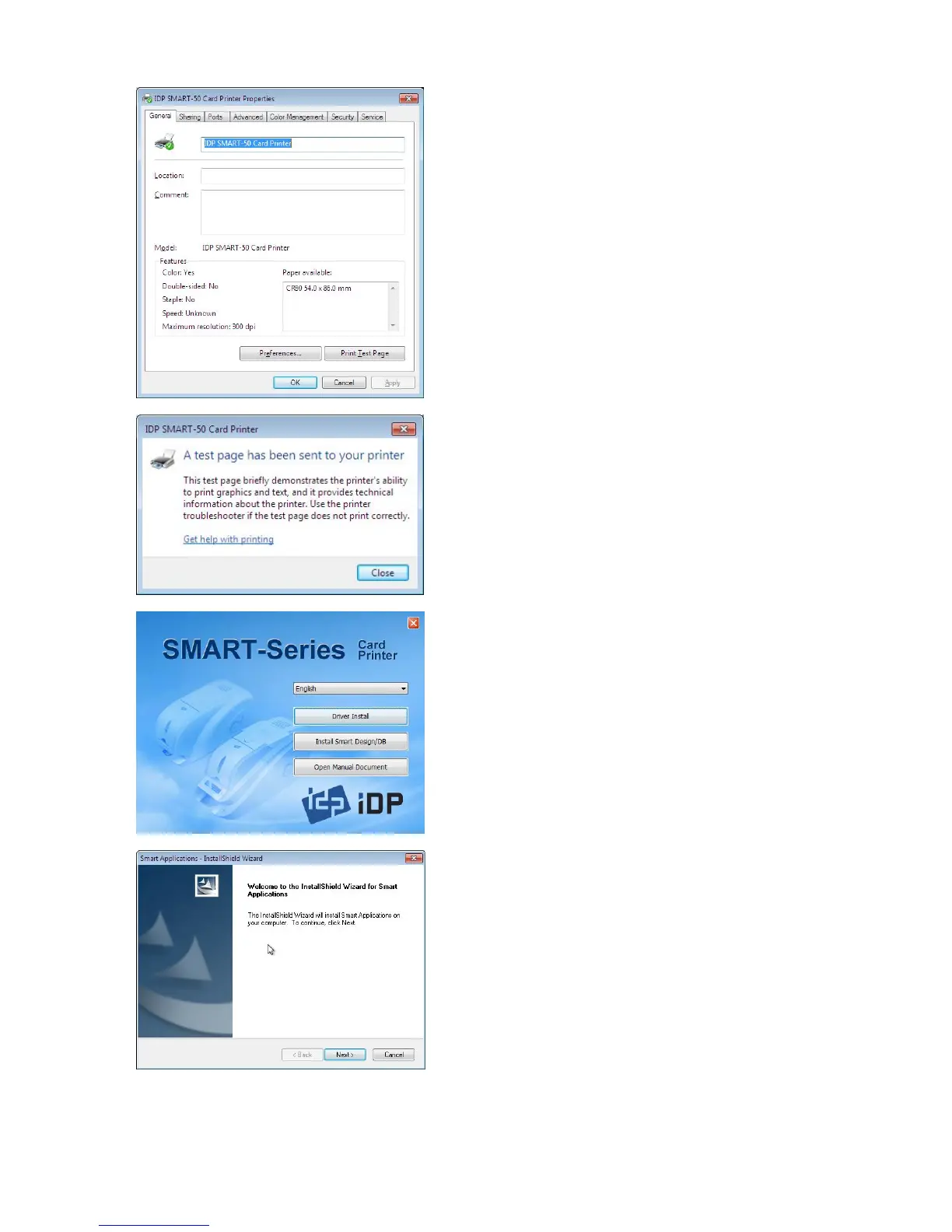
Pic.68 Install Win7 driver 16
2.5
.14. Please select
general
tab and
click “Printer test page” in “IDP
SMART-50 Card Printer Properties”
window.
Pic.69 Install Win7 driver 17
2.5
.15. Please check test card if it is
printed properly and click “Close”
if
a card is printed properly.
(If card is not printed or error comes out,
please refer “Trouble Shooting”.)
Pic.70 Install Win7 driver 18
2.5
.16. Please install
Smart Design/DB
by clicking
Smart Design/DB
Installation”.
Pic.71 Install Win7 driver 19
2.5
.17. Please click
Next
when
Smart
Application Install Shield Wizard”
comes out.

Table of Contents

Related product manuals