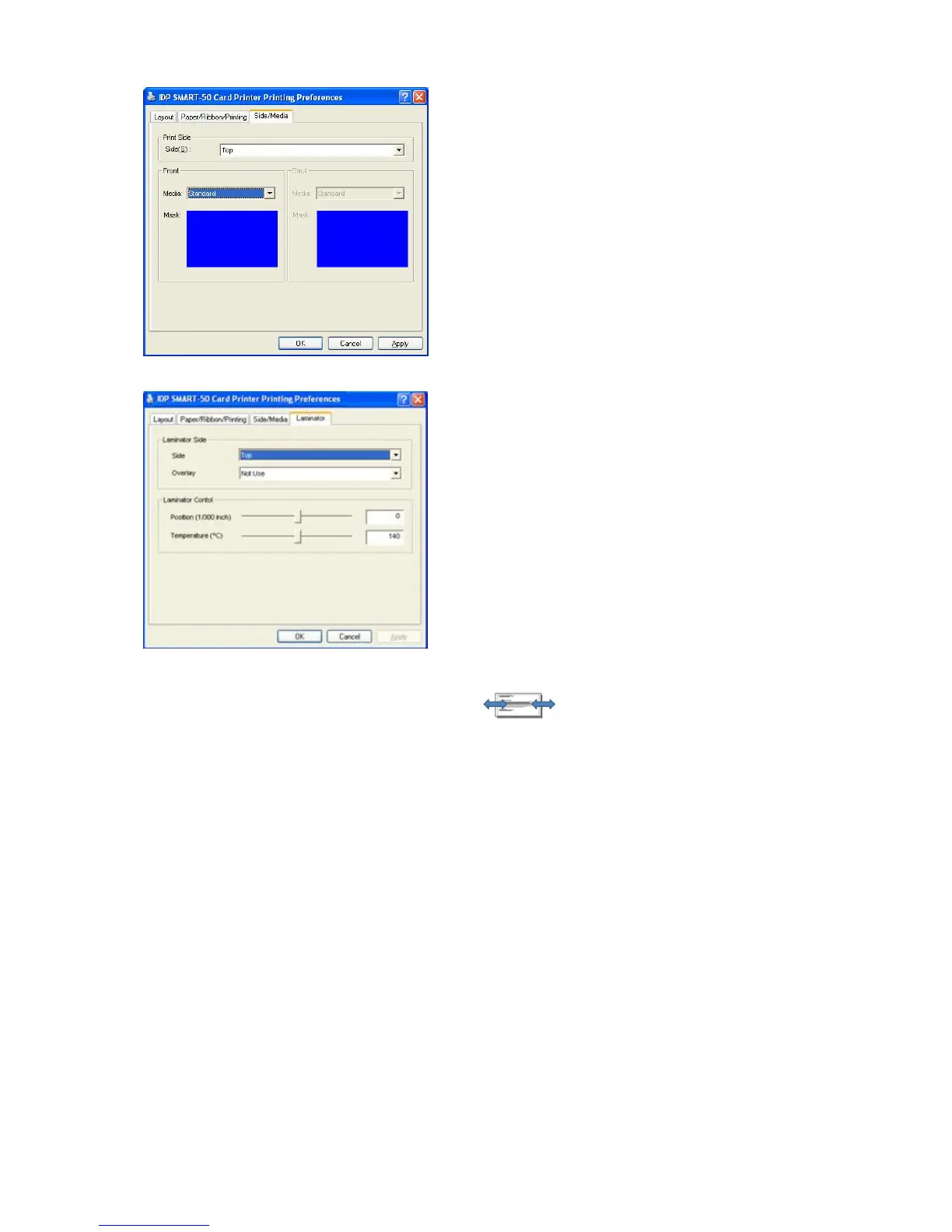
To set printing side and printing mask.
- Print Side
You can select one side printing or both sides print
(It is possible only when you have a flipper.)
- Front / Back
You can use a predefined mask or user defined mask
(white card, smart
card, Magnetic stripe card, etc.) on
front or back side.
You can define a mask. User defined m
BITMAP file (1012 X 636 pixels).
Blue (RGB(0,0,255)): Print and Overlay
Pink (RGB(255,0,255)): Print only
Black (RGB(0,0,0)): Print, Overlay and Florescent
Pic.99 Laminator
This tap will be created only when SMART-50
laminator printer is connected to PC.
Printer, this tap will be not
displayed.
To set Laminator printing options.
- Laminator Side
You can select not use, top side, bottom side and
both sides printing
- Overlay
You can select whether overlay prints or not.
Default setting is no overlay whe
recommend to use the default value.
- Position
You can set Laminating start position of width
1/300 inch.
- Temperature
You can set Laminating temperature and the values
can be set from 100℃ to 180℃.
- Laminating Only
You can skip printing and do laminating
setting a value in
Printer setup - Print preferences - Advanced Setup -
Encoding and Laminating -
“Encoding and Laminating Only”



 To Next Page