40
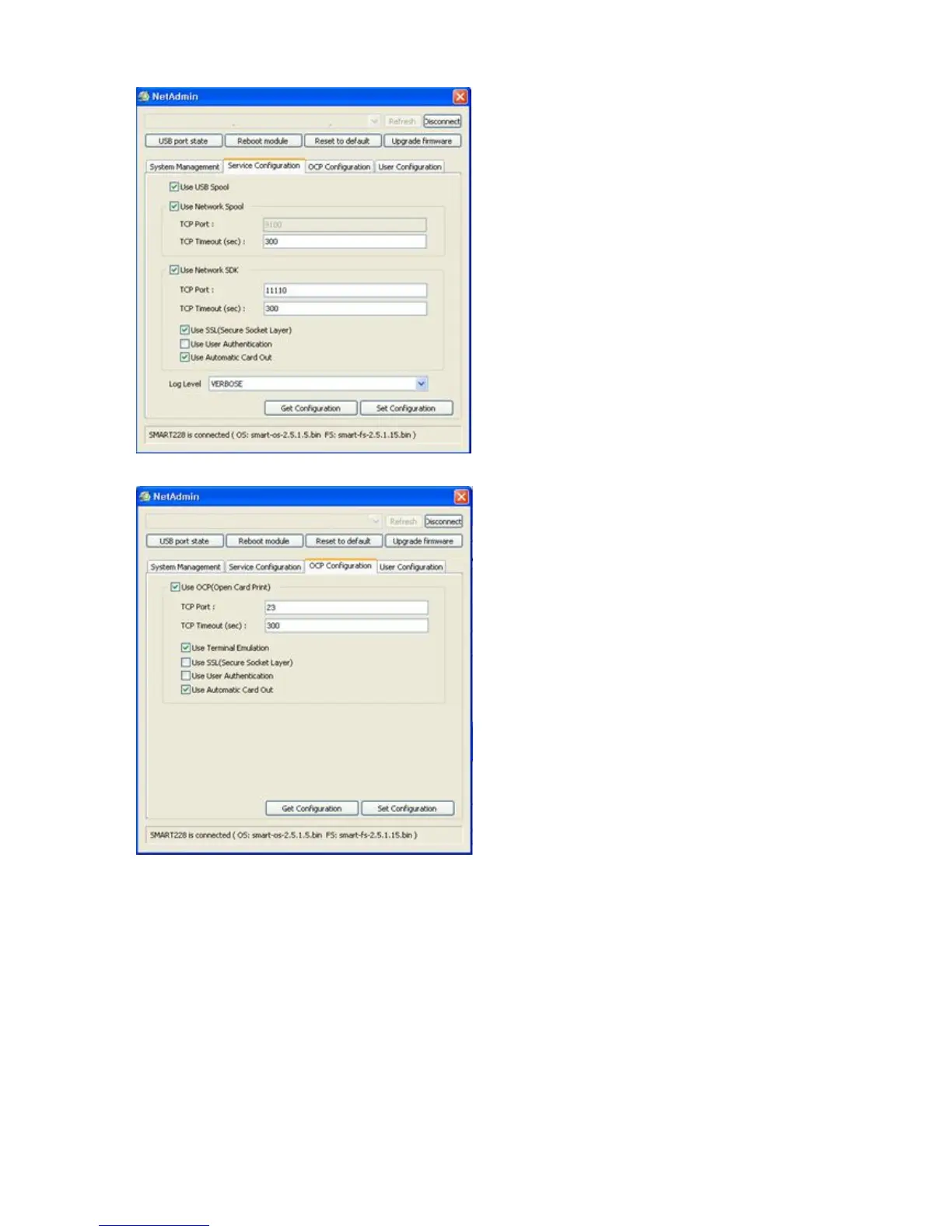
Pic.84 Network service configuration
You can change Service Configuration.
network printer provides 3 kinds of
service (change “USB Spool”, “Network Spool”
and “Network SDK”). You can
change the service according to the need.
In “Network SDK”
, you can control the printer
and print a card well, and the printer
SSL (Secure Sockets Layer)
Authentication for security.
Please use default and ask technicia
details.
Pic.85 OCP configuration
You can use Open Card Print function.
This function is for send commands and
print through network card regardless of OS
Click check box “Use OCP”
“ Use Terminal Emulation ”
getting echo according to the commands
. For security, it supports
SSL and User Authentication.
Please do not change default value except



 To Next Page