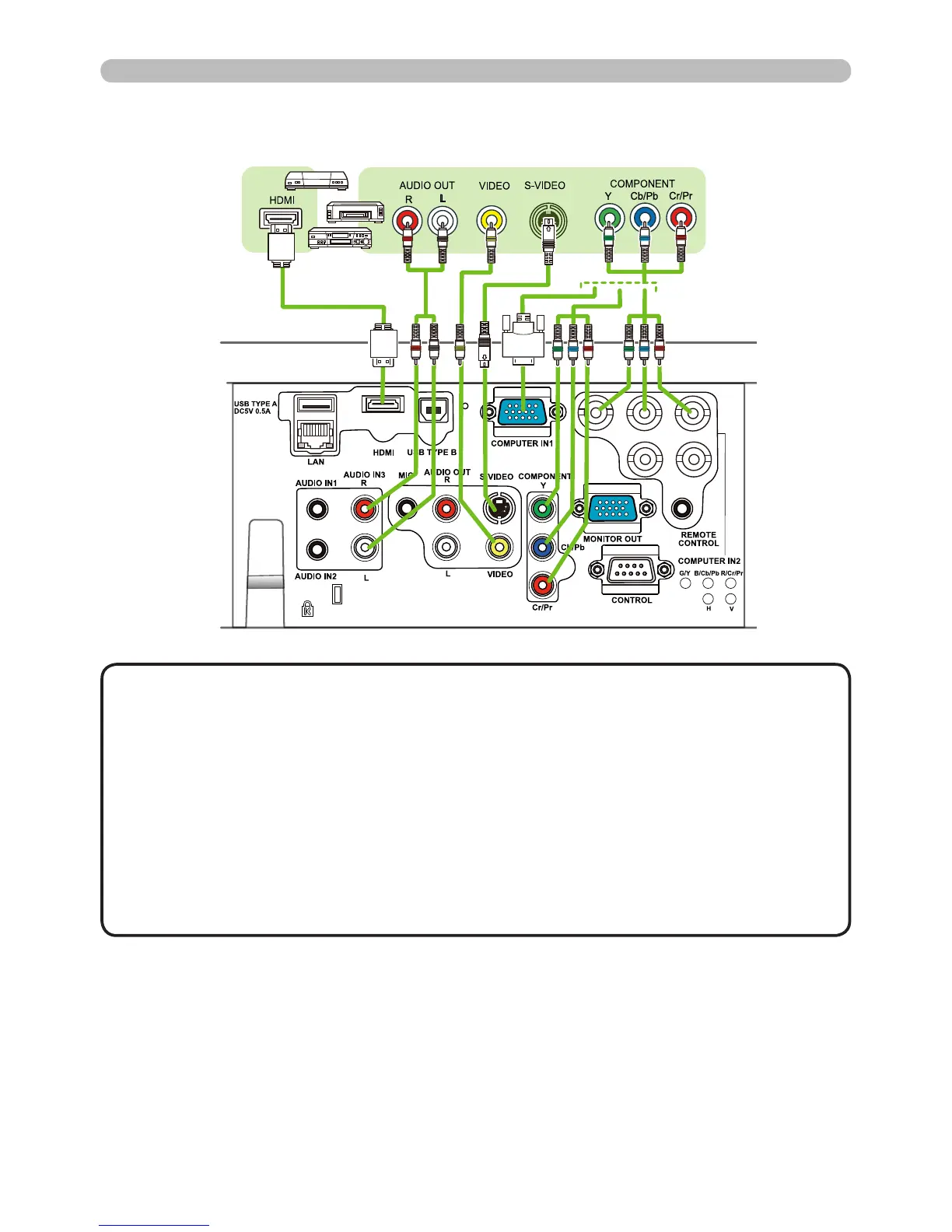
Setting up
VCR/DVD/Blu-ray Disc playerDigital
video
device
• The HDMI port of this model is compatible with HDCP (High-band-
width Digital Content Protection) and therefore capable of displaying a video
signal from HDCP compatible DVD players and the like.
- The HDMI supports the following video signals:
480i@60,480p@60,576i@50,576p@50,720p@50/60,1080i@50/60,1080p@50/60
- This projector can be connected with other equipment which have HDMI con-
nectors, but with some equipment, the projector may not work properly (such
as not displaying video).
- Be sure to use an HDMI cable that has an HDMI logo.
- When connecting the projector to a device with a DVI connector, use a DVI to
HDMI cable to connect to the HDMI input.
NOTE
Connecting with your devices (continued)
(continued on next page)



 To Next Page