LP500 Series Service Manual 41
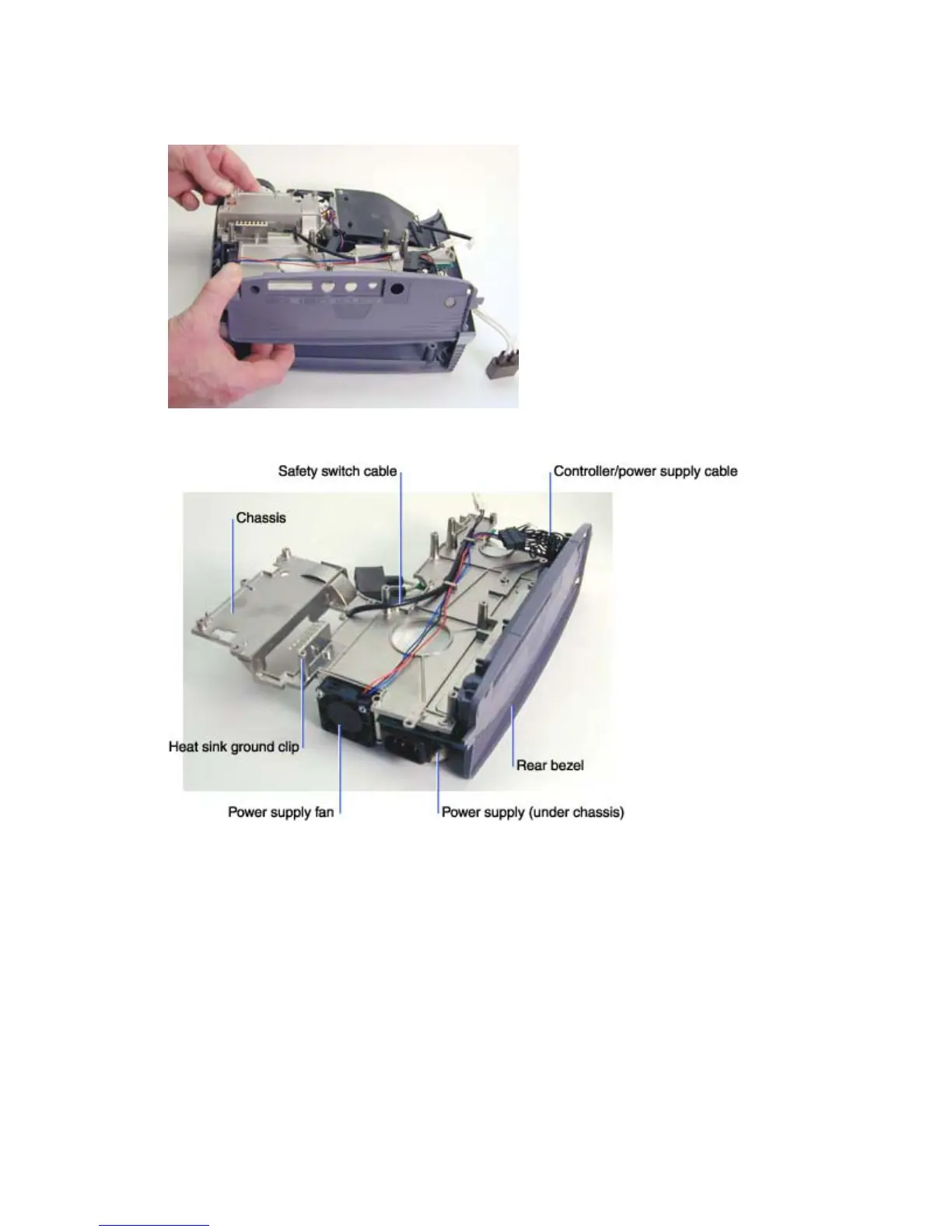
6 Lift the other side of the bezel up to loosen the chassis. Then grasp the front of the chassis and
lift the chassis and attached power supply out of the projector.
Below is the chassis and power supply as it looks when removed from the bottom case.
7 Place the chassis and power supply aside and go to the part you want to remove. The following
parts are now accessible on the chassis:
Power supply fan and safety switch cable (see page 55)
Power supply fuse (see page 57)
Power supply (see page 51)
Rear bezel (see page 43)





 To Next Page