LP500 Series Service Manual 74
Upgrade the software
NOTE The instructions below apply to both the LP500 and the LP530. The LP530 is referenced in the
examples, but they apply to the LP500 as well. The only difference is that the LP500 and LP530
use different software.
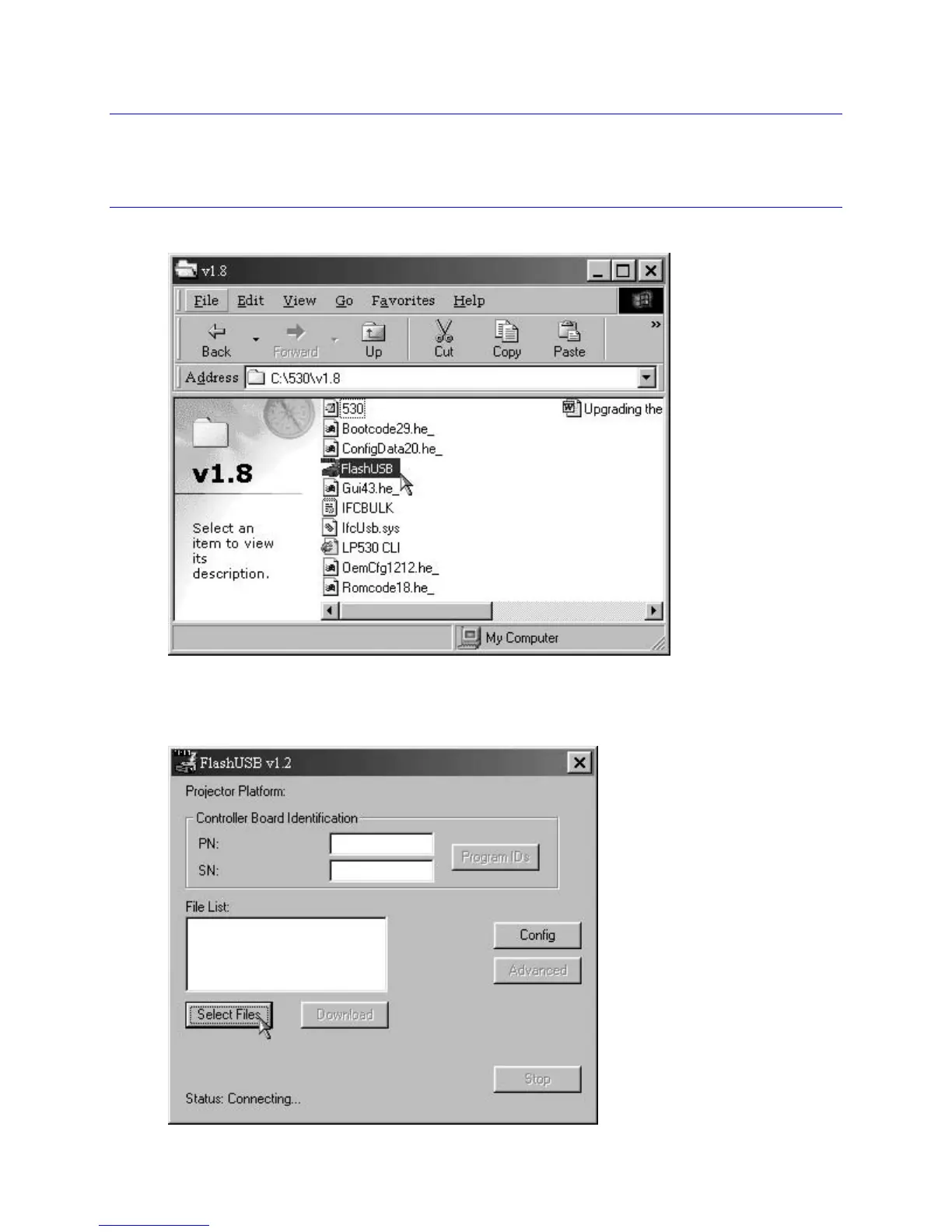
1 Open Windows Explorer, navigate to the batch file, then double-click the FlashUSB utility.
The FlashUSB dialog box opens, ready to begin the upgrade process.
2 Click the Select Files button in the FlashUSB dialog box.





 To Next Page