GA02118 User Manual BV20
<< Back to Contents
Copyright © Innovative Technology Ltd 2018 Doc: GA02118/1 User Manual BV20
Version: 1.0
Page 15 of 60
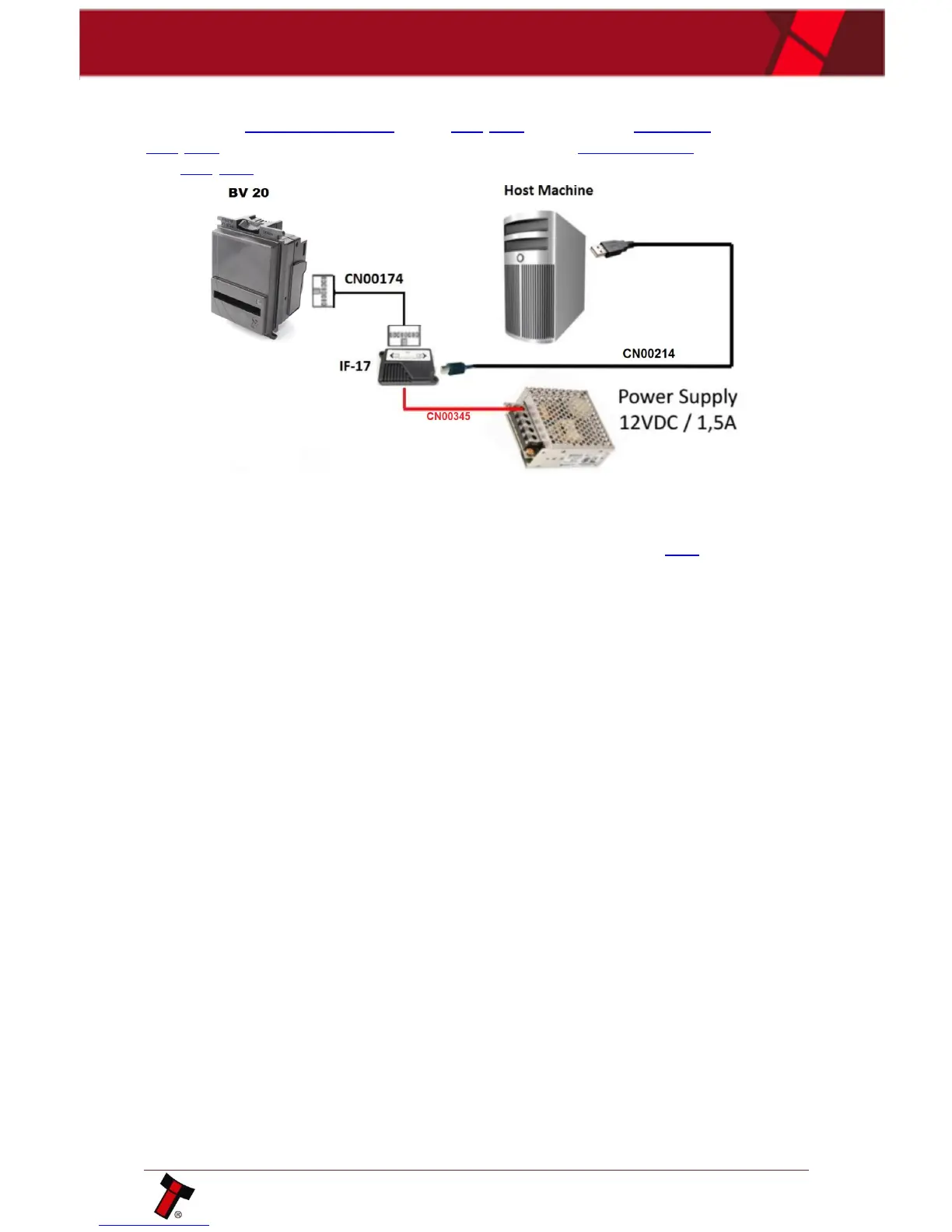
4.4.1.3 Hardware Setup
Connect the power supply cable to the DA2/IF17. Connect the USB cable to the
DA2/IF17 and to your computer or laptop. Connect the CN00174 cable to Validator
and DA2/IF17.
4.4.1.4 Switching to Programming Mode (SSP)
Before programming via the Validator Manager software tool, the BV20 needs to be
switched to its programming mode (SSP interface). Please refer to 11.3 for the
procedure for doing this.















 To Next Page