GA02118 User Manual BV20
<< Back to Contents
Copyright © Innovative Technology Ltd 2018 Doc: GA02118/1 User Manual BV20
Version: 1.0
Page 18 of 60
4.4.2.3 Re-programming via DA3
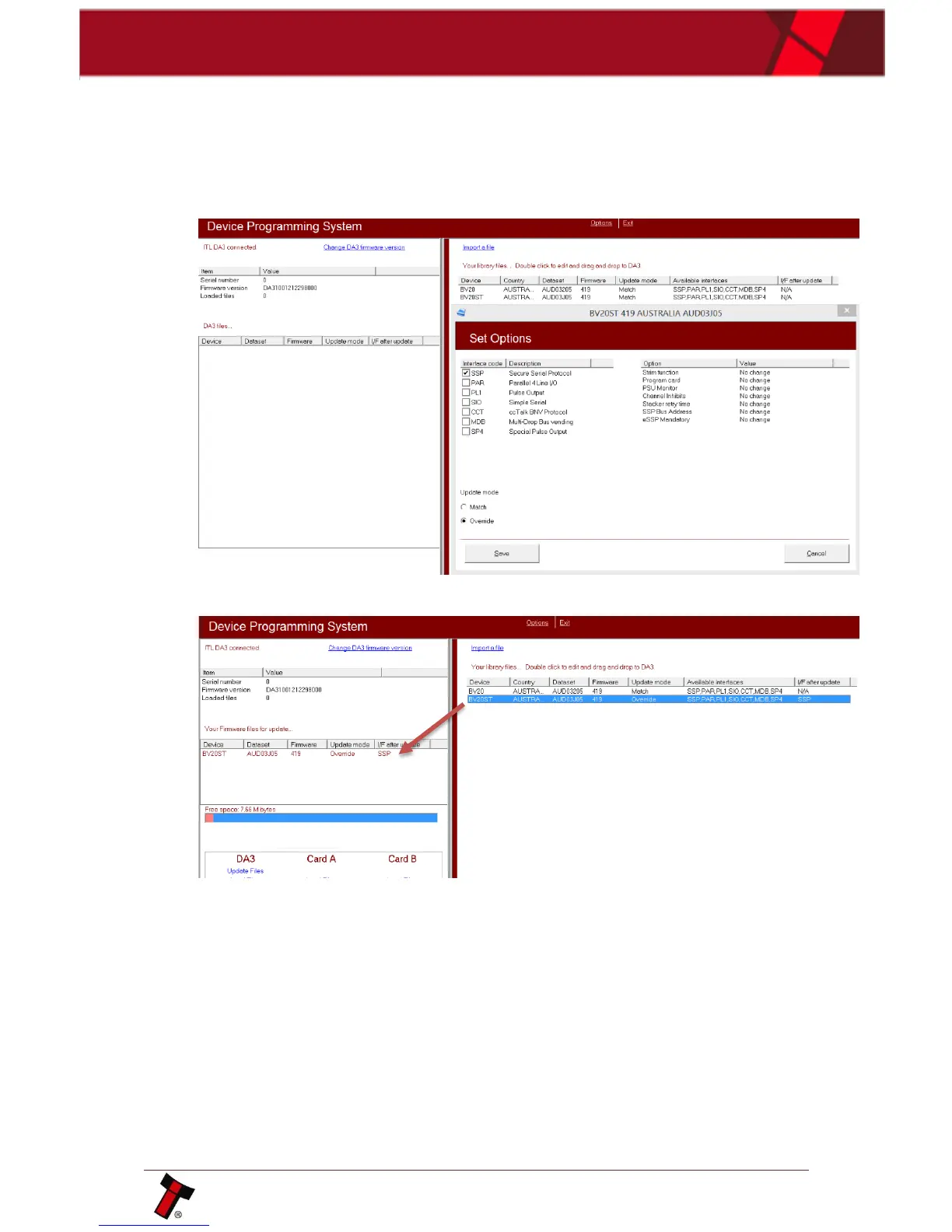
1. Open Device Programming System and add the files you will use.
Set “Match” update mode if you want to update current BV20 dataset after
comparing datasets or “override” update mode, which will reprogram unit
with chosen file and interface not depending on what is downloaded at the
moment:
2. Drag and drop dataset for updating I left part of programming and press
“update files”:















 To Next Page