EasyManua.ls Logo

Innovative Technology BV20 - Module Options; Bezel Options; Cashbox Options

Innovative Technology BV20
61 pages
Print Icon
To Next Page IconTo Next Page
To Previous Page IconTo Previous Page
Loading...
GA02118 User Manual BV20
<< Back to Contents
Copyright © Innovative Technology Ltd 2018 Doc: GA02118/1 User Manual BV20
Version: 1.0
Page 8 of 60
2.4.1 Module Options
ITL Part Number
Description
Details
BV20110VPSU
BV20 110V Power Supply Unit
http://innovative-technology.com/shop/accessories/bv20-
110v-power-supply-unit-detail
2.5 Bezel Options
The BV20 validator is available with either 66mm or 72mm Bezel. Datasets can only
be downloaded to a BV20 with the correct bezel width for the currency. For example
a USD dataset can only be downloaded to a 66mm BV20. A Euro dataset can only be
downloaded to a 72mm BV20.
2.6 Cashbox Options
The BV20 validator is designed to have no built-in cashbox. On BV20 installation,
banknotes being validated by BV20 validator must be able to be transported behind
the validator with no obstructions. Banknotes accepted must be able to free fall until
the banknote is not in any contact with BV20 validator body.

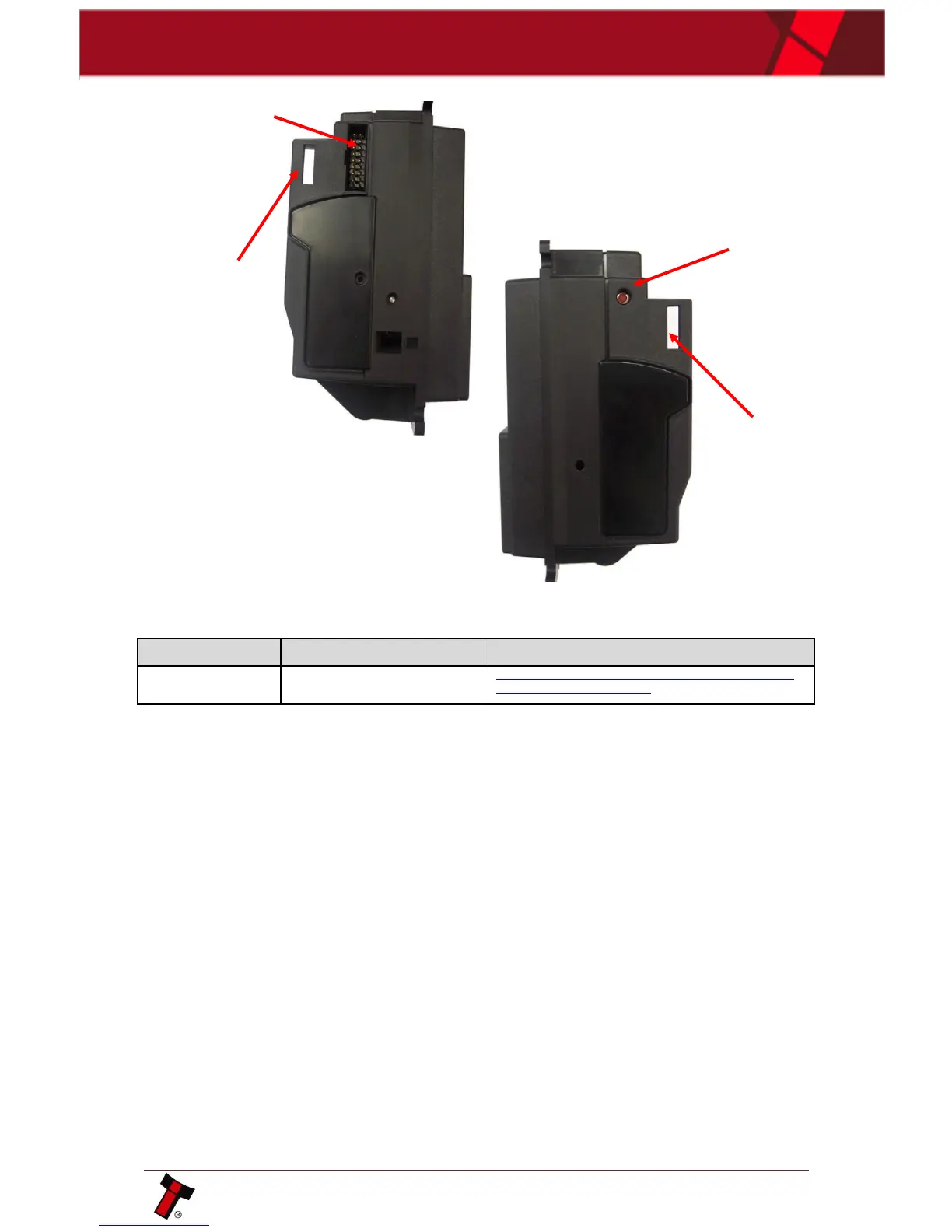
Interface Connector
16-Pin
Connector
External
Hardware Clip
External
Hardware Clip
Configuration
button

Table of Contents

Related product manuals