EasyManua.ls Logo

Innovative Technology BV20 - Cctalk des Encryption; Setup Example Drawing;S

Innovative Technology BV20
61 pages
Print Icon
To Next Page IconTo Next Page
To Previous Page IconTo Previous Page
Loading...
GA02118 User Manual BV20
<< Back to Contents
Copyright © Innovative Technology Ltd 2018 Doc: GA02118/1 User Manual BV20
Version: 1.0
Page 25 of 60
+12VDC and 0V (GND) must
always be connected, also when
using USB connections.
5.3.3 ccTalk
®
DES Encryption
When using ccTalk
®
DES encryption, the BV20 and host machine must exchange a
secret key which forms the basis of the communication encryption. This exchange is
performed in a Trusted Mode maintaining security. The Trusted Mode can only be
entered by a physical access to the BV20. Please refer to Appendix XYZ for details.
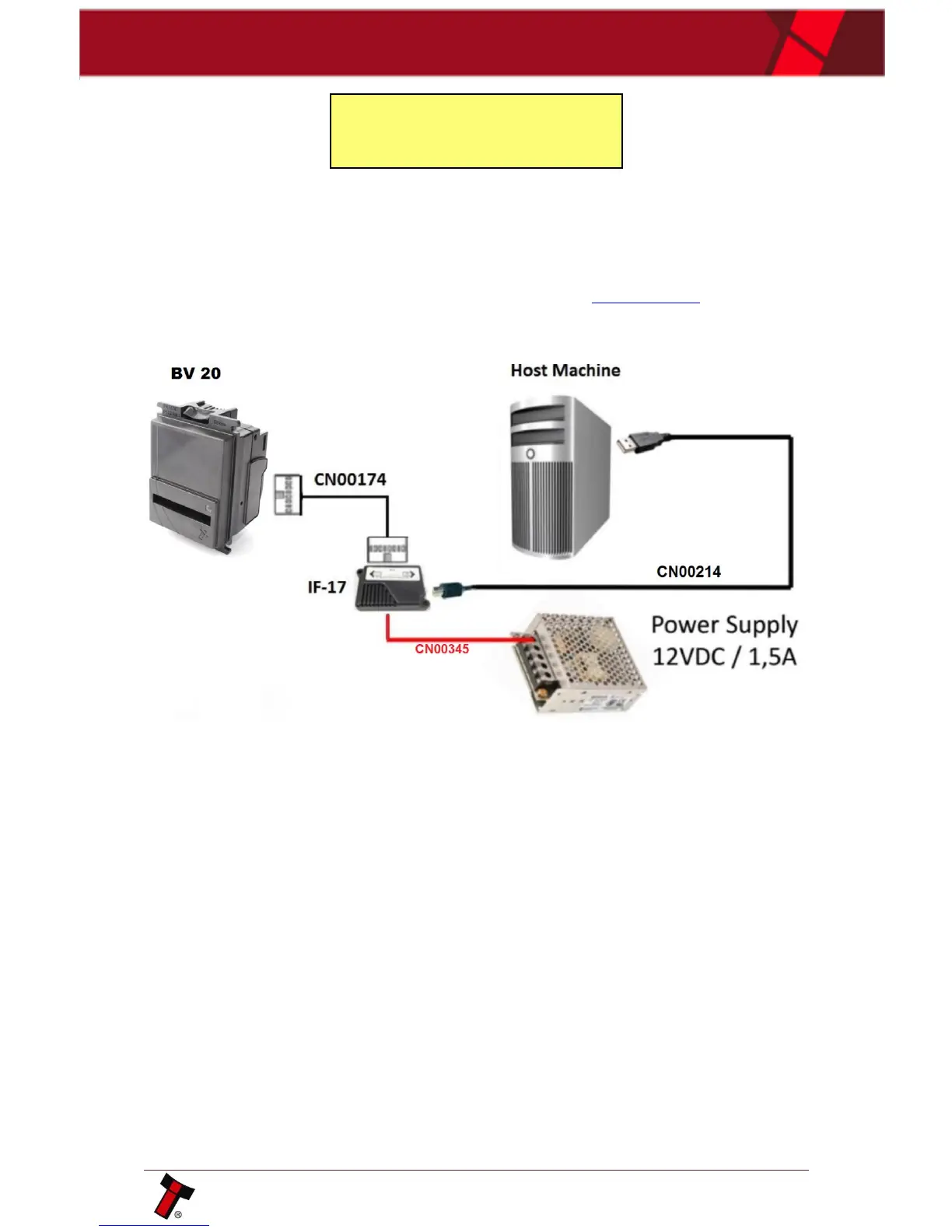
5.3.4 Setup Example Drawing/s
Same scheme could be used as for SSP connection:


Table of Contents

Related product manuals