GA02118 User Manual BV20
<< Back to Contents
Copyright © Innovative Technology Ltd 2018 Doc: GA02118/1 User Manual BV20
Version: 1.0
Page 19 of 60
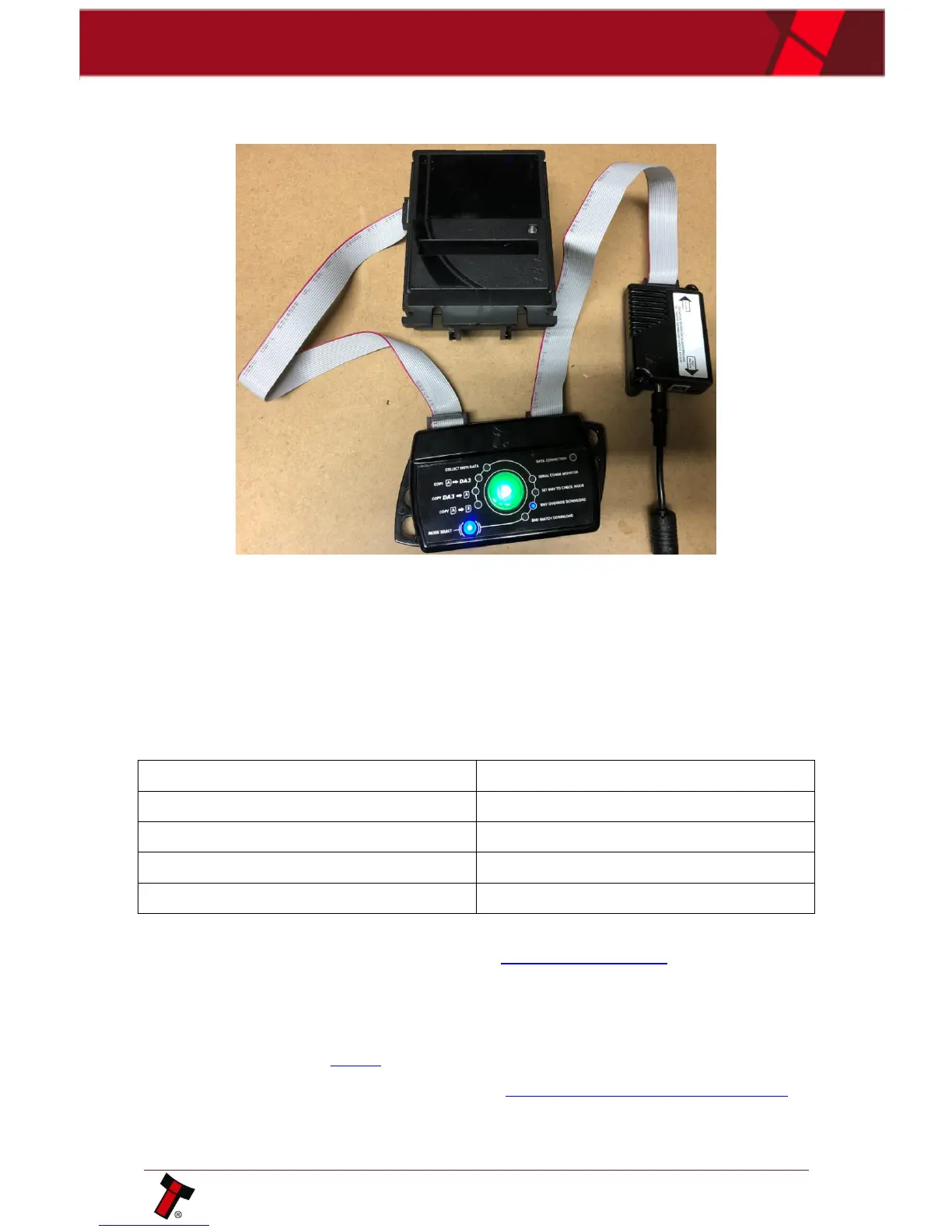
3. Connect BV20 to DA3 VALIDATOT port.
Connect computer/ host machine to DA3 HOST MACHINE port:
4. Using small button choose MATCH DOWNLOAD or OVERRIDE DOWNLOAD
depending on requirements, then press big button and downloading process
will begin.
After, the BV20 restart and DA3 button become green colour meaning successful
reprogramming.
The table below shows an explanation of error codes displayed on the Mode
Indicator LED’s if the center RUN button changes colour to red. The flash code is
shown by a long flash then a number of short flashes:
All the details of DA3 using could be found in ITL Software Manual.
4.4.3 Remote Updates
The BV20 validator supports remote updating.
For SSP protocol, the procedure of updating is described in Section 10 of SSP
Implementation Guide (GA973).
For remote updating in ccTalk, please contact support@innovative-technology.com















 To Next Page