GA02118 User Manual BV20
<< Back to Contents
Copyright © Innovative Technology Ltd 2018 Doc: GA02118/1 User Manual BV20
Version: 1.0
Page 44 of 60
7.4 Program Check Procedure
To check settings on a programmed unit:
1. Power on unit.
2. Click red configuration button on unit twice.
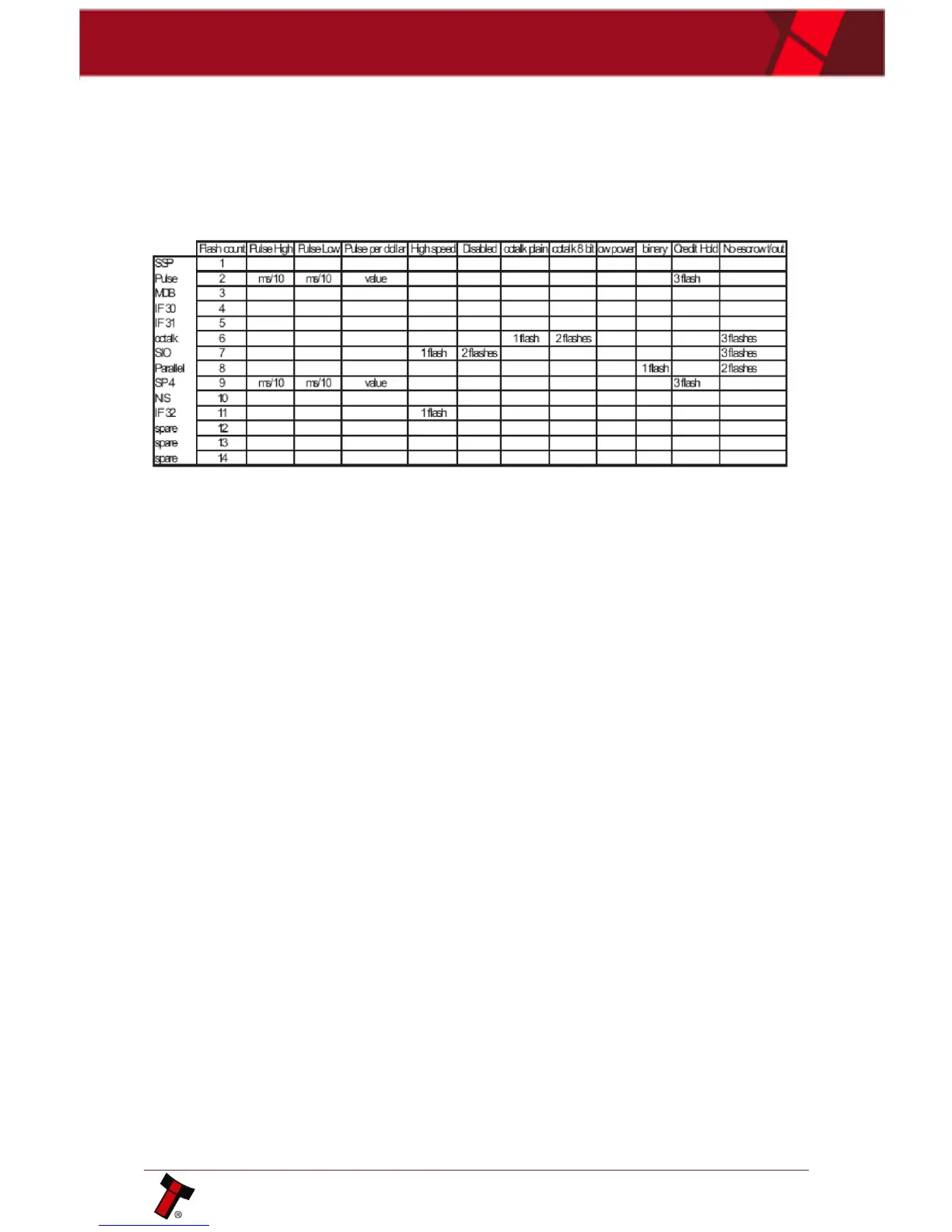
3. Monitor bezel led and check flash codes:
For example:
A Pulse interface with 50ms high, 100ms low, 2 pulse per dollar will flash 2,5,10,2
A SSP interface will only ever flash once
A ccTalk interface with 16 bit checksum, no encryption will flash 6,1
A ccTalk interface with 8 bit checksum, no encryption will flash 6,1,2
A Binary interface will flash 8,1















 To Next Page