17
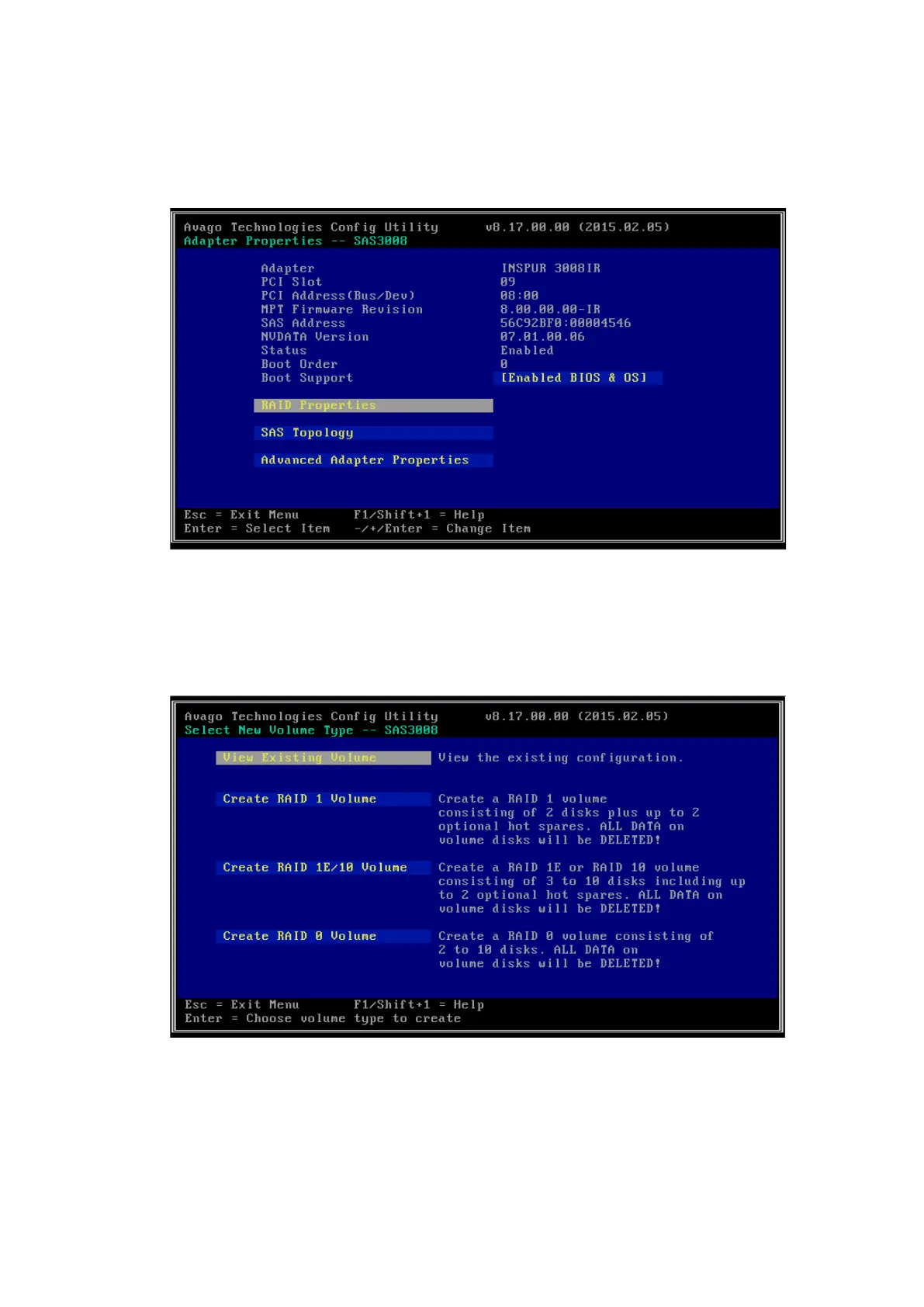
6. After the creation is completed, you will be automatically redirected back to
the Adapter Properties screen.
Figure 4-20 Adapter Properties Screen
7. To view the created RAID array, select RAID Properties, and you will see View
Existing Volume at the top.
Figure 4-21 View Existing Volume Option
8. Select View Existing Volume and press <Enter> to enter the RAID array screen,
and you can view the detailed information of the RAID array.



 To Next Page