41
Basic Setup
—Continued
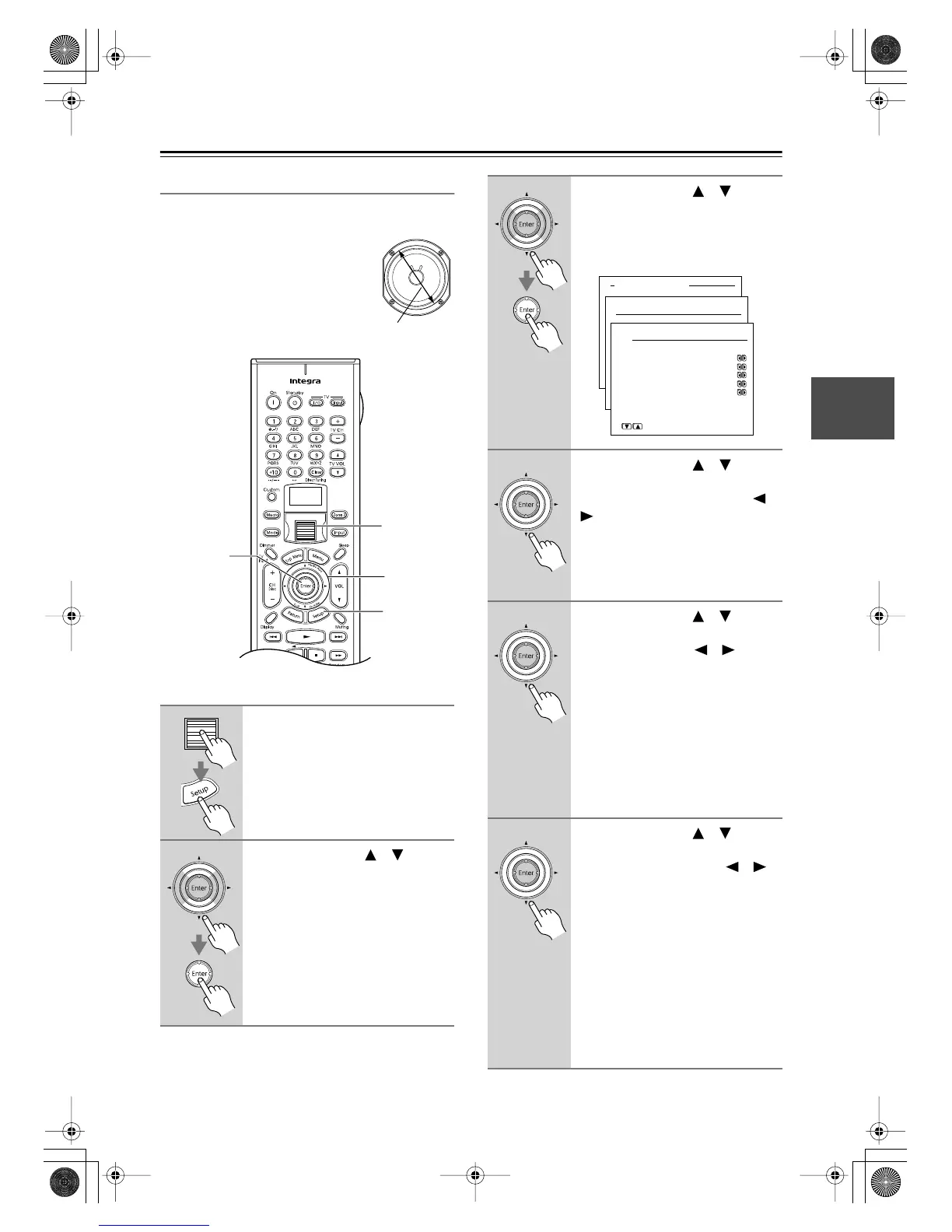
Speaker Configuration
This section explains how to specify which speakers are
connected and their sizes.
For speakers with a cone diameter
over 6-1/2 inches (16 cm), specify
large,
and for those with a diameter
below this, specify
small.
If you’re using THX-certified speak-
ers, specify Small for all speakers.
1
Press the scroll wheel, and then
press the [Setup] button.
The main menu appears onscreen.
2
Use the Up/Down [ ]/[ ] but-
tons to select “1. Speaker Setup,”
and then press the [Enter] but-
ton.
The Speaker Setup menu appears.
Cone diameter
1
1, 10
2–9
2, 3
3
Use the Up/Down [ ]/[ ] but-
tons to select “1. Speaker Con-
fig,” and then press the [Enter]
button.
The Speaker Config menu appear.
4
Use the Up/Down [ ]/[ ] but-
tons to select “a. Subwoofer,”
and then use the Left/Right [ ]/
[] buttons to select:
Yes:
Select if a subwoofer is con-
nected.
No:
Select if no subwoofer is con-
nected.
5
Use the Up/Down [ ]/[ ] but-
tons to select “b. Front,” and then
use the Left/Right [ ]/[ ] but-
tons to select:
Small:
Select if the front speakers are
small.
Large:
Select if the front speakers are
large.
Note:
• If the Subwoofer setting in step 4 is
set to No, this setting is fixed at
Large.
6
Use the Up/Down [ ]/[ ] but-
tons to select “c. Center,” and
then use the Left/Right [ ]/[ ]
buttons to select:
Small:
Select if the center speaker is
small.
Large:
Select if the center speaker is
large.
None:
Select if no center speaker is
connected.
Note:
• If the Front setting in step 5 is set to
Small, the Large option cannot be
selected.
Advanced Menu
1.Speaker Setup
1-1.Speaker Config
a.Subwoofer :Yes
b.Front :Small
c.Center :Small
d.Surround :Small
e.Surr Back :Small
f.Crossover:80Hz(THX)
Quit:|SETUP|
DTR-8.4En.book Page 41 Thursday, October 16, 2003 11:09 AM



 To Next Page