52
Operating Install Wizard
ü
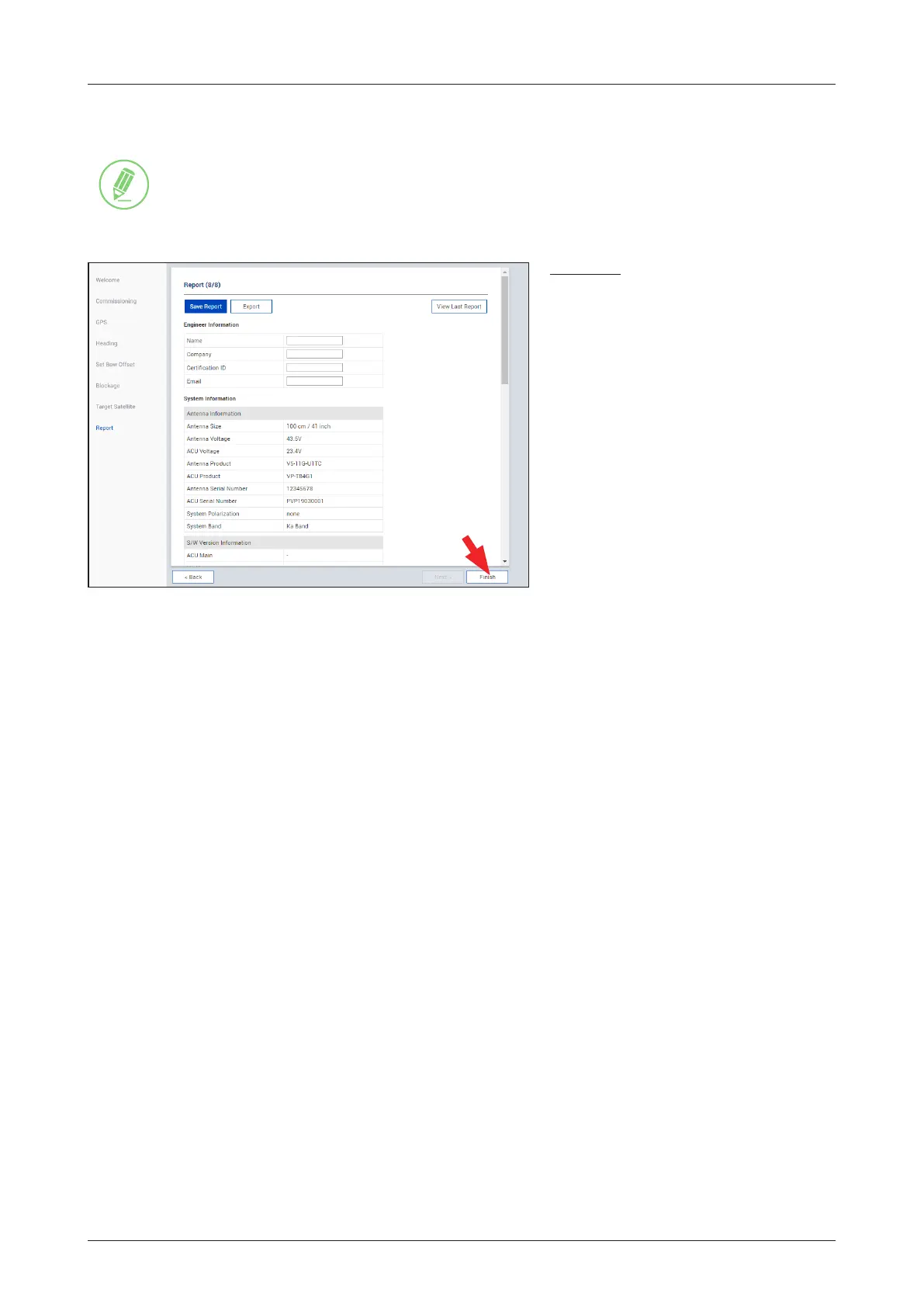
Step 7: Report
NOTE
NOTE
The following image in this step shows when the system is using the Open AMIP modem.
Description
Displays the conguration report. You can
save the results to the BDT by clicking the
"Save Report" button and download the
report le (.json) by clicking the "Export"
button.
Click the "View Last Report" button
to check the recently saved report
information including the save date and
time.
After completing the steps, click the
"Finish" button.



 To Next Page
 Loading...