Version V1.0
4
2 Web UI
2.1 Layout
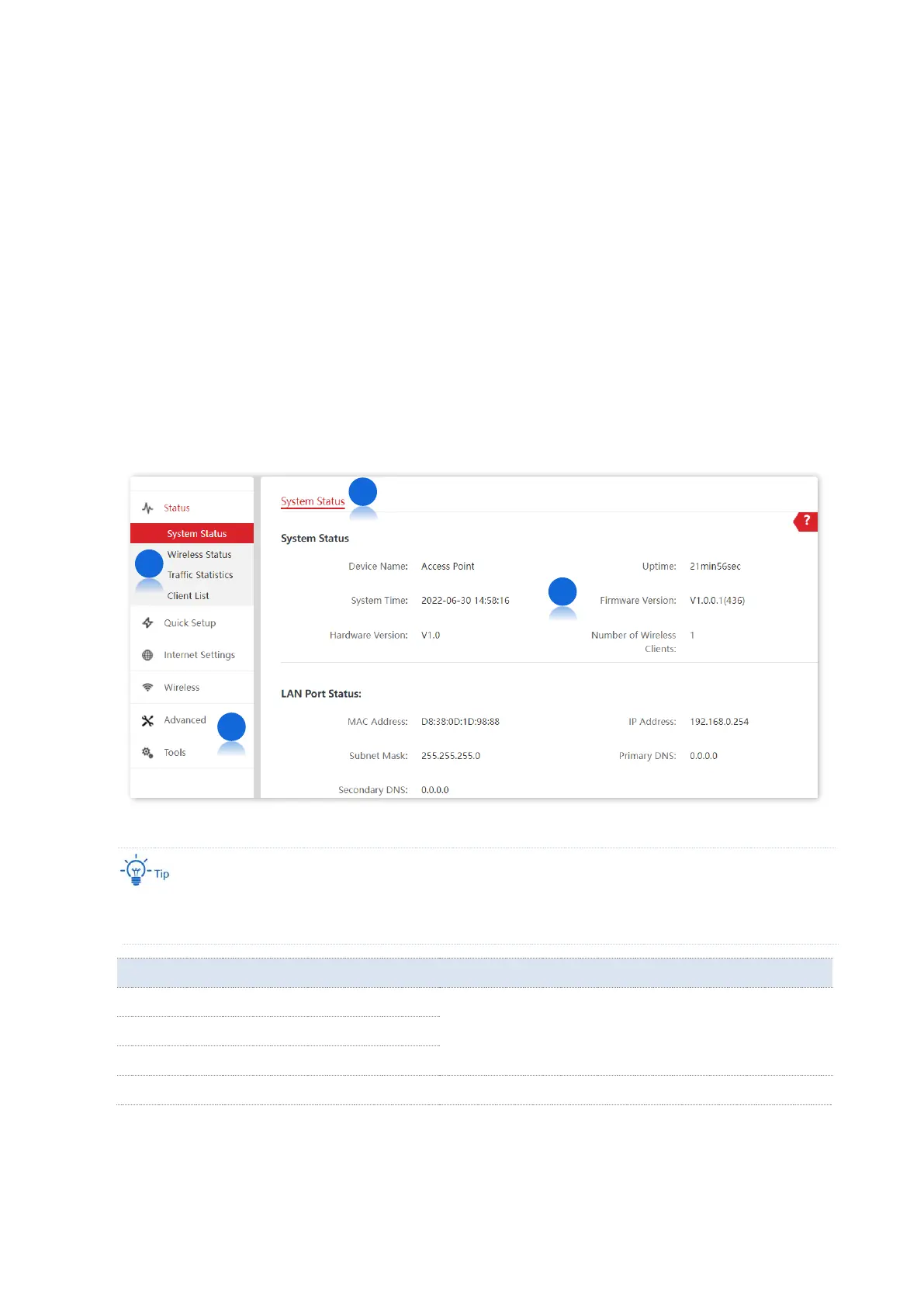
The web UI is composed of four parts: first-level navigation bar, second-level navigation bar,
tab, and configuration area, as shown below.
Functions or parameters displayed in gray on the web UI are not supported yet or cannot be modified
under the current configurations.
Function menu that organizes AP by navigation tree and
tab. You can choose the function menu as needed and
the result appears on the configuration area.



 To Next Page