It specifies the maximum upload/download rate allowed for every user
device connected to the target WiFi network. If you leave it blank, the
maximum upload/download rate of every user device connected to the
target WiFi network are not limited.
Client Max. Download Rate
Click to set the maximum upload/download rate allowed for the
target WiFi network and the maximum upload/download rate allowed
for every user device connected to the target WiFi network.
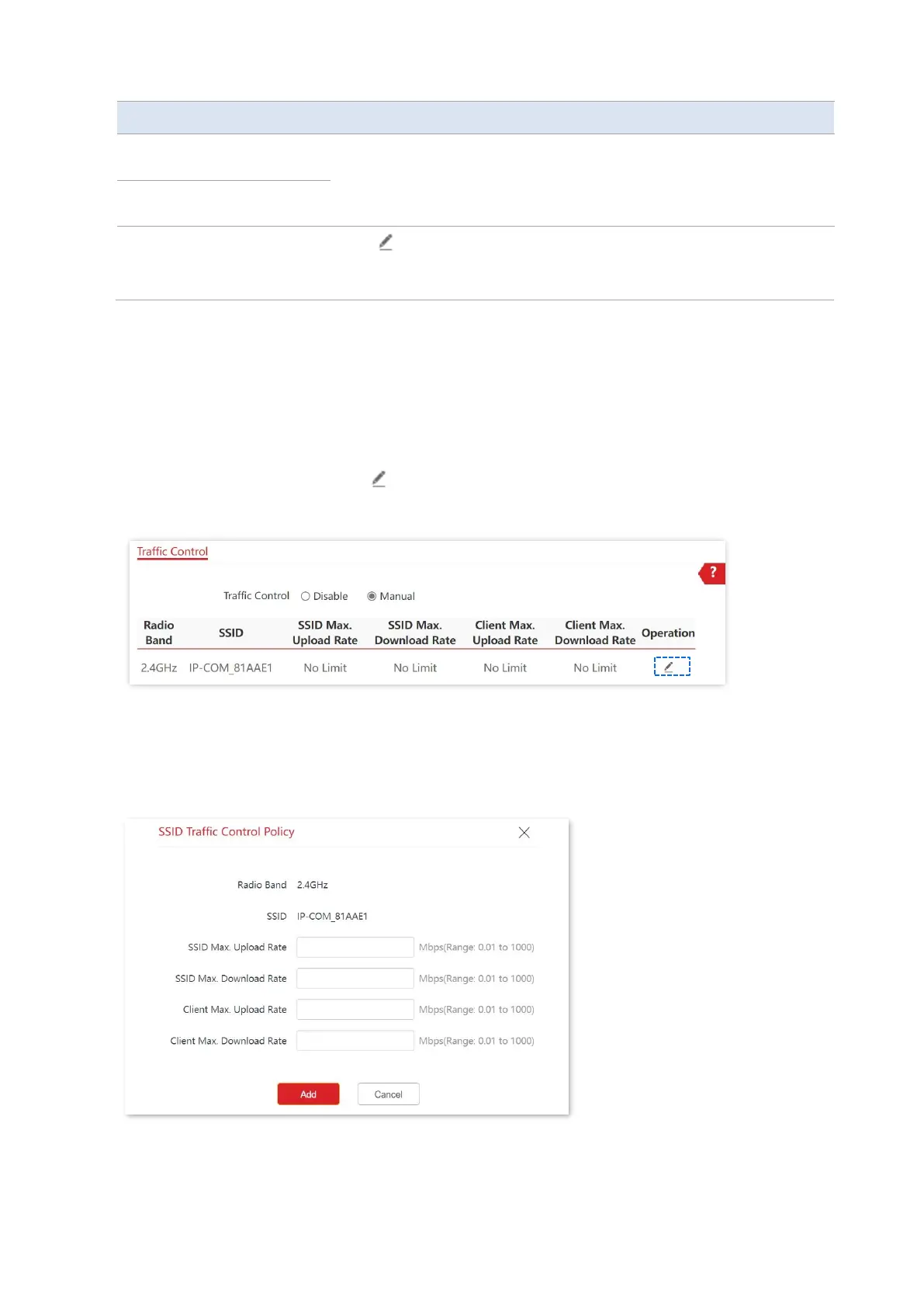
Configure Traffic Control
1. Choose Advanced > Traffic Control.
2. Set Traffic Control to Manual.
3.
On the Traffic Control list, click on the row where the WiFi network to be controlled
resides.
4. Set the maximum upload/download rate allowed for the WiFi network and the maximum
upload/download rate allowed for every user device connected to the WiFi network.
5. Click Add.
---End



 To Next Page