Version V1.0
1
1 Log in to the Web UI
1.1 Login
1. Use an Ethernet cable to connect the computer to the Access Point or the switch
connected to the AP.
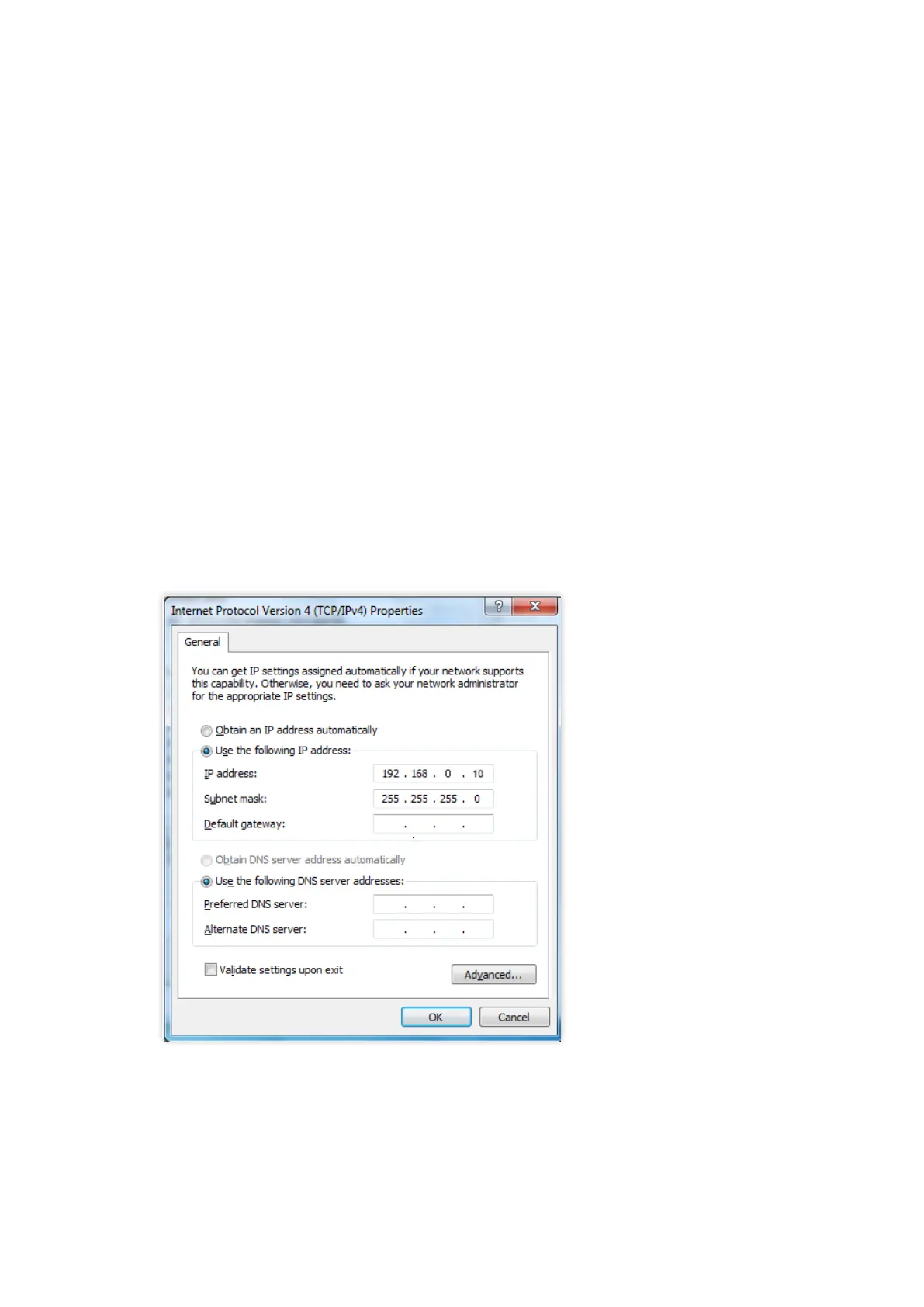
2. Configure the IP address of the computer to one in a same network segment with the AP.
For example, if IP address of the AP is 192.168.0.254, then the IP address of the computer
can be Set to 192.168.0.X (X ranges from 2 to 253 and is not occupied by other devices)
and subnet mask can be set to 255.255.255.0.



 To Next Page