Version V1.0
55
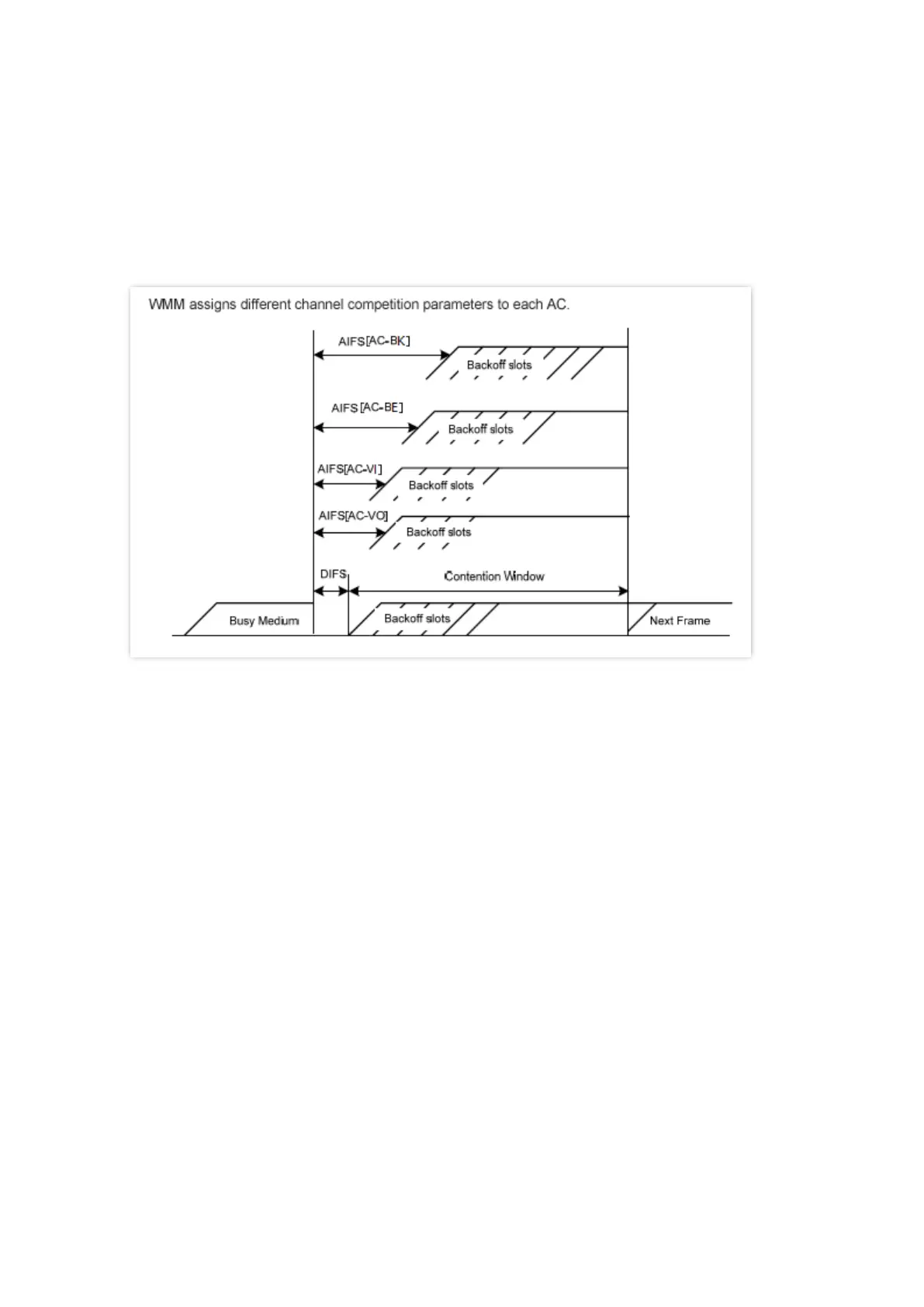
− Contention window minimum (CWmin) and contention window maximum (CWmax)
specify the average backoff period. The period increases along with these two
values. See the backoff slots in the following figure.
− Transmission Opportunity (TXOP): It specifies the maximum channel use duration
after successful channel contention. The duration increases along with this value.
The value 0 indicates that a device can send only one packet through a channel after
winning contention for the channel.
◼
ACK Policies
WMM specifies the Normal ACK and No ACK policies.
− According to the No ACK policy, no ACK packet is used during wireless packet
transmission to acknowledge packet reception. This policy is applicable to scenarios
where interference is mild and can effectively improve transmission efficiency. In
case of strong interference, lost packets will not be resent if this policy is adopted.
This leads to a higher packet loss rate and reduces the overall performance.
− According to the Normal ACK policy, each time a receiver receives a packet, it sends
back an ACK packet to acknowledge packet reception.
6.5.2 Configure WMM settings
1. Choose Wireless > Access Control.
2. Select a wireless network radio band on which access control is to be implemented.
3. Select a WMM optimization mode as required.
4. Change the parameters as required when the optimization mode is set to Custom.
5. Click Save.



 To Next Page