Version V1.0
58
---End
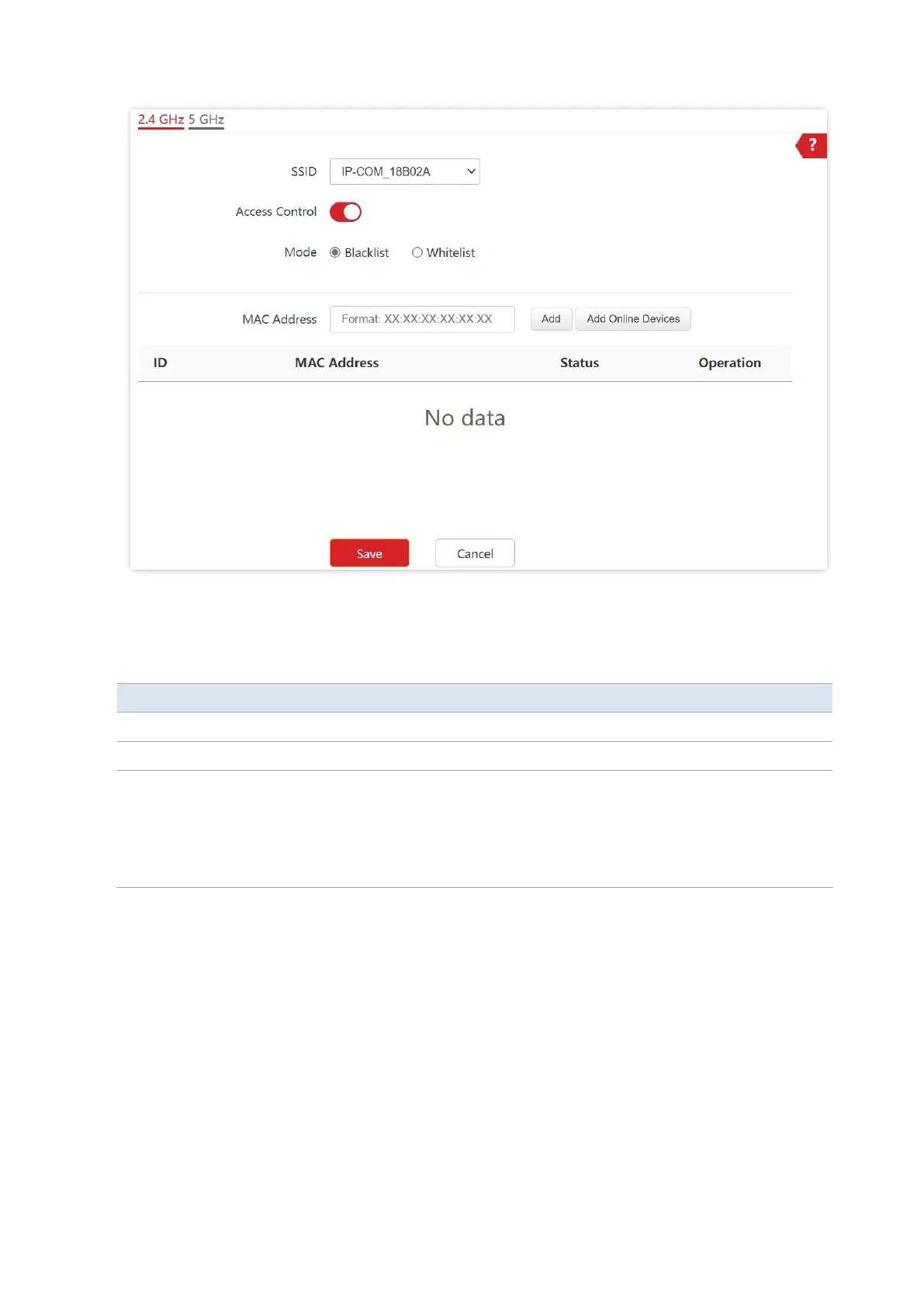
Parameter description
It specifies the wireless network to which the rule applies.
It specifies whether to enable or disable the wireless control function.
It specifies the access control mode
−
Blacklist: It indicates that only the wireless clients on the wireless access
control list cannot connect to the AP with the selected SSID.
−
Whitelist: It indicates that only the wireless clients on the wireless access
control list can connect to the AP with the selected SSID.
6.6.3 Example of Configuring Access Control
Networking requirement
A wireless network whose SSID is VIP under the 5 GHz radio band has been set up in a
company. Only a few members are allowed to connect to the wireless network.
The Access Control function of the AP is recommended. The members have three wireless
devices whose MAC addresses are D8:38:0D:00:00:01, D8:38:0D:00:00:02, and
D8:38:0D:00:00:03.



 To Next Page