Version V1.0
15
4.4 Client List
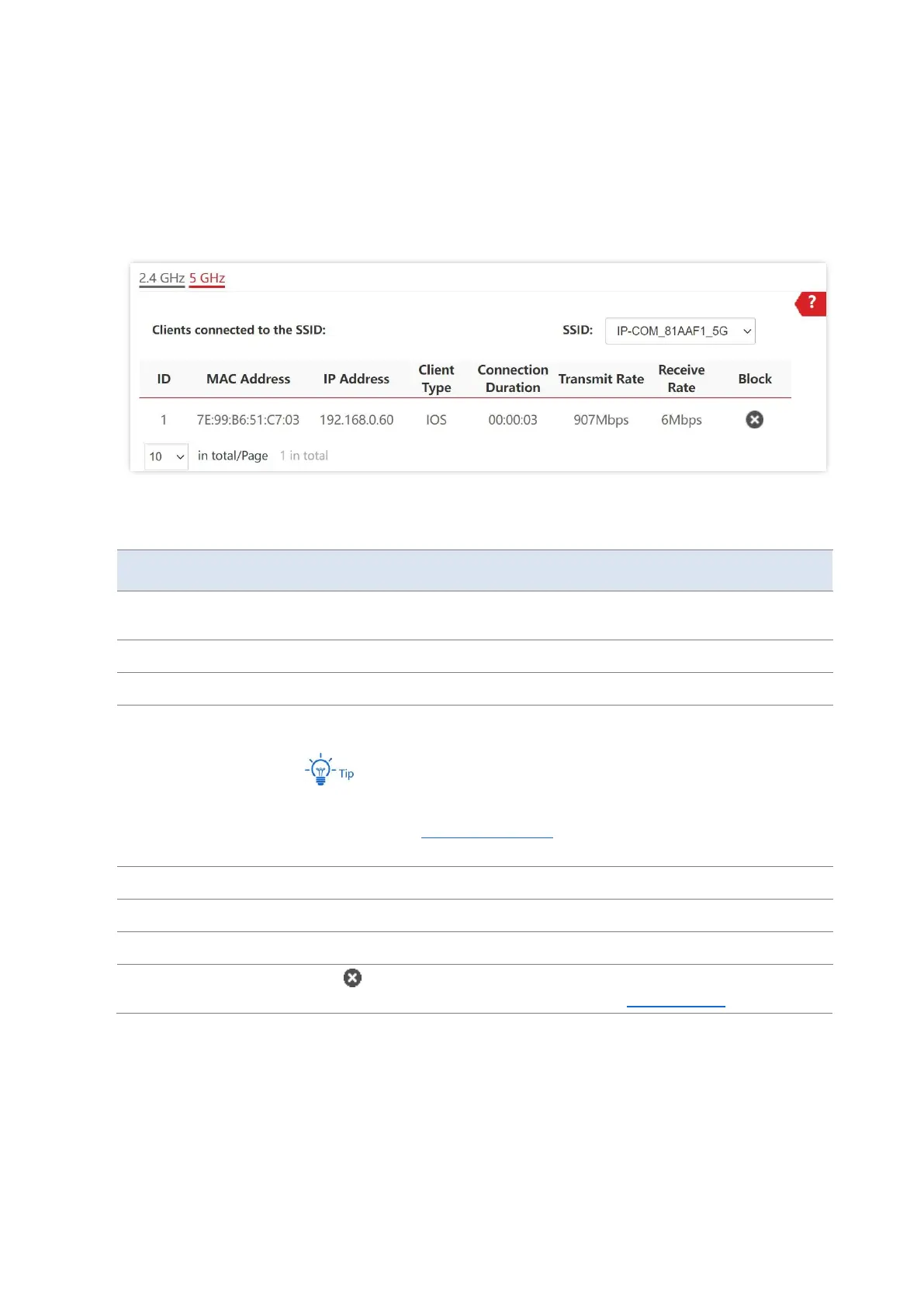
To access the page, choose Status > Client List.
This page displays information about the wireless clients connected to the wireless networks
of the AP. You can also block certain connected clients.
Parameter description
Select the SSID from the drop-down list menu to view client information
connected to it.
It specifies the MAC address of the wireless client.
It specifies the IP address of the wireless client.
It specifies the operating system of the wireless client.
The operating system type of the client can be identified only when AP is
enabled with the Identify Client Type function and the client has visited a
HTTP website.
It specifies the online duration of the wireless client.
It specifies the current transmit speed of the wireless client.
It specifies the current receive speed of the wireless client.
Click to block the client from accessing the AP’s wireless network. To
view the disconnected client, choose Wireless > Access Control.



 To Next Page