Version V1.0
13
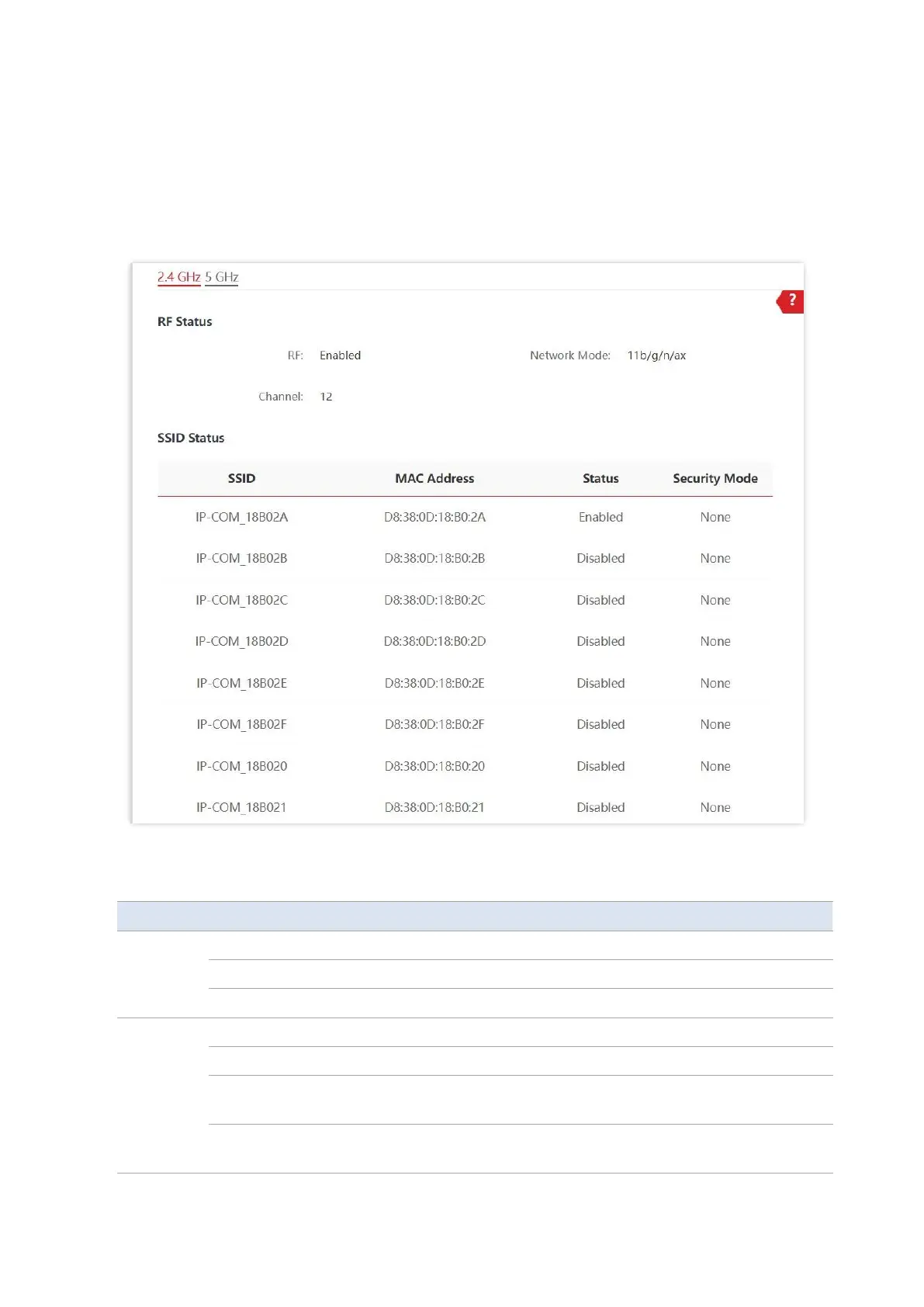
4.2 Wireless Status
To access the page, choose Status > Wireless Status.
This page displays general radio status and SSID status of the AP. By default, the page displays
the information of 2.4 GHz wireless status. To view the wireless status of 5 GHz, click 5 GHz.
Parameter description
It specifies whether the wireless function of the AP is enabled.
It specifies the current network mode of the AP.
It specifies the current working channel of the AP.
It specifies the names of all the wireless networks of the AP.
It specifies the physical addresses corresponding to the SSIDs of the AP.
It specifies whether the wireless networks corresponding to the SSIDs
of the AP are enabled.
It specifies the security modes of the wireless networks corresponding
to the SSIDs of the AP.



 To Next Page