Version V1.0
59
Configuration procedure
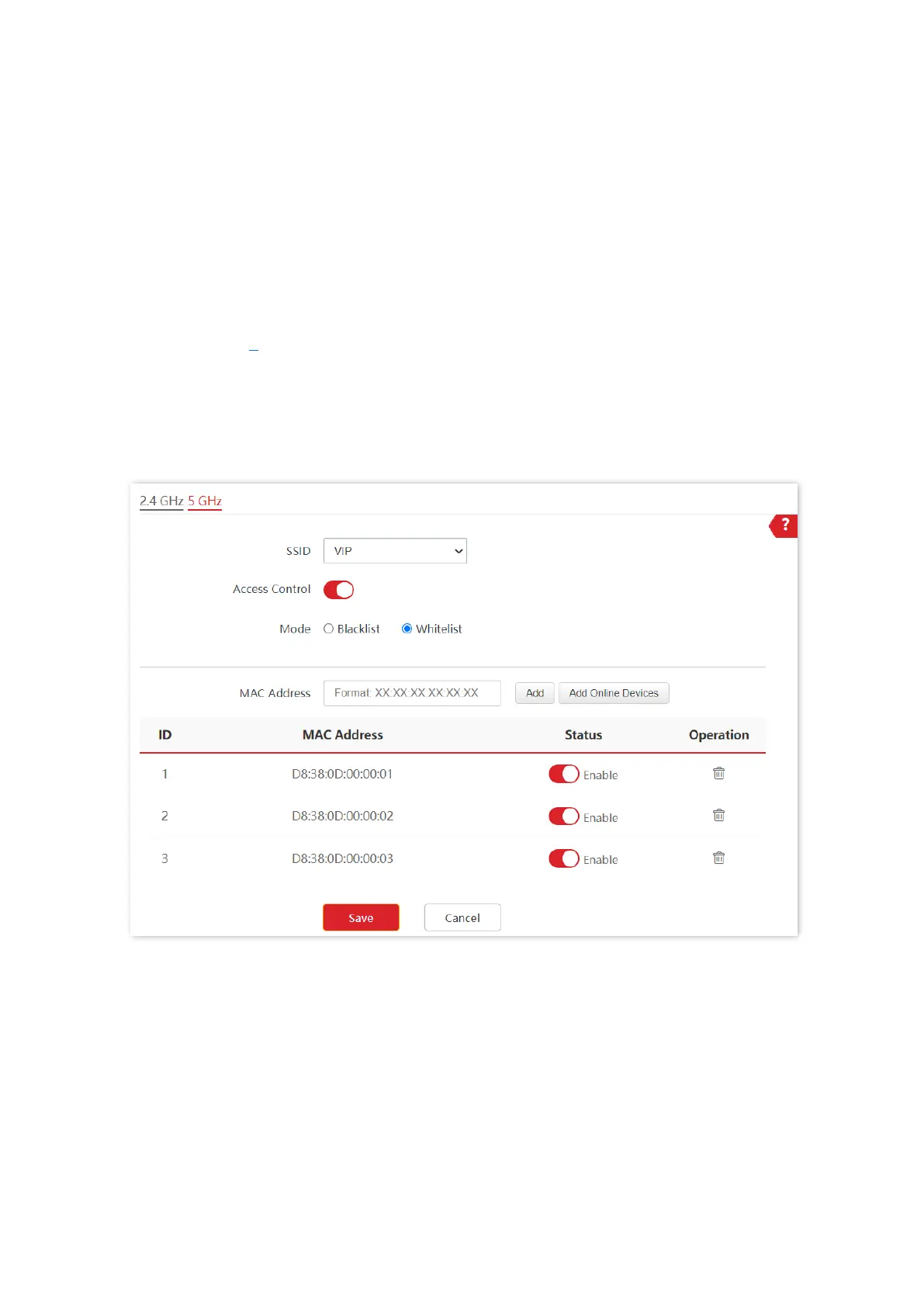
1. Choose Wireless > Access Control > 5 GHz.
2. Select VIP from the SSID drop-down list.
3. Enable Access Control.
4. Set Mode to Whitelist.
5. Enter D8:38:0D:00:00:01 in the MAC Address text box and click Add.
6. Repeat step 5 to add D8:38:0D:00:00:02 and D8:38:0D:00:00:03 as well.
7. Click Save.
---End
The following figure shows the configuration.
Verification
Only the specified wireless devices can connect to the VIP wireless network.



 To Next Page