Version V1.0
26
Configuration procedure
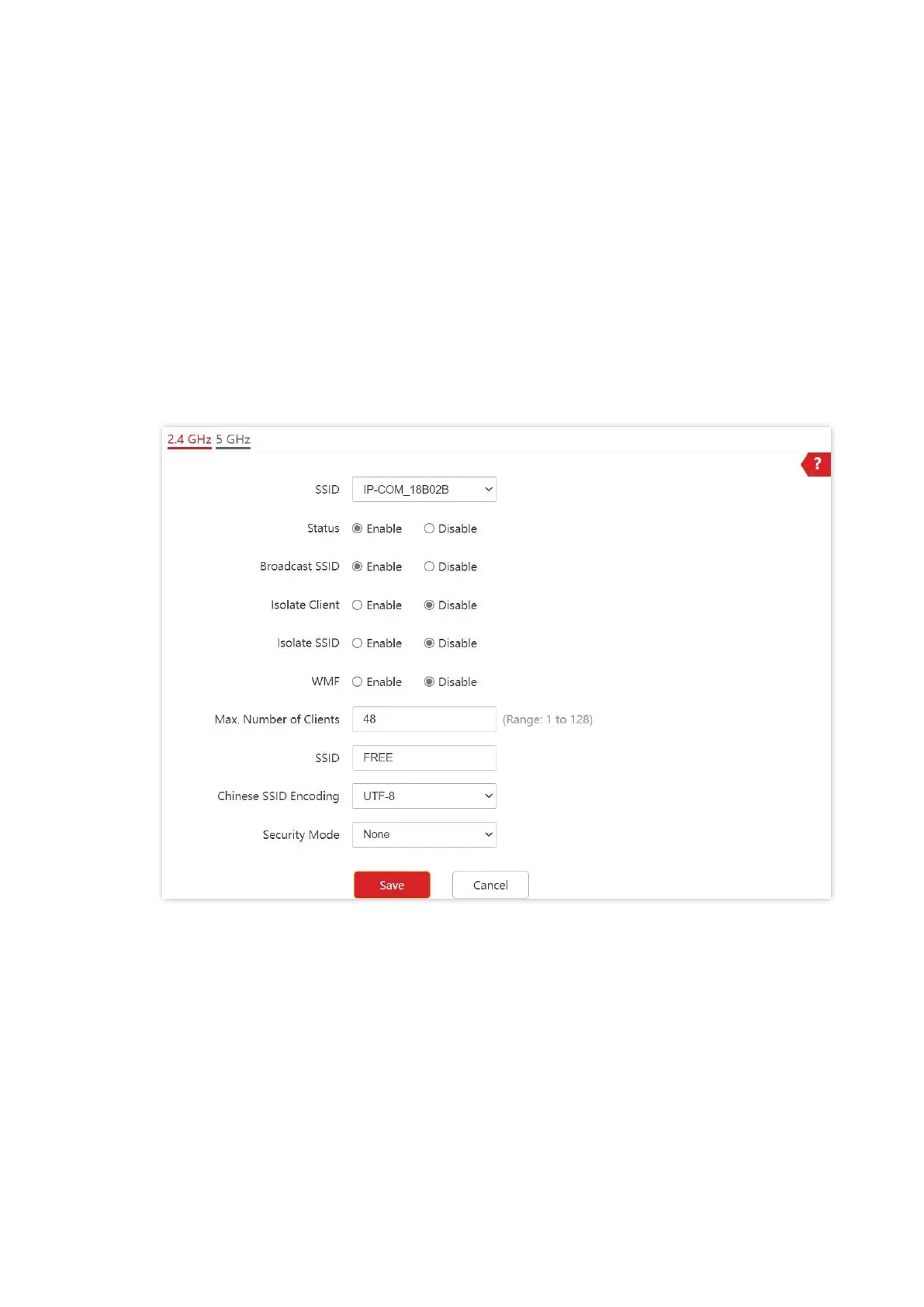
Assume that the second SSID of the 2.4 GHz radio band of the AP is to be configured.
1. Choose Wireless > SSID.
2. Select the second SSID from the SSID drop-down list box.
3. Set Status to Enable.
4. Change the value of SSID to FREE.
5. Set Security Mode to None.
6. Click Save.
---End
Verification
Wireless devices can connect to the FREE wireless network without a password.



 To Next Page