4230 Flow Meter
Section 4 Optional Equipment
4-23
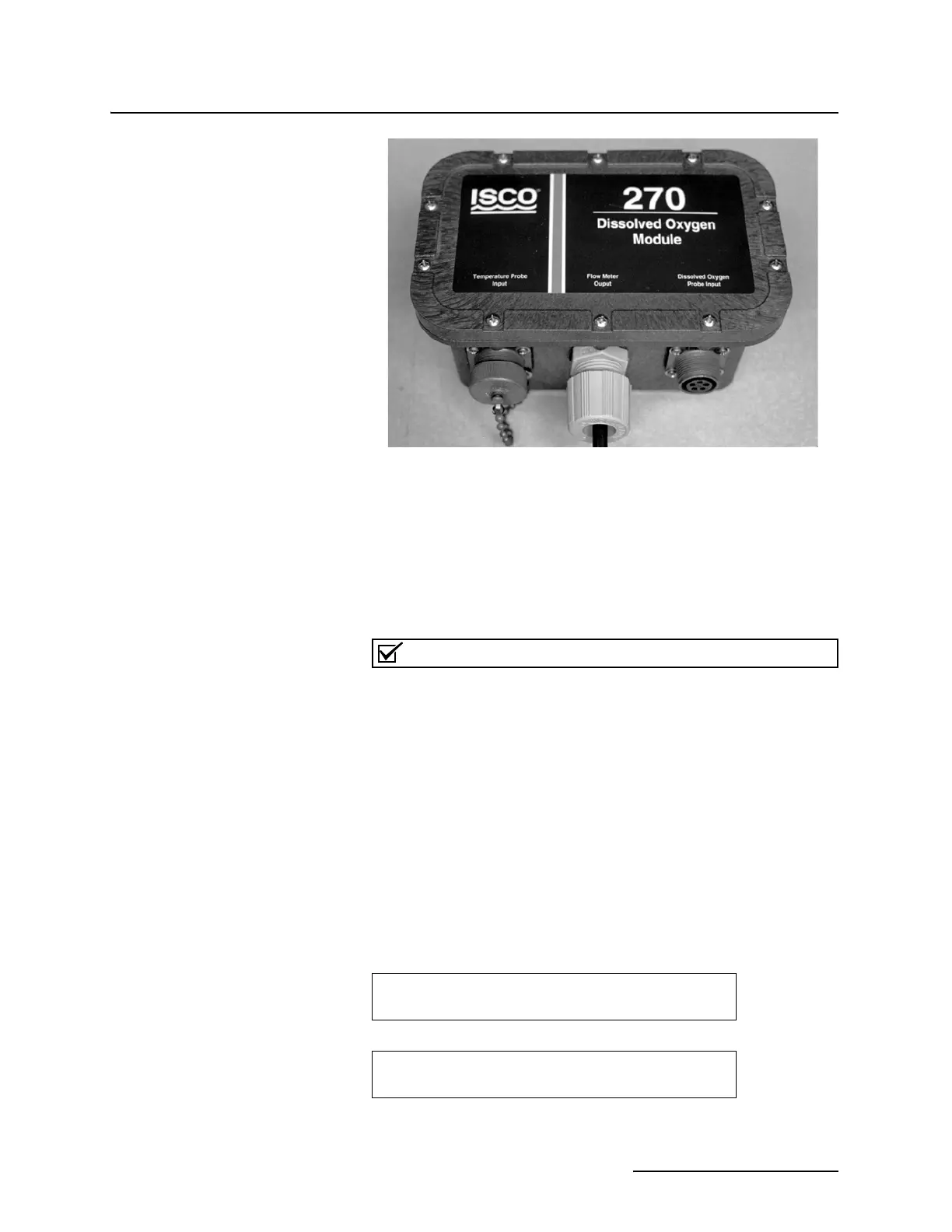
Figure 4-7 D.O. Parameter Module
You must use the Isco Model 270 D.O. Module box between the
probe and flow meter; this extends the distance between the
probe and the flow meter to 1,000 feet.)
4.9.6 Calibrating the D.O.
Probe with a Flow
Meter
Prepare the probe as described above if this has not already been
done (fill the probe cavity with electrolyte and seat the mem-
brane).
Note
You must use the Isco Temperature Probe with the D.O. Probe
to provide temperature compensation.
Wrap both the D.O. Probe and Temperature Probe in a damp
cloth. Wait ten minutes for it to stabilize, then proceed.
Go to step 1 on the flow meter. Select PROGRAM, then step
through the units of measure with Enter until you reach the
menu for pH measurement. Select NOT MEASURED. Then D.O.
UNITS will appear. Select either MG/L or PPM. Exit the
program and re-enter going to step 3.
You must select measurement of D.O. in step 1 or the D.O. menu
will not appear in step 3. If you cannot get the D.O. menu to
appear in step 3, recheck your selections in step 1. Remember
that you must select NOT MEASURED for pH in step 1 or D.O.
will not appear on the menu for the rest of the program.
Select D.O. The following will appear:
PARAMETER TO ADJUST
• NONE • • LEVEL • • D.O. •
D.O. CALIBRATION
•D.O STANDARD••ABS BAROMETRIC PRESSURE••



 To Next Page