4230 Flow Meter
Section 2 Programming
2-39
2.9 Step 3 - Parameter to
Adjust
This step lets you enter the measured level in the flow stream. It
also lets you calibrate the pH (acidity or alkalinity), D.O. (dis-
solved oxygen) parameter sensors, and the YSI 600 Multiple
Parameter Sonde. There is no calibration step for the temper-
ature sensor because it does not need calibration. When you
select step 3 the following will appear:
LEVEL will not show up if you are using the flow meter only for
parameter sensing. Likewise, pH and/or D.O. and YSI 600 will
not show up on the display if you have locked them out by pro-
gramming selections you made in step 1.
Remember that selection of either pH or D.O. in step 1 will keep
the other from appearing on the display in this or subsequent
programming steps. If the parameter you want does not appear
in this menu, exit the program and return to Setup. Check to see
that you have not accidentally locked out your choice with selec-
tions made in the early part of the program. If you select NONE,
the flow meter will advance to the next step. If you select
LEVEL, the following will appear:
For this value, you must measure the level in the stream (usually
done with a measuring stick.) Generally, you should measure the
level upstream from the bubble line outlet, or at the prescribed
point in the primary measuring device. The bubbler should be
installed in an area of stable flow.
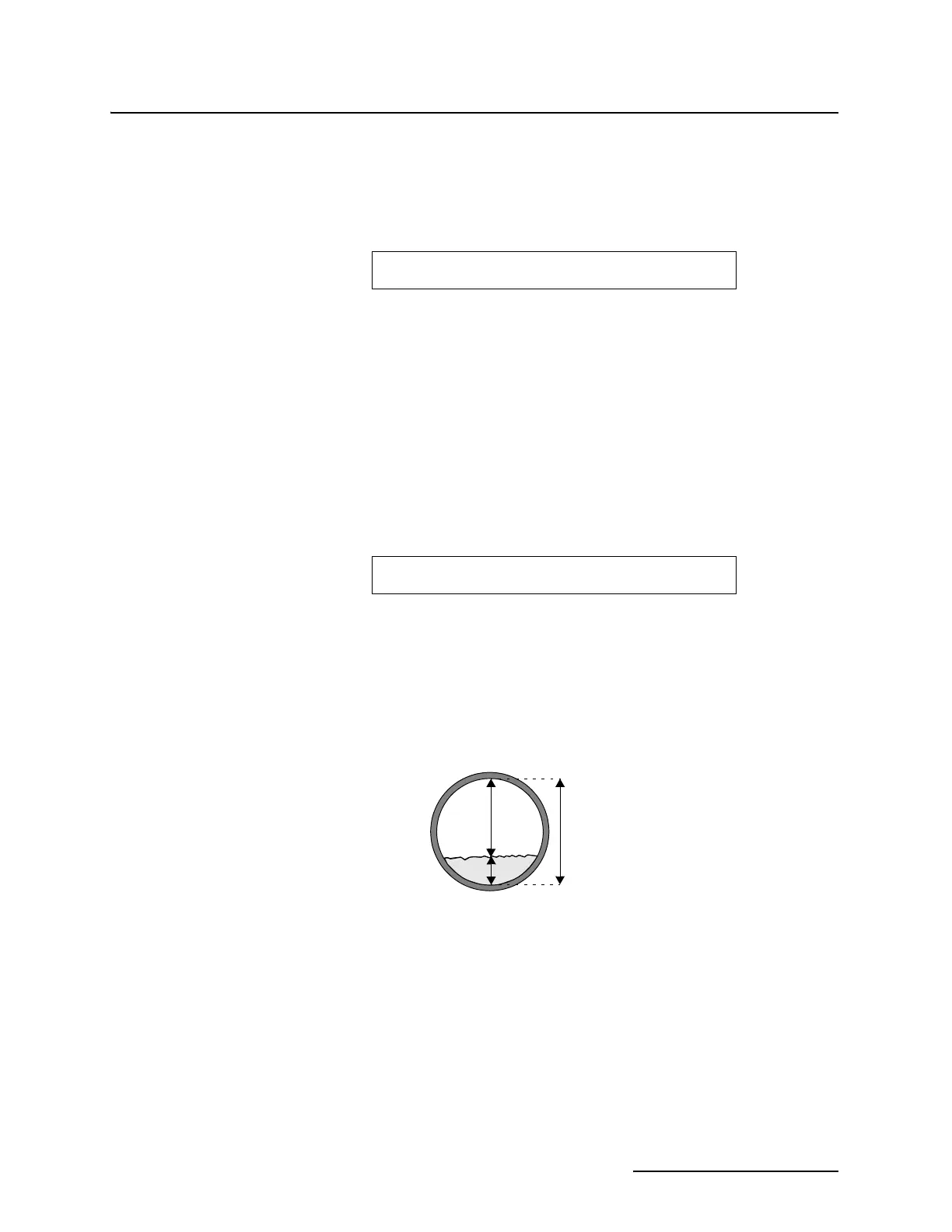
Figure 2-3 Level Measurement in Round Pipes
You should remove the bubbler and mounting ring to measure
the level if either of the following occur:
• If it is not possible to measure the level upstream when
the bubbler is installed, (cramped quarters inside
smaller pipes).
• If the bubbler and its mounting ring create a visible
“jump” in the stream.
This “jump” would be any noticeable disturbance on the
surface of the flow stream where it passes over the
bubbler and mounting ring, and is typical of lower flows.
PARAMETER TO ADJUST
• NONE • • (LEVEL) • • (pH) • • (D.O.) • • (YSI 600) •
ENTER CURRENT LEVEL
X.XXX FEET (or other units of measure, as selected)
D
d
h
D – d = h (level)
This drawing shows you how
to measure level. You then
enter this value with the
number keys. LEVEL
ADJUST must be done at the
job site, while most other pro-
gramming can be done in the
shop.



 To Next Page