4230 Flow Meter
Section 5 Maintenance and Service
5-9
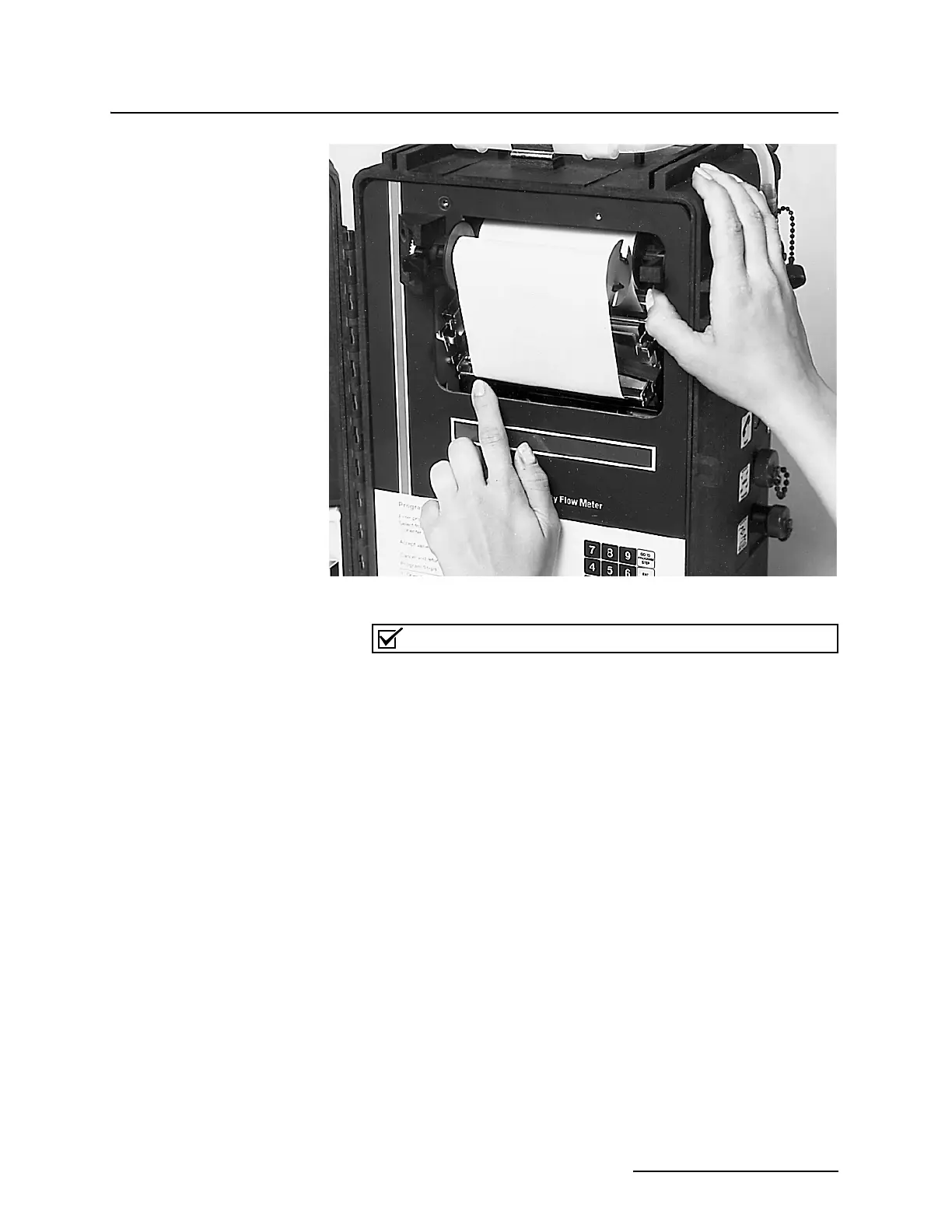
Figure 5-4 Lifting the Flow Meter from the Case
Note
If you disassemble the flow meter for servicing, you will also
remove the aluminum chassis covers to access the circuitry.
Always replace these covers when repairs have been com-
pleted. The covers protect the circuit boards and also reduce
signal emissions that could interfere with the operation of
nearby electronic equipment. For the same reason, do not
remove any of the ferrite beads or alter the wiring harnesses
inside the cabinet in any way.
5.5.2 Fuse Replacement With the flow meter chassis out of the cabinet, you can locate and
change fuses. The fuses are located on the printed circuit board
directly behind the keypad. There is an aluminum cover over this
board. Remove the cover by pressing against its surface with the
palm of your hand and then pulling downward on it with your
fingers. A plastic catch under the cover holds it in place. The
fuses are labeled F1, F2, and F3. The proper size for each of
these fuses is:
F1 - 5 amp., fast blow
F2 - 5 amp., fast blow
F3 - 2
1
/2 amp., fast blow
Always replace a blown fuse with one of the same value. Using a
larger value of fuse could cause serious damage to the flow meter
or to its power supply. Replace the protective cover, making sure



 To Next Page