4230 Flow Meter
Section 5 Maintenance and Service
5-10
the two ears on top of the cover slide into the mating slots on the
chassis. There should be a noticeable snap when the plastic catch
re-engages the cover.
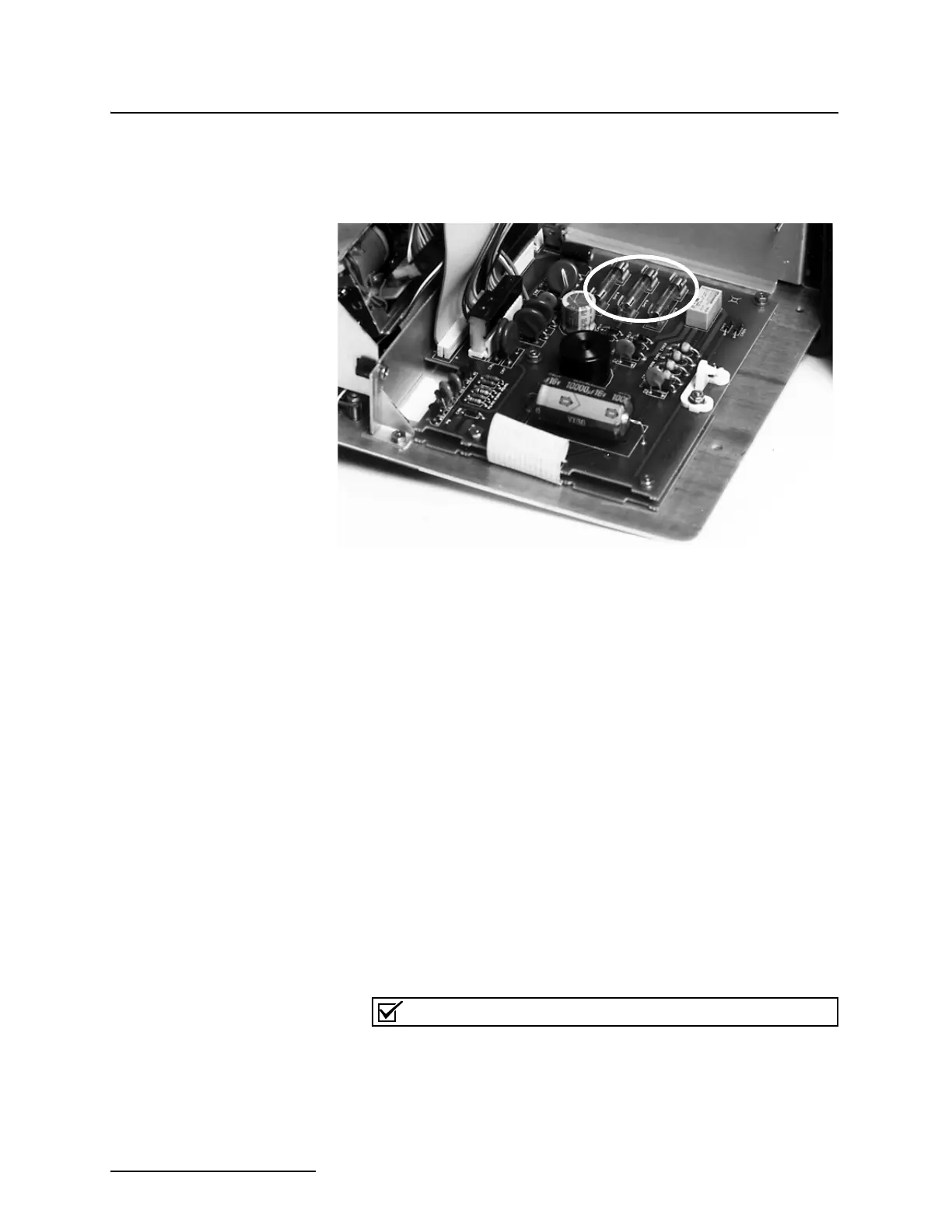
Figure 5-5 Location of the Three Fuses
5.5.3 Display Warnings The LCD will show various warnings and error messages to warn
of problems in the program, or difficulties inside the flow meter.
Some messages request routine maintenance; others point out
programming errors; still others indicate serious internal diffi-
culties.
Following are typical warning messages displayed by the LCD:
CHECK PRINTER FUSE
PRINTER JAMMED
PAPER OUT
5.6 System Reset If the flow meter does not appear to be operating normally, you
can try to restart the processor by turning the unit off, waiting a
few minutes, and then turning the unit back on. If that does not
work, you can (software) reset the system by pressing both the 4
and Exit Program keys at the same time while the unit is pow-
ering up.
Pressing 4 and Exit Program only works when the unit is pow-
ering up; it has no effect when the unit is running.
Note
Pressing 4 and Exit Program when powering up will cause
most programmed entries to be lost. Accumulated data stored
in the 4230 will also be lost.



 To Next Page