4230 Flow Meter
Section 5 Maintenance and Service
5-7
6. Be careful to push it all the way back in, so that the
take-up gear on the end of the spool assembly will reen-
gage.
7. When the take-up spool is back in place, again push the
Paper Reroll key; this will remove any slackness in the
paper.
5.4.2 Ink Ribbon
Replacement
Ribbon life will vary greatly from one installation to another
depending on how often the printer has to print. When the char-
acters on the chart become difficult to read, you should replace
the ribbon. If possible, try to replace the ribbon at the same time
you change the paper roll, as it is easier to replace the ribbon
when the roll of paper is out of the way.
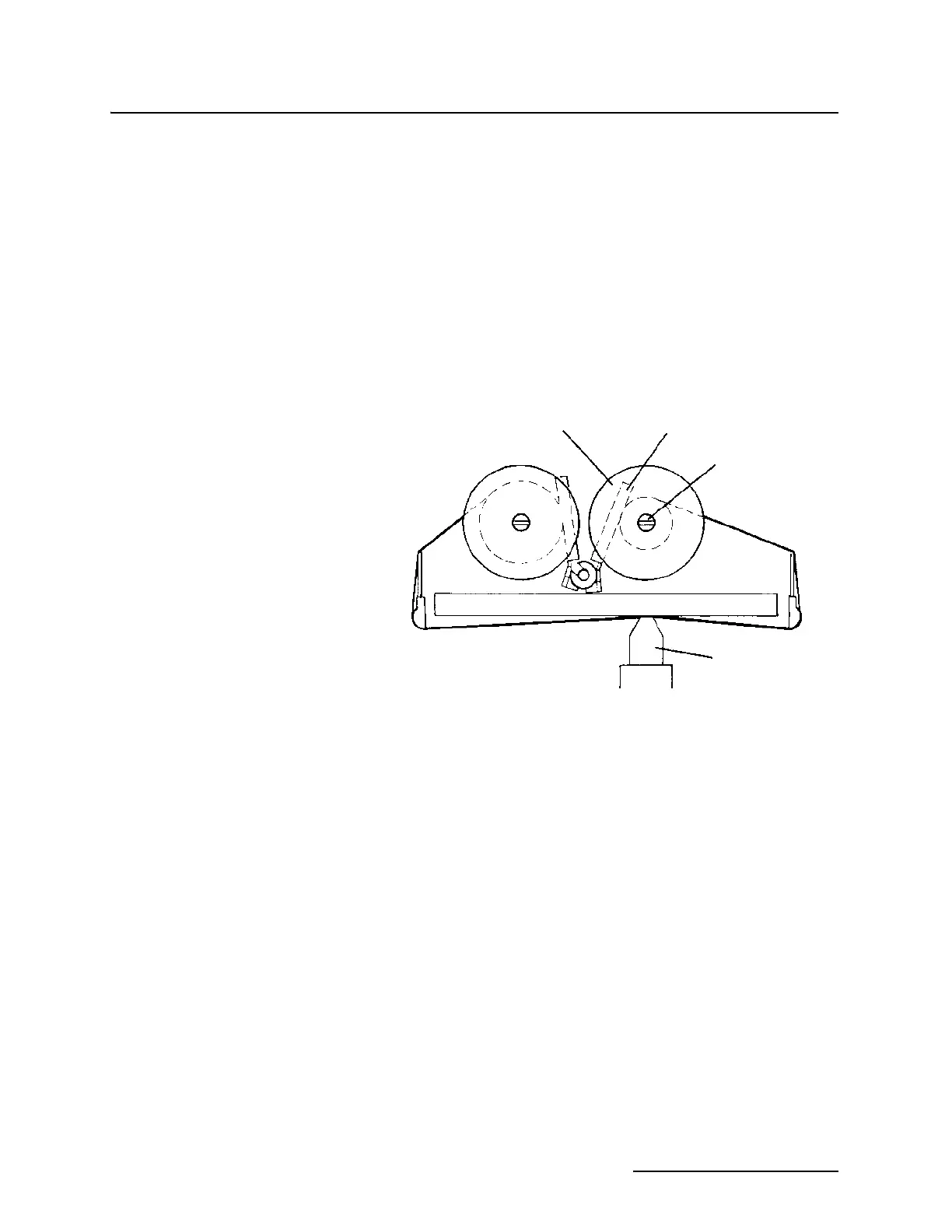
Figure 5-3 Ink Ribbon Replacement
To replace the ribbon:
1. Turn the unit off.
If there is paper in the unit, remove the take-up spool and
unroll enough paper to get it out of the way, so you can
clearly see the two ribbon spools. Each spool has a rib-
bon-detecting lever pressing against the ribbon. Note the
direction the ribbon leaves the left spool and how it winds
onto the right spool.
2. Grasp one of the spools and rotate it slightly, loosening the
ribbon.
3. Lift gently until the spool comes free from its shaft. Do the
same with the other spool.
4. Lift the chart and take-up spool out of the way and remove
the ink ribbon from the printer mechanism, noting how it
threads through the unit.
5. Thread the new ink ribbon through the printer mecha-
nism.
Spool
Detecting Lever
Spool Shaft
Print Head



 To Next Page