4230 Flow Meter
Section 2 Programming
2-9
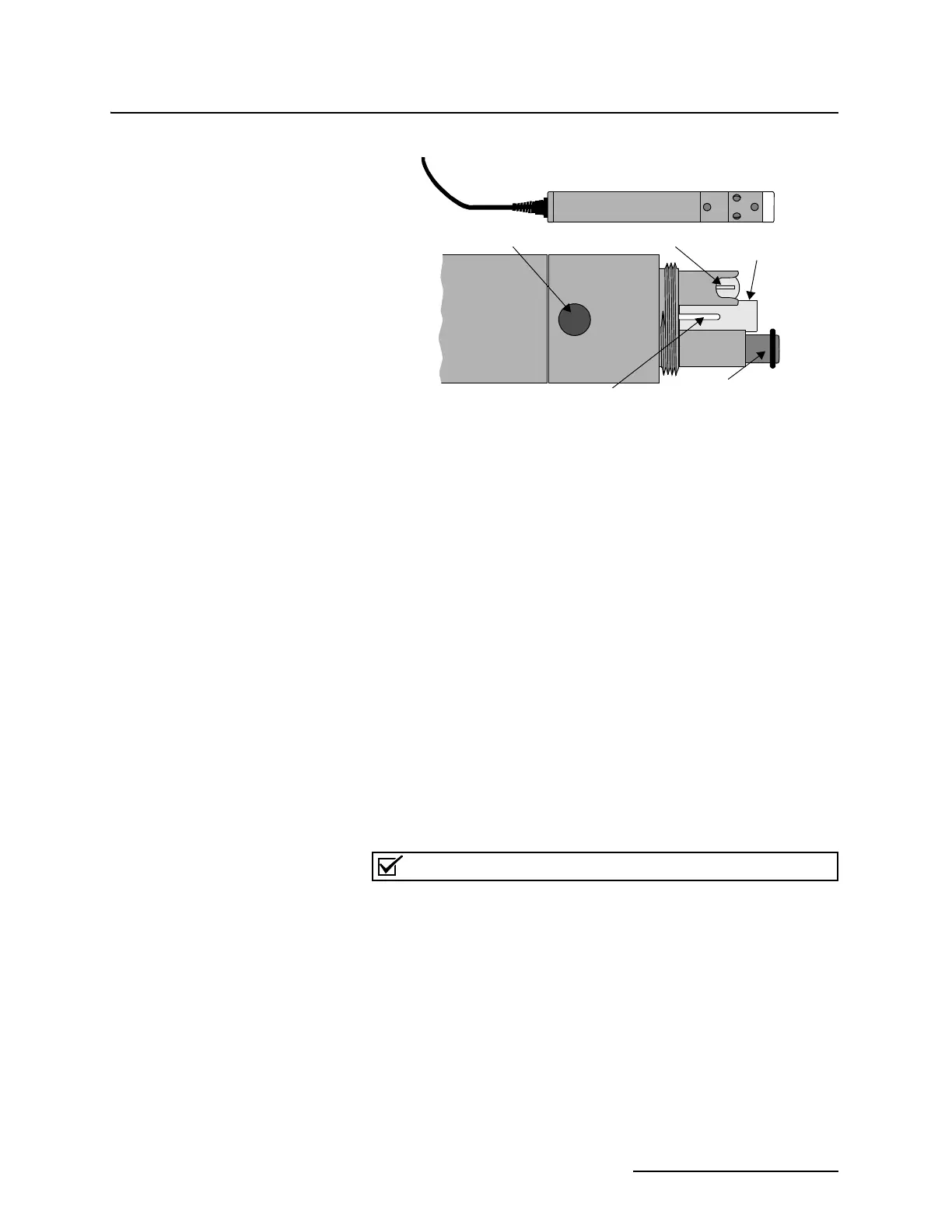
Figure 2-1 The YSI 600 Sonde
2.5.4 Reset Totalizer In this step you decide whether you want to reset the flow
meter's internal flow totalizers. If the installation is permanent
you generally won't reset the totalizer. If you are using the flow
meter as a portable recording unit and are moving it from one
site to another, you generally reset the totalizer between sites.
It is common to use a flow meter with an Isco sampler. Typically,
the flow meter signals the sampler to take a sample after a
certain volume has passed. This might also occur after a con-
dition or set of conditions has either changed or been met. This
step allows you to determine that control. There are several pos-
sible options—DISABLE, CONDITIONAL, VOLUME, and
FLOWLINK. DISABLE will keep the sampler from receiving any
flow pulses from the flow meter. VOLUME allows the flow meter
to signal the sampler whenever a specific flow volume has
passed. FLOWLINK (this option only appears if you are using
FLOWLINK software), allows the sampler to be signalled from
the flow meter as a result of conditions determined by
FLOWLINK.
2.5.5 Sampler Pacing
Note
If you choose CONDITIONAL for sampler pacing and it doesn’t
seem to work properly for you, read the section explaining hys-
teresis (page 2-16). Then check the hysteresis setpoints for
your conditions. (The defaults are all zero.)
You must also have the appropriate sensors to measure temper-
ature, dissolved oxygen, conductivity, or pH; the flow meter
cannot do this by itself, nor does it occur automatically.
FLOWLINK is Isco's proprietary data acquisition and man-
agement software. FLOWLINK works with personal computers,
modems, and laptop computers to monitor flow meters from a
distance. Consult the factory for more information.
Assembled Sonde
Conductivity (inside)
D.O. sensor
pH glass sensor
pH reference
Temperature
(Cover Removed)



 To Next Page