4230 Flow Meter
Section 5 Maintenance and Service
5-19
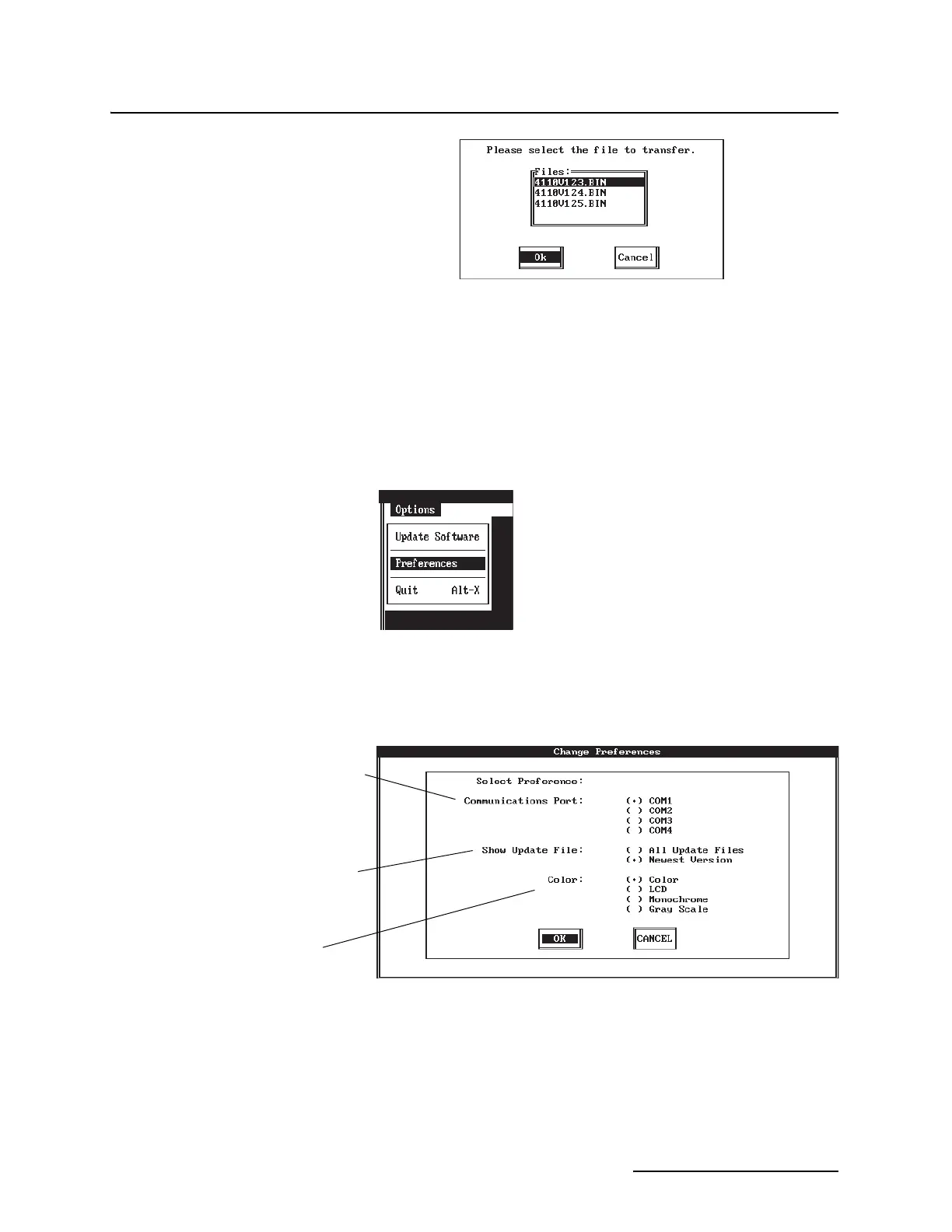
Figure 5-8 Update File Menu
Figure 5-9 Options Menu
Figure 5-10 Preferences Window
This window
appears only when the directory or disk contains more than one version
of the update files and the Preferences option for Show Update File is “all
Update Files.” It lists the update files in the directory. The first four num-
bers in the file name are the instrument’s model number. The numbers
following the “V” are the software version. If several versions appear in
the window, select the version with the highest number unless otherwise
instructed by Isco Technical Service.
Options Menu
Select the COM port that corresponds
to the serial port used for the Computer
Connect Cable.
Select Newest Version to see only the
most recent update files in a directory.
Select All Update Files to see all update
files.
Select the color scheme that best
matches your monitor.



 To Next Page