4230 Flow Meter
Section 5 Maintenance and Service
5-5
5.3.2 Automatic Air Purge The 4230 has an automatic purge feature to clear deposits from
the bubble line with a sharp burst of air from the pump. Purge is
intended to help keep the outlet of the bubble line open. The
program substep PURGE INTERVAL (in Setup) allows you to set
the time between purge cycles, from five minutes to one hour.
The Purge key on the keypad lets you manually purge the
bubble line anytime just by pressing the key. You don't have to
wait until the next programmed purge cycle occurs to purge the
line.
When you press Purge, the pump will start running inside the
flow meter. The pump will continue to run as long as you press
the button, and for a short while after you release it.
5.4 Maintenance of the
Printer
The internal printer needs little maintenance beyond changing
the chart roll and the ink ribbon.
Refer to the pictures provided for each section. Also refer to the
label inside the cabinet.
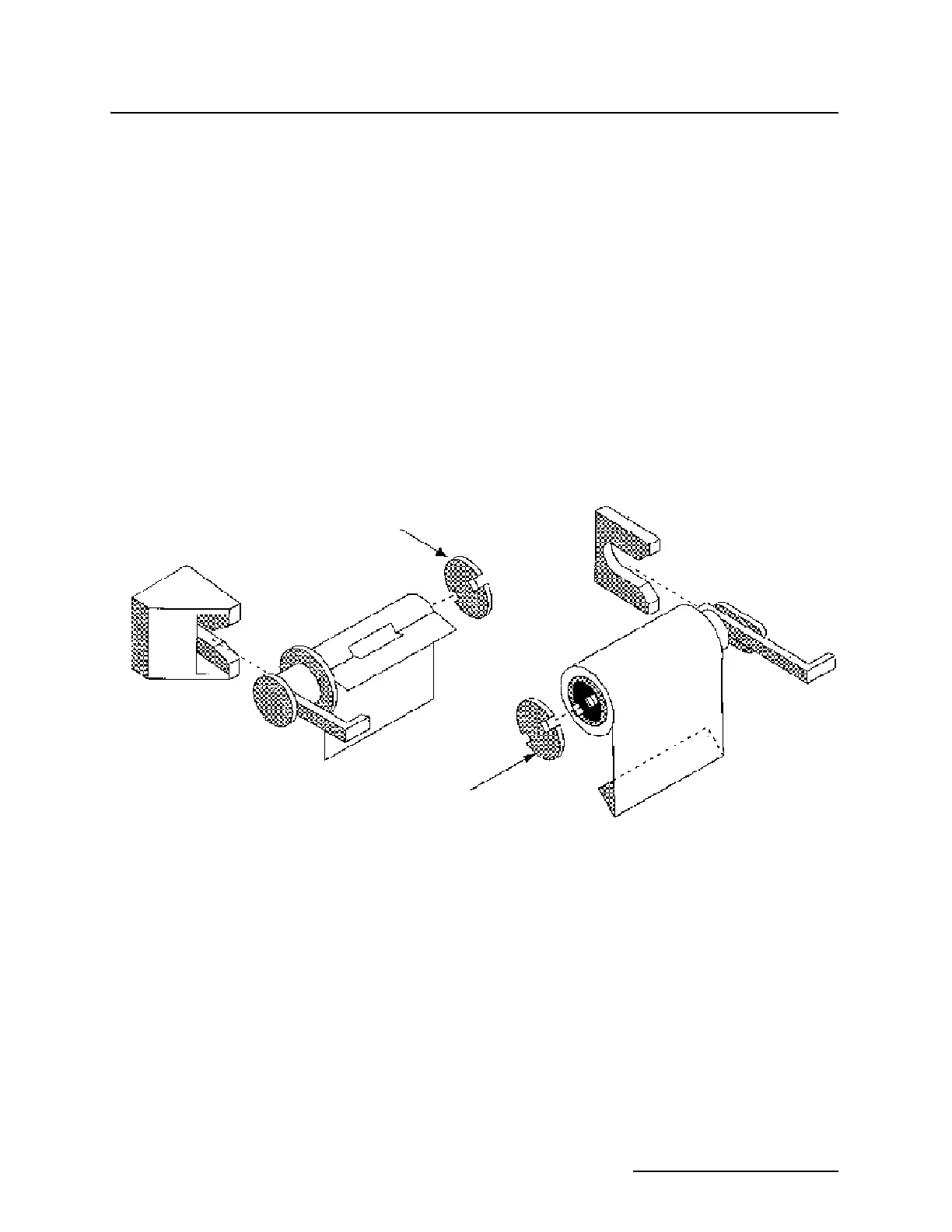
Figure 5-2 Changing the Chart Paper
5.4.1 Changing the Paper
Roll
To change the chart paper you will need:
• new roll of paper
• a knife or a pair of scissors
• a small piece of tape
The printer will shut down when the paper runs out. The roll is
nearly empty when a 1-inch wide pink band appears on the left
side of the chart.
To change the roll:
1. Locate the handle on the left side of the take-up roll.
2. Pull straight out on this handle until the take-up roll slips
off the printer.
Reroll Spool
Assembly
End Cap
End Cap
Supply Spool
Assembly



 To Next Page