4230 Flow Meter
Section 3 Installation
3-3
“Flow Meter” connector on the sampler and “Sampler” connector
on the flow meter. The flow meter will then receive power from
the sampler.
Under certain conditions, such as a “fast” setting on the printer
chart speed, the flow meter will draw a significant amount of
power from the sampler. While this is no problem for samplers
and flow meters powered by AC, there could be problems with
battery. In that case, it would be better for the flow meter to have
its own battery.
Note
Do not attempt to run a sampler from a power source installed
on a flow meter. The sampler's pump draws heavy current,
particularly on start-up. The connect cable cannot carry such
currents. If you must use a single power source, always install
it on the sampler.
3.2.3 Isco Nickel-Cadmium
Battery
Isco offers a 4-ampere-hour 12-volt rechargeable nickel-cadmium
battery to power the flow meter. Isco packages this battery spe-
cifically for use with Isco flow meters and samplers. Refer to the
Power Products Guide accompanying this manual for detailed
information about this battery and the procedure for charging it.
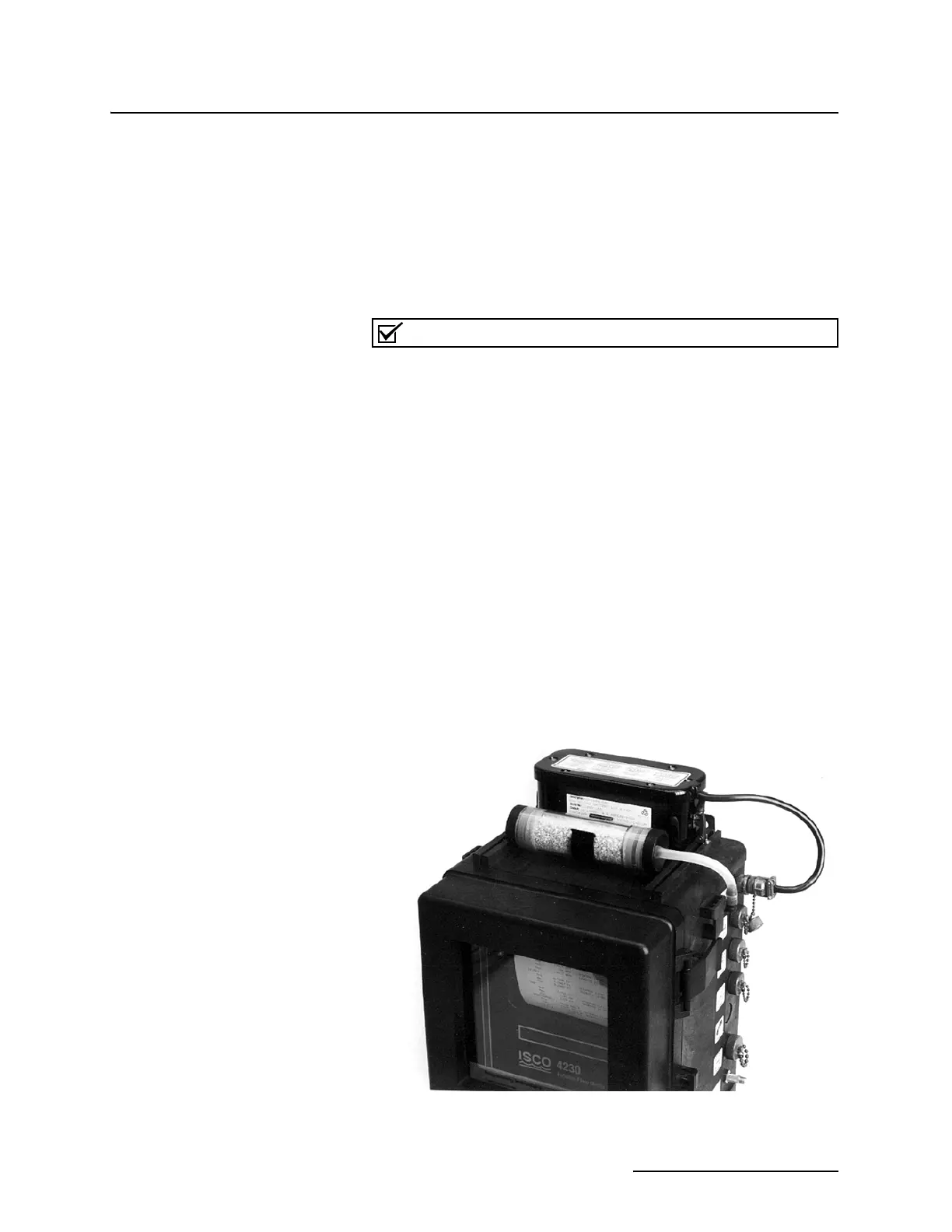
Install the battery on the top of the flow meter case, and attach
its connector to the 12 VDC connector on the side of the flow
meter. Place the battery with its cable pointing toward the right
side of the cabinet. Secure the battery by stretching the two
rubber draw catches on top of the flow meter until they slip over
the two metal “U” brackets mounted on the ends of the battery
case. Screw the battery connector into the top mating connector
on the right side of the flow meter case.
Figure 3-1 Battery Installed on Flow Meter



 To Next Page