4230 Flow Meter
Section 1 Introduction
1-5
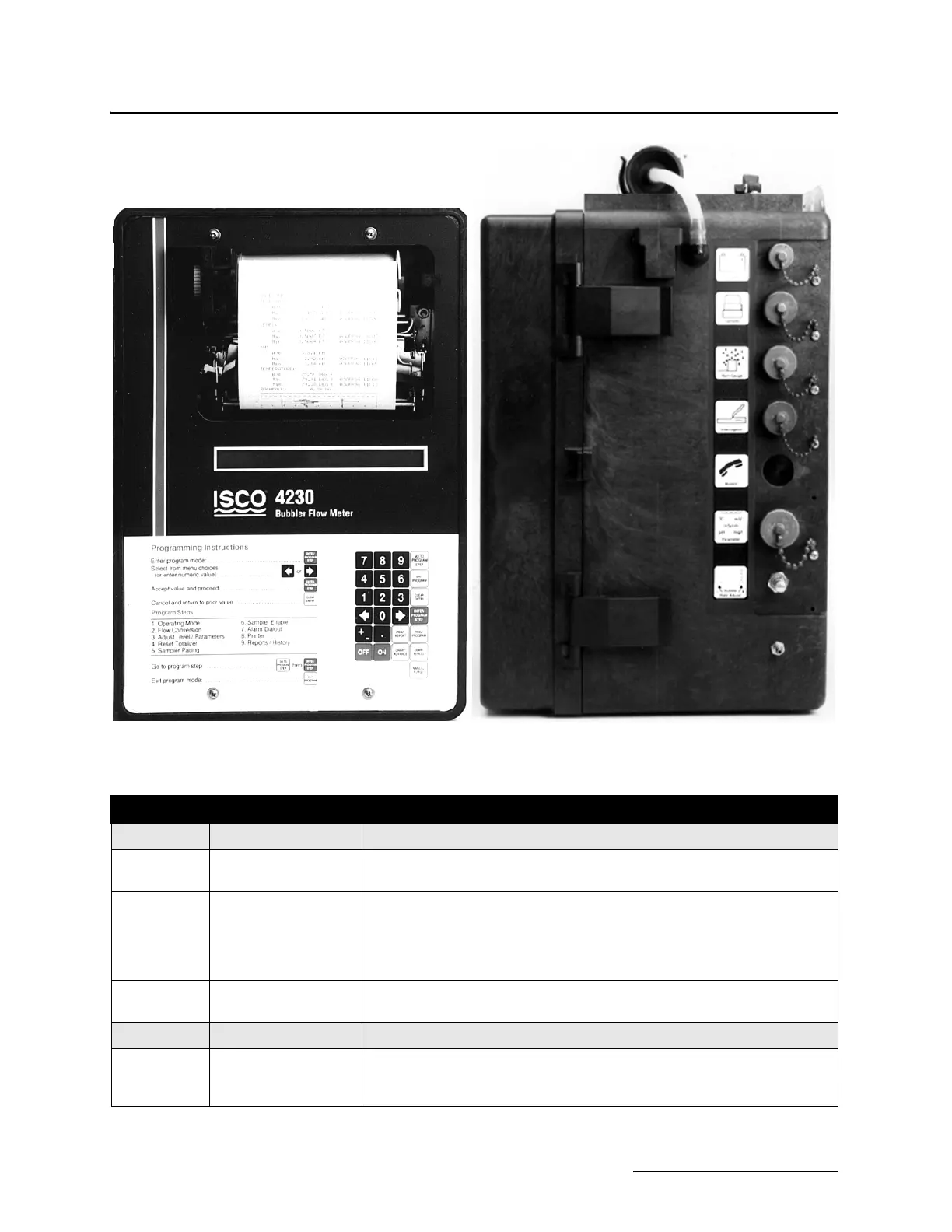
Figure 1-2 4230 Controls and Indicators (left), Connectors (right)
Table 1-1 4230 Controls, Indicators, and Connectors
CONTROLS SETTINGS FUNCTION
ON/OFF On - Off Turns the flow meter on and off. Internal memory is protected with a standby
battery. See Section 2.
Keypad Momentary Switches 24-key. 4 column matrix - Program flow meter through series of keystrokes
prompted by messages on the display. Certain keys perform specific func-
tions, (printing reports or entering program choices into memory). Arrow
keys move through menus. Number keys enter numeric values.See Section
2.
Bubble Rate
Adjust Valve
1 bubble per second
(normally)
Controls the rate of air discharge from the pump and reservoir into the bub-
ble line.
INDICATOR READING FUNCTION
Display Multi-function 2-line, 40 characters per line, liquid crystal display (LCD.) Prompts you
through program procedure; displays total flow,. present flow rate and level.
May also display parameter readings, if sensors present.



 To Next Page