ASTRA
• Operation Manual • Rev. 0124C page 7
Chapter 2. Product Overview
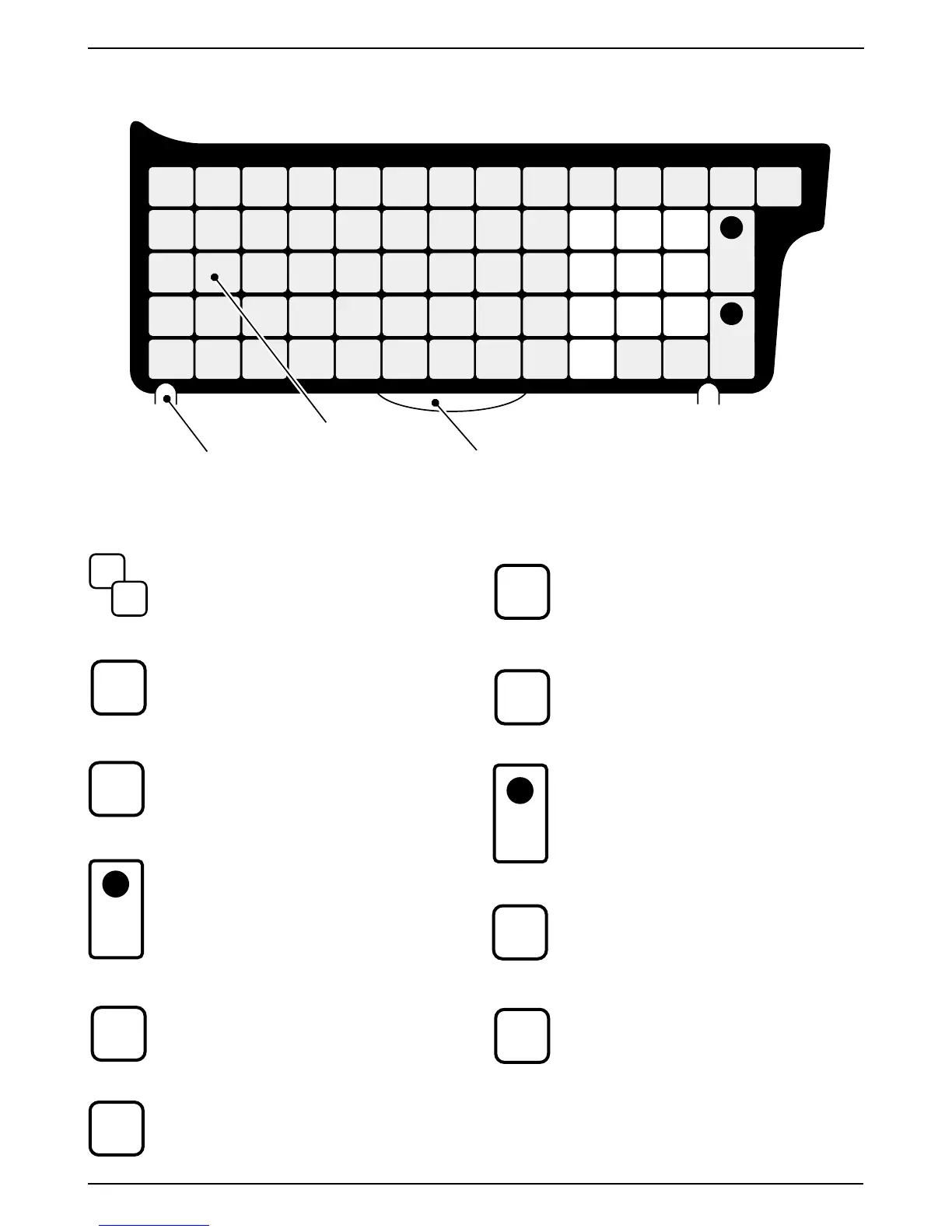
2.3.1 Basic Function Keys
NUMERIC ENTRY
Keys 0 through 9 are used to enter numeric
data.
CLEAR
Used to cancel incorrectly entered numeric
data.
TARE
Used to set the tare weight to be subtracted
from the total weight on the weigh platter.
PLU SELECT
Used to access PLU data.
AUTO/MANUAL SELECT
Used to select automatic label issue or
manual label issue.
FEED
Used to advance labels to the correct printing
position.
ZERO ADJUSTMENT
Used to reset the weight to zero.
MODE SELECT
Used to return to normal operation mode or
to enter a desired mode after 4 digit
password entry.
PRINT
Used to issue a label.
RESET
Used to initialize the machine.
2.3 Operation Key Sheet
RESET
FEEDZEROMODE
DATE
AUTO
MANU
PRINT
PLUTARE
CLR
0
1
2
3
45
6
7
8
9
Handling tab
Preset keys
Sheet stopper
0
9
CLR
TARE
PLU
AUTO
MANU
FEED
ZERO
MODE
DATE
PRINT
RESET
TEMPORARY DATE
Used to temporarily change the current date
of the machine. After recalling a PLU, enter
the temporary date (MMDDYY) and press
the DATE key. Enter the number 0 to turn
all date printing off. The date is reset when
another PLU is selected.



 To Next Page