page 28
ASTRA
• Operation Manual • Rev. 0124C
Chapter 4. Registration Mode
4.1 Registration Mode Entry
Registration Mode (P00) is used to program various preset functions required for normal operations to be performed.
When performing these operations, use the Program Key Sheet (located underneath the Operation Key Sheet) to
set up the following items.
•
P01 : PLU programming
•
P02 : PLU name
•
P03 : Price change
•
P04 : Preset key
•
P05 : Shop name/Address
•
P06 : Date/Time
•
P07 : Extra message
•
P08 : Default PLU
•
P09 : PLU list
•
P10 : Communication
•
P11 : Nutrition
➜
9
PROCEDURES
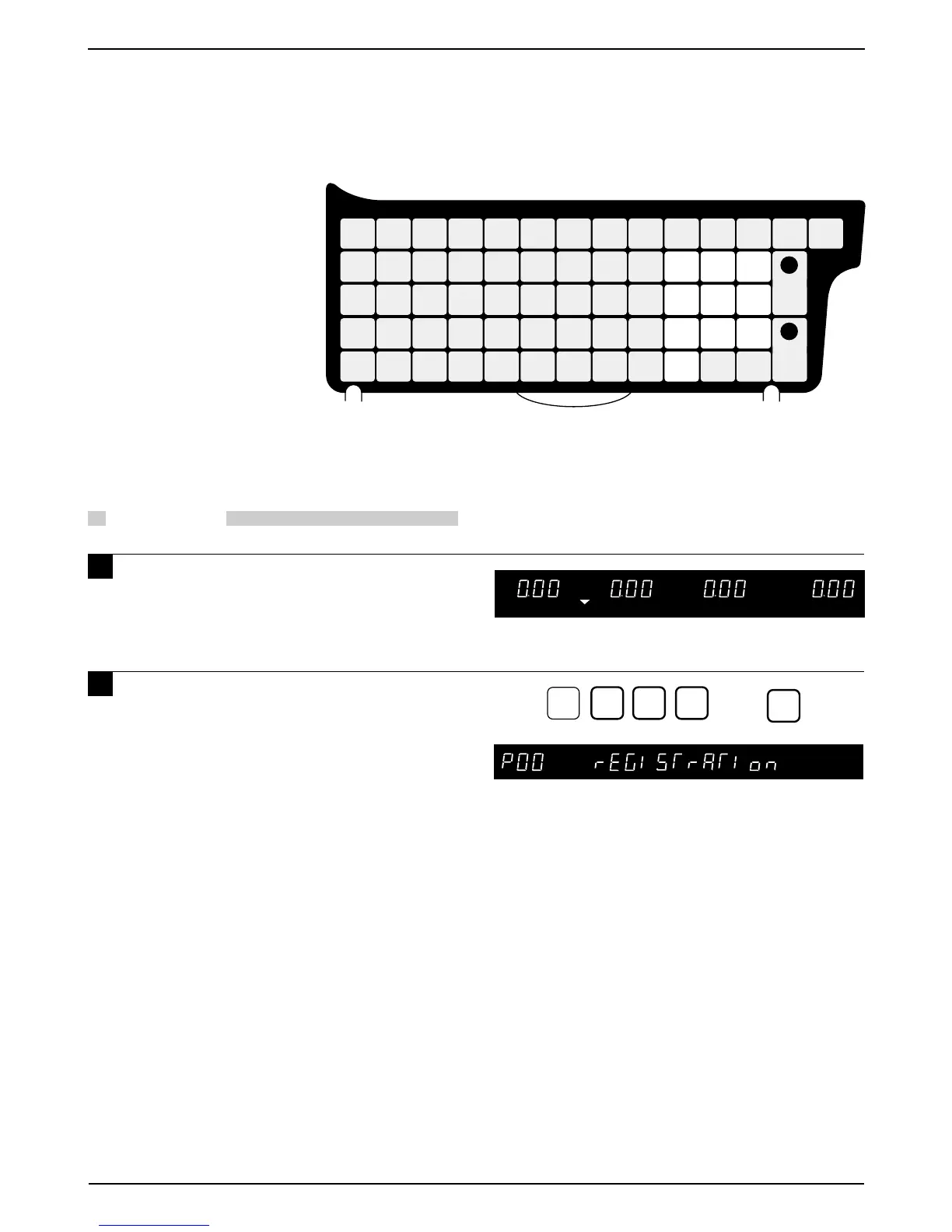
1 Ensure that the Initial Display appears.
2 Key in the 4-digit password
(default value: 9000) and press the
MODE key. The Registration mode
display will then appear.
MODE
0 0 0
RESET
FEEDZEROMODE
PRINT
PLUTARE
CLR
0
1
2
3
45
6
7
8
9
P
O
R
T
E
I
UY
W
Q
“$%&‘#!()
_
L
K
J
H
G
F
DS
A
=
@
[]
{
}
+; :
LOWER
CASE
Z
XC
V
BN
M
BACK
SPACE
NEW
LINE
ENTER
DELETE
,
.
*
SYMBOL
FUNCTION
PLU
FILE
INSERT
PRICE
CHANGE
COPY
PLU
LIST
SPACE
END
SIZE
EDIT
PLU
Ç
Ñ
↑
↓
←
→



 To Next Page