ASTRA
• Operation Manual • Rev. 0124C page 29
Chapter 4. Registration Mode
➝
ENTER
➜
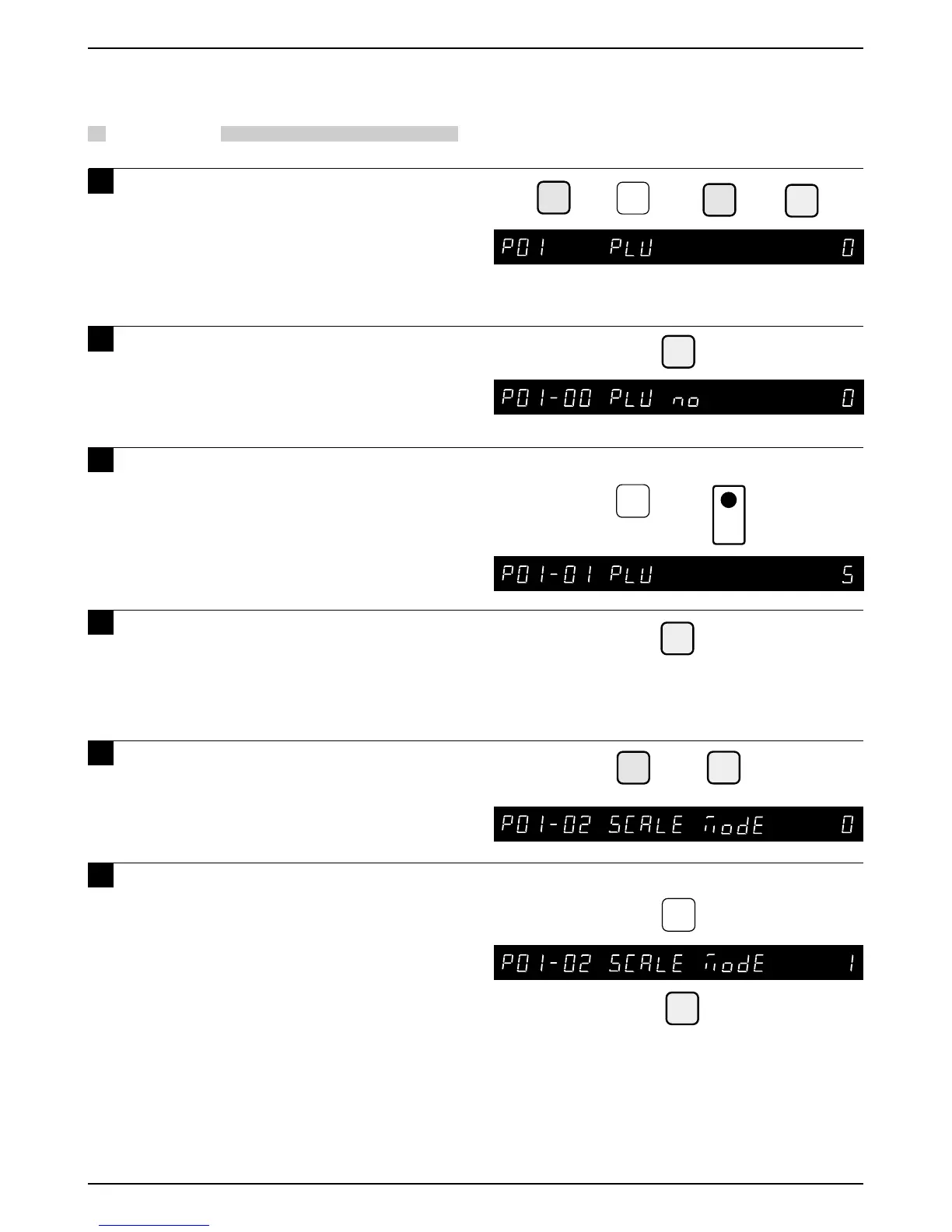
Example: PLU “5”
5
➝
➝
ENTER
➝
Example: Scale Mode “1”
or
1
ENTER
EDIT
PLU
➝
or
➜
1
➝
or
PLU
FILE
2
Note: Refer to Section 4.1 to enter the Registration mode.
PLU
4.2 PLU Programming
PROCEDURES
1 Press the DOWN ARROW key ( ) until
the PLU menu (P01) appears or key in
“1” followed by the DOWN ARROW
key ( ) to enter the menu directly.
Press the PLU FILE key to enter
menu directly.
Press the ENTER key to enter the
PLU Number step (P01-01) to register
the data for each PLU.
3 Key in the PLU number (Max. 6 digits)
and press the PLU key.
4 Press the EDIT PLU key to enter the
PLU Name Edit Menu.
(Refer to Chapter 5 “Text Editing” for further
details.)
5 Press the DOWN ARROW key ( ) or
the ENTER key to enter the Scale
menu.
6 Key in “0”, “1” or “2” and press the
ENTER key to set the Scale mode.
0 : Weighing price
1 : Fixed price
2 : Weighing/Fixed price
2:
Note: In case “0” or “2” is selected, steps 8.
“P01-04 WEIGHT” and 9. “P01-05 PCS”
are skipped.
Note: In case “1” is selected, steps 10. “P01-06
TARE” and 16. “P01-12 PROP TARE” are
skipped.



 To Next Page