page 34
ASTRA
• Operation Manual • Rev. 0124C
Chapter 4. Registration Mode
4.3 PLU Name
PROCEDURES
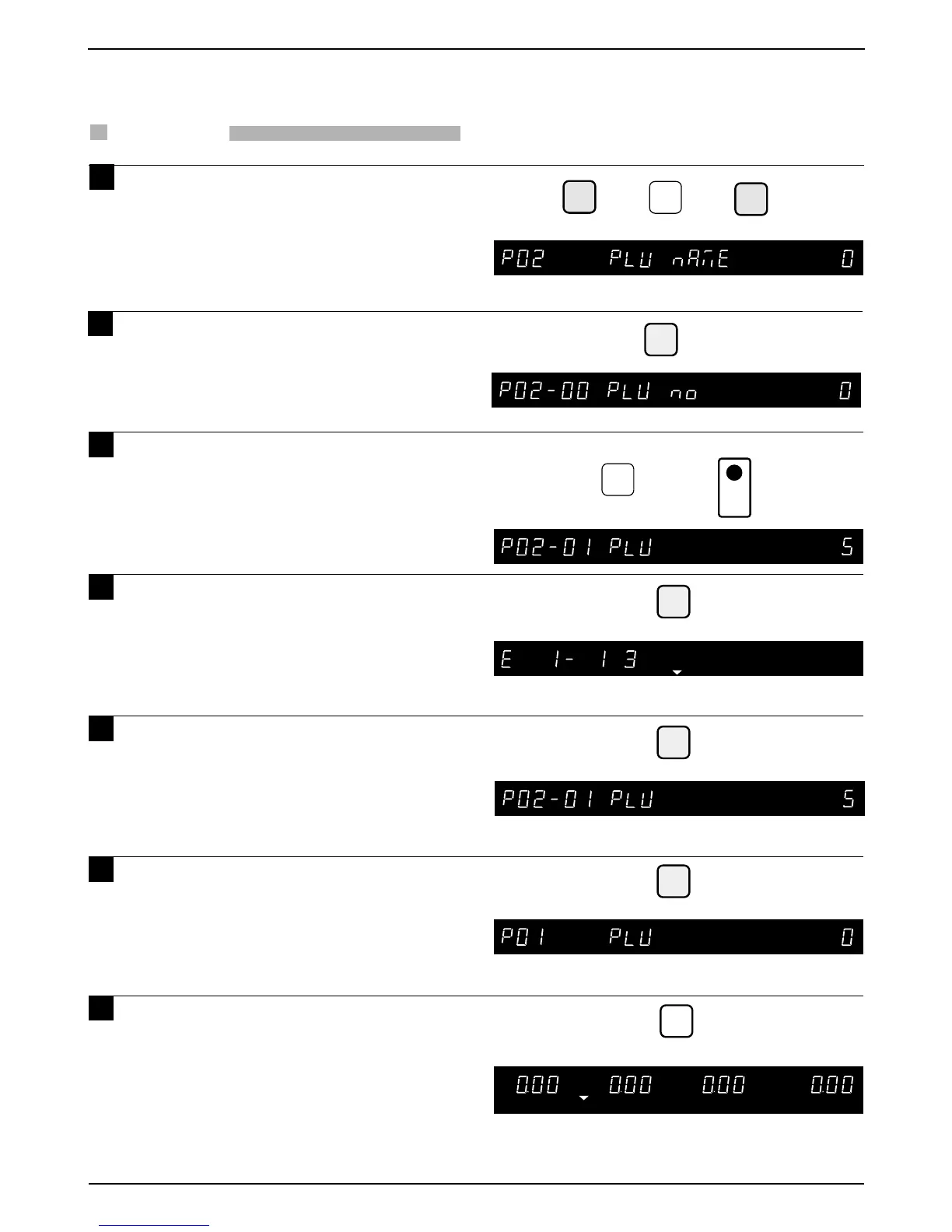
1 Press the DOWN ARROW key ( ) until
the PLU Name (P02) appears or key in
“2” followed by the DOWN ARROW
key ( ) to enter the menu directly.
Press the ENTER key to enter the PLU
Number menu to select the PLU.
Key in the PLU number and press the
PLU key.
Press the ENTER key to enter the EDIT
menu.
Press the ENTER key after entering/
editing the PLU Name.
Press the END key to return to the PLU
menu (P01).
Press the MODE key to return to
normal operation mode after all
operations of Registration Mode are
completed.
➝
➝
1
2
3
4
5
6
7
Note: Refer to Section 4.1 to enter the Registration mode.
➝
2
➝
or
➜
ENTER
5
PLU
➜
Example: “PLU 5”
ENTER
ENTER
END
MODE
ZERO
Note: Refer to chapter 5 "Text Editing" for further details.



 To Next Page