ASTRA
• Operation Manual • Rev. 0124C page 41
Chapter 4. Registration Mode
➝
ENTER
ENTER
➝
➝
END
➝
5
➝
or
➜
➝
Edit
Cursor position
ENTER
ENTER
ENTER
Note: Refer to Section 4.1 to enter the Registration mode.
SAVE
Press the MODE key to return to
normal operation mode after all
operations of Registration Mode are
completed.
MODE
9
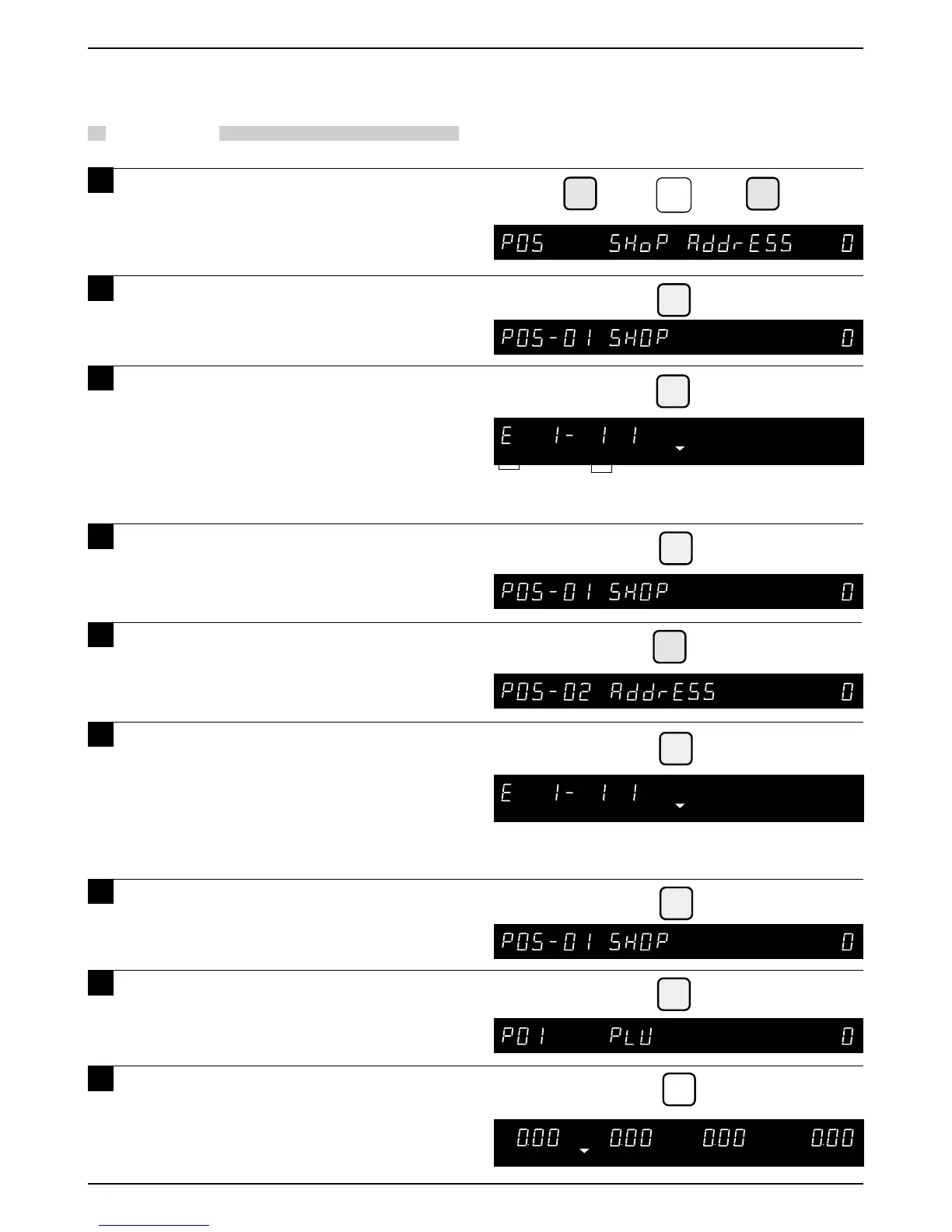
4.6 Shop Name/Address
PROCEDURES
1 Press the DOWN ARROW key ( ) until
the Shop Address menu (P05)
appears or key in “5” followed by the
DOWN ARROW key ( ) to enter the
menu directly.
2 Press the ENTER key to enter the
Shop Name menu (P05-01) to register
the shop name.
3 Press the ENTER key to enter the
Shop Name edit menu to edit the text.
Note: Refer to Chapter 5 “Text Editing” for
further details.
Only character size "1" is available.
Maximum of 46 characters with Italics not
available.
4 After text entry, press the ENTER key.
5 Press the DOWN ARROW key ( ) to
enter the Shop Address menu
(P05-02) to register the shop address.
6 Press the ENTER key to enter the
Address edit menu to edit the text.
Note: Refer to Chapter 5 “Text Editing” for
further details.
Only character size 1 is available.
Maximum of 46 characters with Italics not
available.
After text entry, press the ENTER key.
8 Press the END key to return to the
PLU menu (P01).
7



 To Next Page