page 46
ASTRA
• Operation Manual • Rev. 0124C
Chapter 4. Registration Mode
END
➝
ENTER
ENTER
Example: Upload item data “03”
➝
➝
➜
➝
or
➜
➝
1
ENTER
➝
or
3
ZERO
MODE
Note: Refer to Section 4.1 to enter the Registration mode.
4.11 Communication (Sending)
PROCEDURES
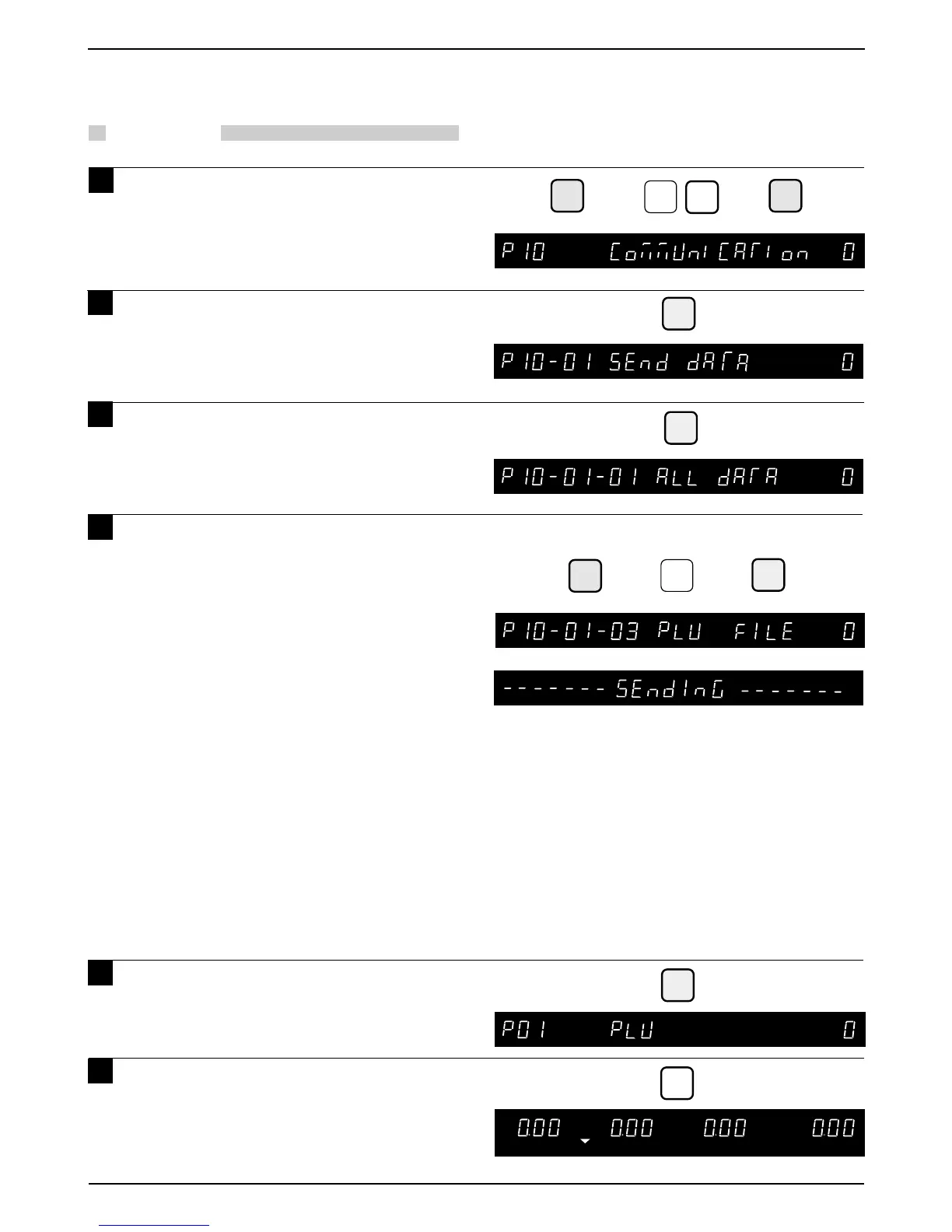
1 Press the DOWN ARROW key ( ) until
the COMMUNICATION menu (P10)
appears or key in “10” followed by
the DOWN ARROW key ( ) to enter
the menu directly.
2 Press the ENTER key to enter the
Send Data menu (P10-01).
3 Press the ENTER key to gain access
to uploadable data.
4 Select the data to be uploaded by
pressing the DOWN ARROW key ( )
or key in the desired number followed
by the ENTER key to gain direct
access.
Uploadable data
P10-01-01 : ALL DATA
P10-02-02 : SHOP NAME
P10-02-03 : PLU FILE
P10-02 04 :
PRESETS (preset keyboard data)
P10-02-05 :
MESSAGES (Extra message data)
P10-02-06 :
LABEL FMT (Label format data)
P10-02-07 : CNFG DATA (E2ROM data)
Note: After data is sent properly,
“—— DATA SEND OK—— ” is displayed
temporarily
.
If data is not sent properly,
“—— DATA SEND ERROR —— ” is
displayed and an error buzzer sounds.
5 Press the END key to return to the
PLU menu (P01).
Press the MODE key to return to
normal operation mode after all
operations of Registration Mode are
completed.
0
6



 To Next Page