page 48
ASTRA
• Operation Manual • Rev. 0124C
Chapter 4. Registration Mode
➝
ENTER
1
➝
➝
or
➜
➝
1
ENTER
ENTER
ENTER
ENTER
ENTER
ENTER
Note: Refer to Section 4.1 to enter the Registration mode.
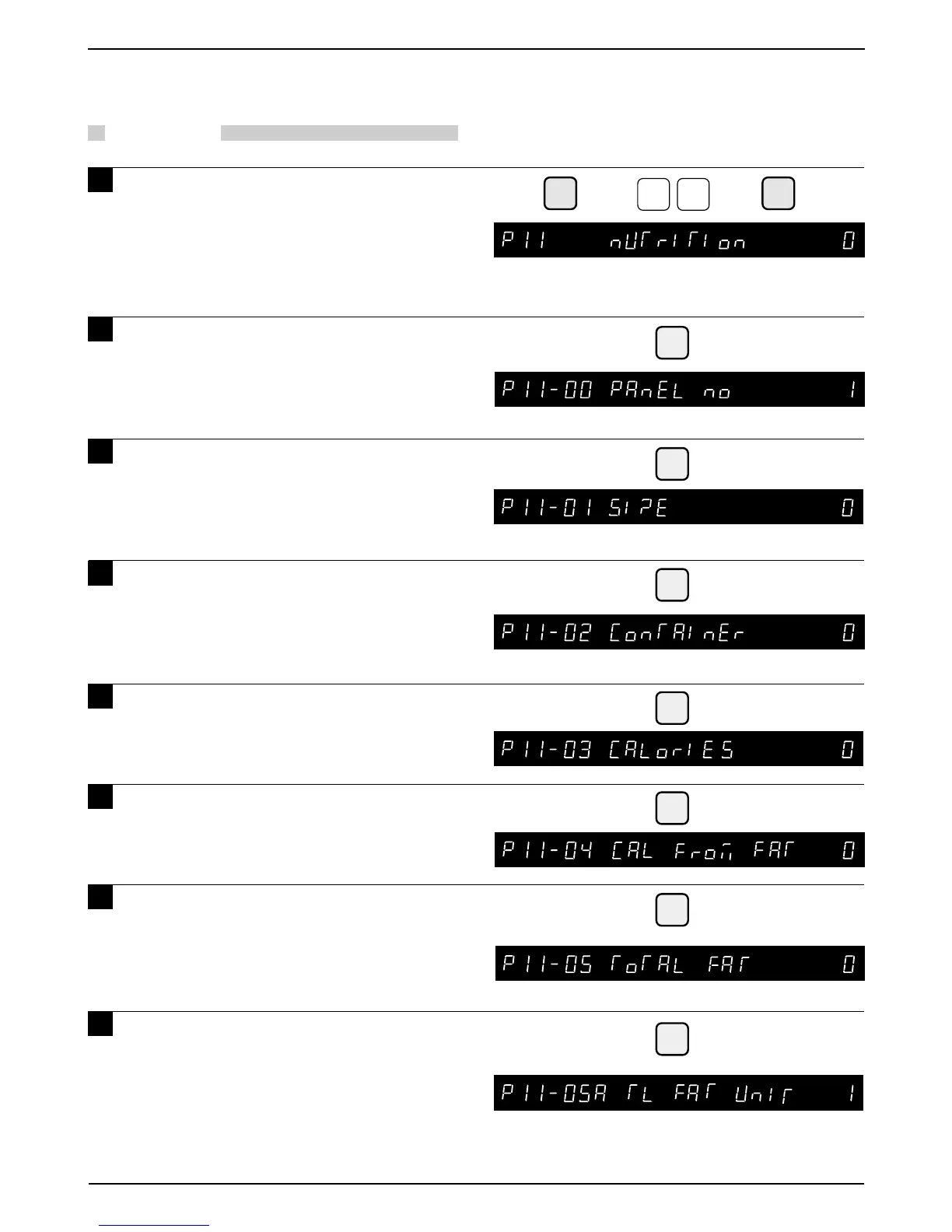
4.13 Nutrition
PROCEDURES
1 Press the DOWN ARROW key ( ) until
the NUTRITION menu (P11) appears
or key in “11” followed by the DOWN
ARROW key ( ) to enter the menu
directly.
2 Press the ENTER key to enter the
Nutrition Panel menu (P11-00), and
enter the Nutrition Panel No.
3 Press the ENTER key and enter the
serving size using alphanumeric
characters (Max. 10 char.).
4 Press the ENTER key and enter the
Servings per Container using
alphanumeric characters (
Max. 4
char.
).
5 Press the ENTER key and enter the
Total Calories (Max. 4 digits).
6 Press the ENTER key and enter the Fat
Calories (Max. 4 digits).
7 Press the ENTER key and enter the
Total Fat amount (Max.3 char.).
8 Press the ENTER key and select the
unit of measure (0: “mg” or 1: “g”).



 To Next Page