ASTRA
• Operation Manual • Rev. 0124C page 55
Chapter 5. Text Editing
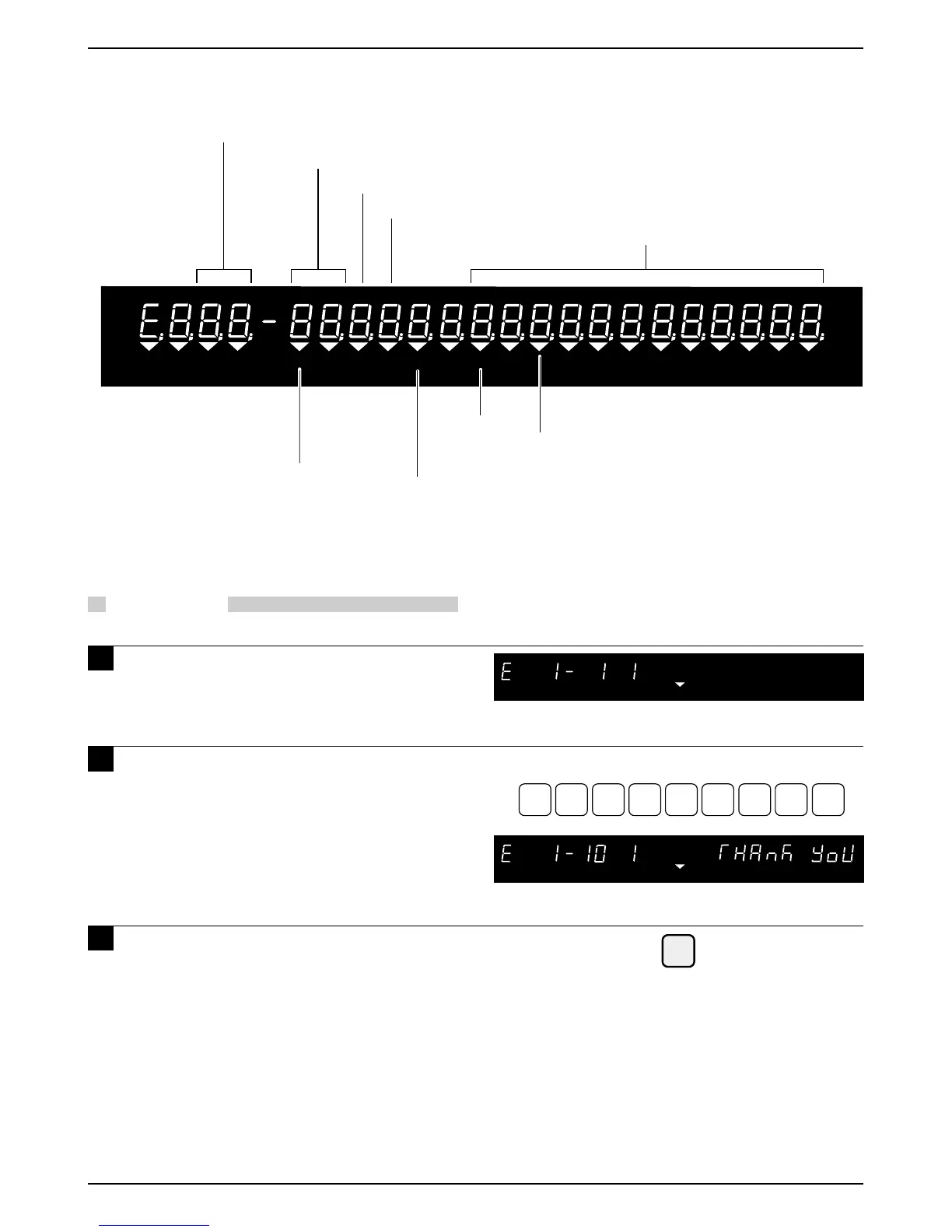
5.3 Edit Display
5.4 Edit Examples
PROCEDURES
1 Ensure that the machine is in Edit
Mode.
2 Key in the desired text using the
typewriter style key sheet.
3 Press the ENTER key to save the text.
Example: Text as “Thank You”
T
H
A
N
YKO
U
SPACE
ENTER
Line number of cursor position
Cursor position counted from first character of the line
“I” is displayed when Italic character is selected
Character size (7 character sizes)
Character line monitor
Indicator for Character Size Change mode (ON/OFF)
Indicator for Lower Case Characters (ON/OFF)
(Character size 1 only)
Indicator for
Insert/Overwrite
(ON/OFF)
Indicator for Symbol Function Entry mode (ON/OFF)
NET
ZERO
SAVE



 To Next Page