page 36
ASTRA
• Operation Manual • Rev. 0124C
Chapter 4. Registration Mode
➝
ENTER
ENTER
Flag No.
1
FEED
➝
➝
or
➜
➝
4
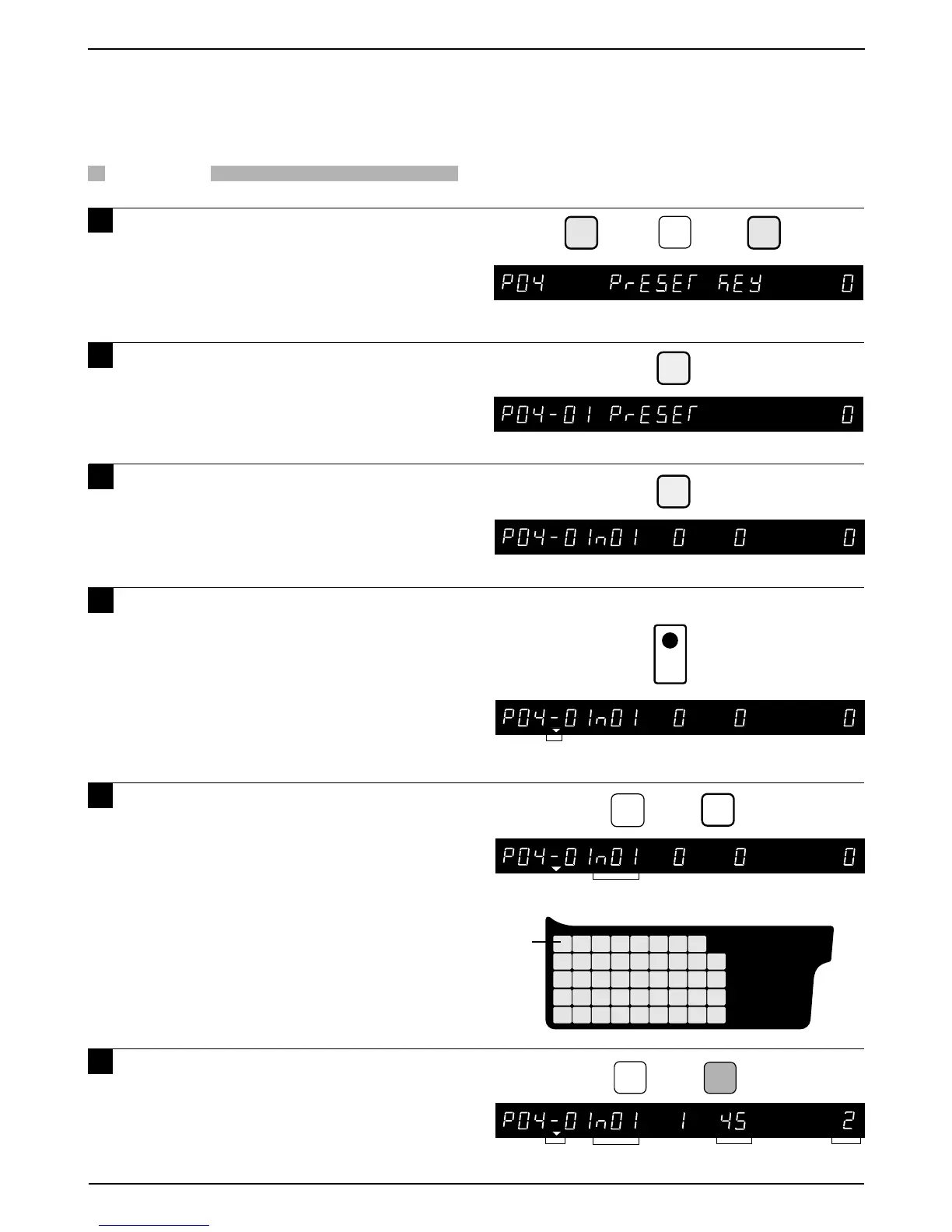
Example: Preset key (lower level) as “PLU 2”
➜
Lower level
2
➜
Preset Key
Key location Value
Note: Refer to Section 4.1 to enter the Registration mode.
Key position
45 on lower level
PRINT
Lower level
PROCEDURE
1 Press the DOWN ARROW key ( ) until
the Preset Key menu (P04) appears or
key in “4” followed by the DOWN
ARROW key ( ) to enter the menu
directly.
2 Press the ENTER key to enter the
Preset menu (P04-01).
3 Press the ENTER key to set the preset
PLU or tare key data.
4 Press the PRINT key to switch
between upper and lower preset keys.
Note: Two values can be stored on each preset
key. The PRINT key is used to switch
between upper and lower level. When
lower level is selected, the lower level
indicator will be lit.
5 Key in desired preset key flag number
(1 or 2) to select PLU number or tare
weight assignment, and press the
FEED key.
Preset key flag
1 : PLU (Max. 6 digits)
2 : Tare (Max. 4 digits)
Note: The default Flag No. is “1”.
6 Key in data (PLU number or Tare
weight) and press the desired preset
key.
Repeat steps 4, 5 and 6 to assign
more preset keys.
4.5 Preset Key
4.5.1 Preset Keys — PLU and Tare values
Flag No.



 To Next Page